Troubleshooting Tip: Resolving Certificate Errors for web proxy users
| Description | This article describes how to resolve the Certificate Errors for explicit web proxy users. |
| Scope | FortiGate. |
| Solution | After configuring explicit proxy with Authentication and if users get the certificate error. To resolve the issue check the global web-proxy configuration and check which CA certificate it is using. Download that certificate from the FortiGate, and install that certificate on the user's PC on the Trusted root certification authorities store. This should resolve the certificate error.
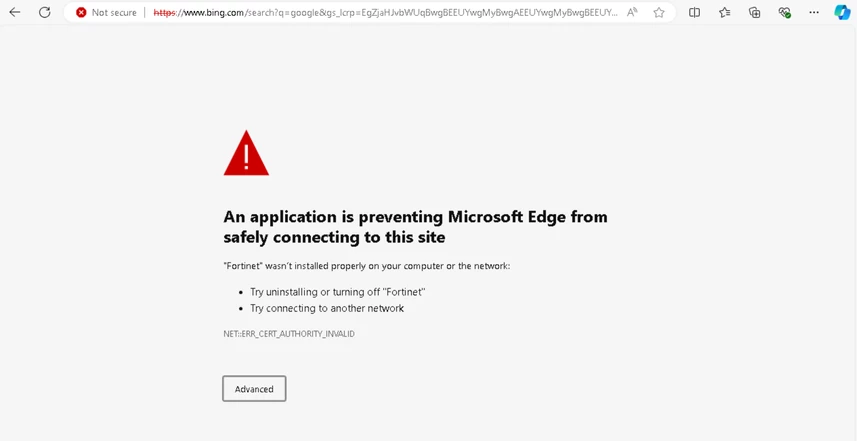
If users encounter certificate errors like the one shown in the image below, follow these steps:
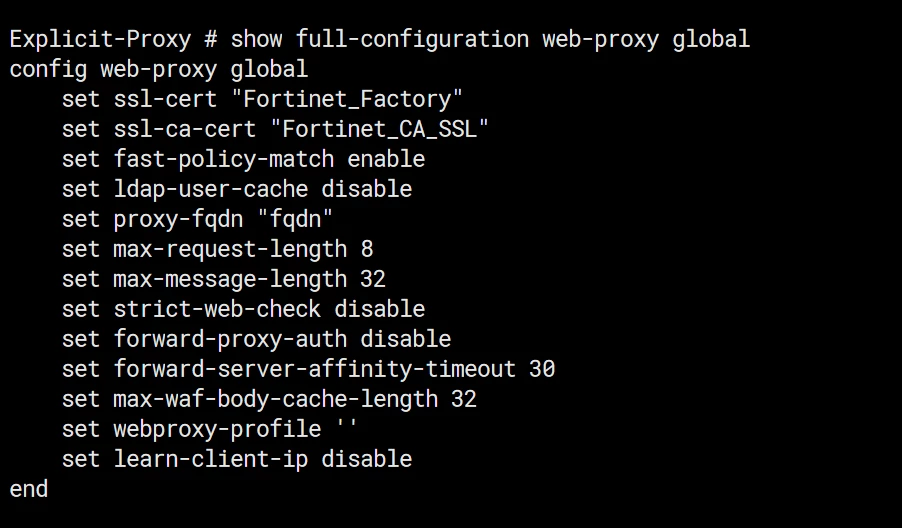
check the web-proxy global configuration for which the CA certificate is used. In this example, it is using Fortinet_CA_SSL Certificate.
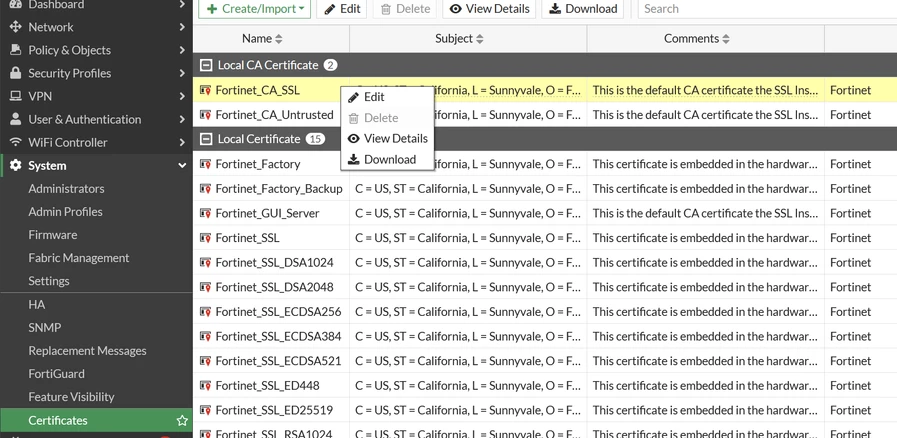
Download the certificate from the FortiGate GUI under Certificates.
Install the downloaded CA certificate into the Trusted Root Certification Authorities store on the user's PC. Clear Browser Cache and Re-access Website. This will fix the certificate error.
Related articles: |