When connecting to IPsec Dial-up VPN using Azure SAML SSO, the error 'wrong credentials' was observed.
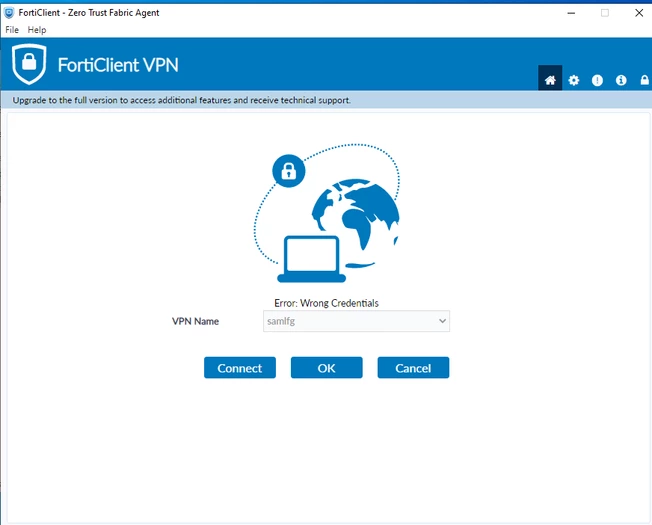 Running samld and ike debug on FortiGate, the following output is seen:
FGT_1 # diagnose debug reset
FGT_1# diagnose debug application ike -1
FGT_1# diagnose debug application samld -1
FGT_1 # diagnose debug enable

samld_send_common_reply [95]: Attr: 10, 55, 'username' 'test@xxxx'
samld_send_common_reply [99]: Attr: 11, 668, https://login.microsoftonline.com/xxxxx
samld_send_common_reply [119]: Sent resp: 12592, pid=298, job_id=563437.
ike 0: comes 142.112.253.50:500->192.168.2.127:500,ifindex=6,vrf=0....
ike 0: IKEv1 exchange=Aggressive id=4e59072d51c40463/0000000000000000 len=508 vrf=0
ike 0: in 4E59072D51C4046300000000000000000110040000000000000001FC04000064000000010000000100000058010100020300002801010000800B0001000C00040001518080010007800E00808003000180020002800400050000002802010000800B0001000C00040001518080010007800E01008003000180020004800400050A0000C4B10D67F5C6342E9E4BACCE8E8CF7D2CF2DAC0DA0E5909C0741DE6578D5D24A0C53D4ACFABCBF35EEEAE747E959E68A538ABEB906455F752934666B389DD4CEC0E6972927B7231E95424E2B37D9E30C24ADBF4B60E3A53B72F0AC75E785A8581DDF1DE02E6DA057FAF7C1B2454B5DAF844155AA927CB4EA6690C0E6AF4B2F3AEA0D8DFC1B25EE4134714A8F42F57BB80089614B5C940A7314EBF0E25CF289B10469433E44BCE611F8F31355481114FE9C920FA693B500CC66EEEA37AC62A4A95905000014B916D5A8F96CD3537B35DF50B92967800D00000C01000000C0A802270D00001412F5F28C457168A9702D9FE274CC01000D0000144A131C81070358455C5728F20E95452F0D000014CD60464335DF21F87CFDB2FC68B6A4480D00001490CB80913EBB696E086381B5EC427B1F0D00000C09002689DFD6B7120D000014AFCAD71368A1F1C96B8696FC775701000D0000144C53427B6D465D1B337BB755A37A7FEF00000014B4F01CA951E9DA8D0BAFBBD34AD3044E
ike 0:4e59072d51c40463/0000000000000000:768: responder: aggressive mode get 1st message...
ike 0:4e59072d51c40463/0000000000000000:768: VID CISCO-UNITY 12F5F28C457168A9702D9FE274CC0100
ike 0:4e59072d51c40463/0000000000000000:768: VID RFC 3947 4A131C81070358455C5728F20E95452F
ike 0:4e59072d51c40463/0000000000000000:768: VID draft-ietf-ipsec-nat-t-ike-02 CD60464335DF21F87CFDB2FC68B6A448
ike 0:4e59072d51c40463/0000000000000000:768: VID draft-ietf-ipsec-nat-t-ike-02 90CB80913EBB696E086381B5EC427B1F
ike 0:4e59072d51c40463/0000000000000000:768: VID draft-ietf-ipsra-isakmp-xauth-06.txt 09002689DFD6B712
ike 0:4e59072d51c40463/0000000000000000:768: VID DPD AFCAD71368A1F1C96B8696FC77570100
ike 0:4e59072d51c40463/0000000000000000:768: VID forticlient connect license 4C53427B6D465D1B337BB755A37A7FEF
ike 0:4e59072d51c40463/0000000000000000:768: VID Fortinet Endpoint Control B4F01CA951E9DA8D0BAFBBD34AD3044E
ike 0::768: peer identifier IPV4_ADDR 192.168.2.39
ike 0: IKEv1 Aggressive, comes 142.112.253.50:500->192.168.2.127 6
ike 0:4e59072d51c40463/0000000000000000:768: negotiation result
ike 0:4e59072d51c40463/0000000000000000:768: proposal id = 1:
ike 0:4e59072d51c40463/0000000000000000:768: protocol id = ISAKMP:
ike 0:4e59072d51c40463/0000000000000000:768: trans_id = KEY_IKE.
ike 0:4e59072d51c40463/0000000000000000:768: encapsulation = IKE/none
ike 0:4e59072d51c40463/0000000000000000:768: type=OAKLEY_ENCRYPT_ALG, val=AES_CBC, key-len=256
ike 0:4e59072d51c40463/0000000000000000:768: type=OAKLEY_HASH_ALG, val=SHA2_256.
ike 0:4e59072d51c40463/0000000000000000:768: type=AUTH_METHOD, val=PRESHARED_KEY.
ike 0:4e59072d51c40463/0000000000000000:768: type=OAKLEY_GROUP, val=MODP1536.
ike 0:4e59072d51c40463/0000000000000000:768: ISAKMP SA lifetime=86400
ike 0:4e59072d51c40463/0000000000000000:768: SA proposal chosen, matched gateway dialup
SAML is sending the correct username. However, phase 1 is matched to the wrong tunnel. This is because there are multiple dial-up tunnels configured on the same gateway. To avoid this, use the 'peer id' setting on FortiGate and the 'local id' setting on FortiClient to match the right tunnel.
config vpn ipsec phase1-interface
    edit <phase1-name>
        set peertype one
        set peerid <CustomerPeerIdString>
    next
end
The <CustomerPeerIdString> should be used as a Local ID on FortiClient remote access profiles.
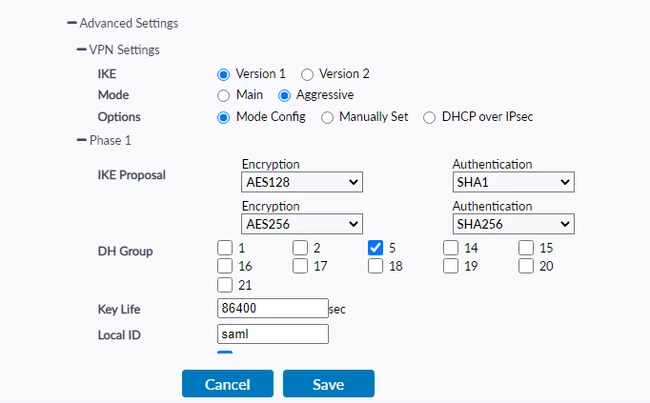
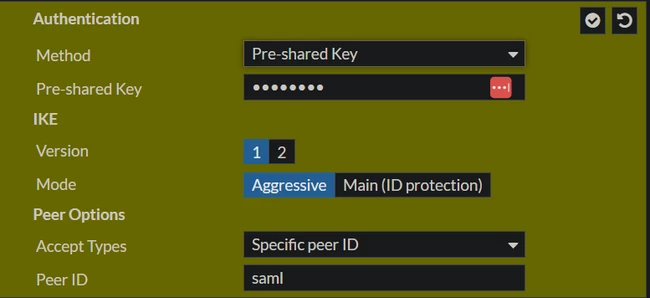
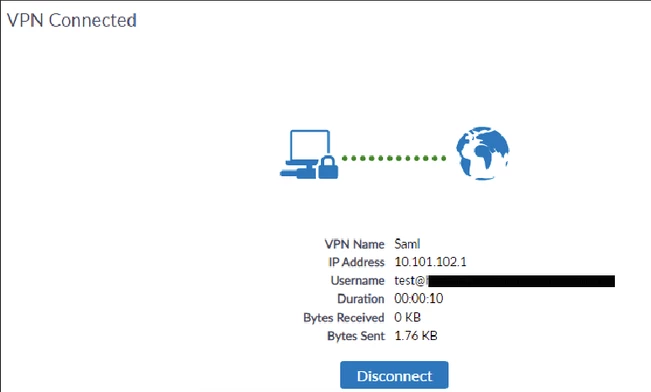
Re-connect and confirm that the VPN is matching the correct tunnel.
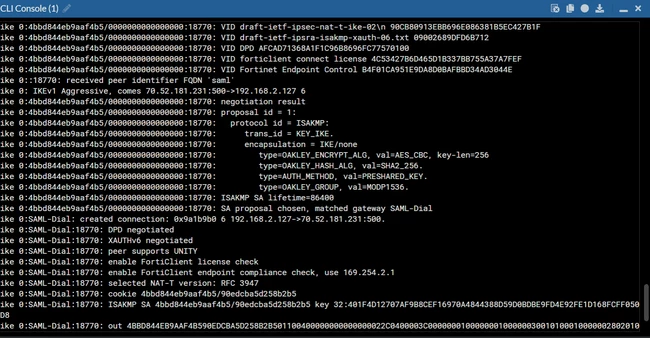
Note: This solution applies to IKEv1 dial-up tunnels, as used in the debug output above. For IKEv2 dial-up tunnels, Peer ID is not the primary mechanism for tunnel selection; FortiGate instead uses the Network ID attribute. See Technical Tip: How to configure Network ID for distinguishing IKEv2 IPsec VPN tunnels using FortiClient XML file for details.
As an alternative to Peer ID matching for SAML dial-up users, certificate-based authentication can also be used to select the correct tunnel. See Technical Tip: Certificate Authentication for FortiClient remote access dial-up IPsec clients with SAML user authentication for details.
Related article:
| 


