Troubleshooting Tip: Azure SQL Server access is blocked when using Application Control
| Description | This article describes Azure SQL Server access being blocked if 'Block applications detected on non-default ports' is enabled in the Application Control profile. |
| Scope | FortiGate, Azure. |
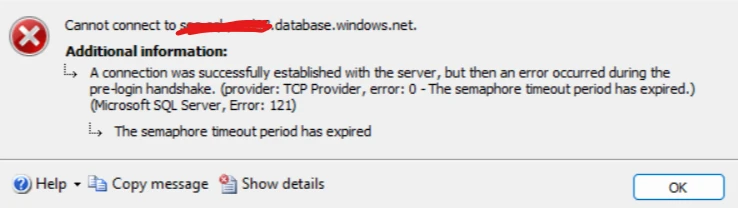
| Solution | Here is the blocked message when a user tries to connect to the Azure SQL Server.
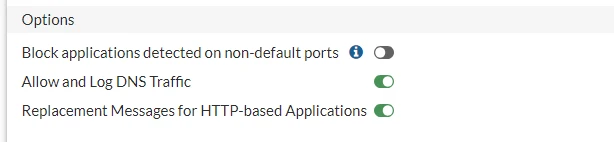
Check Azure Server mode, if it is using redirect mode, disable 'Block applications detected on non-default ports' in the Application Control profile as shown below.
The user should be able to access Azure SQL Server now. |