mle2802
Staff
Staff
May 15, 2023 11:46 AM UTC

Technical Tip: Wrong IP in FSSO agentless polling mode

Description

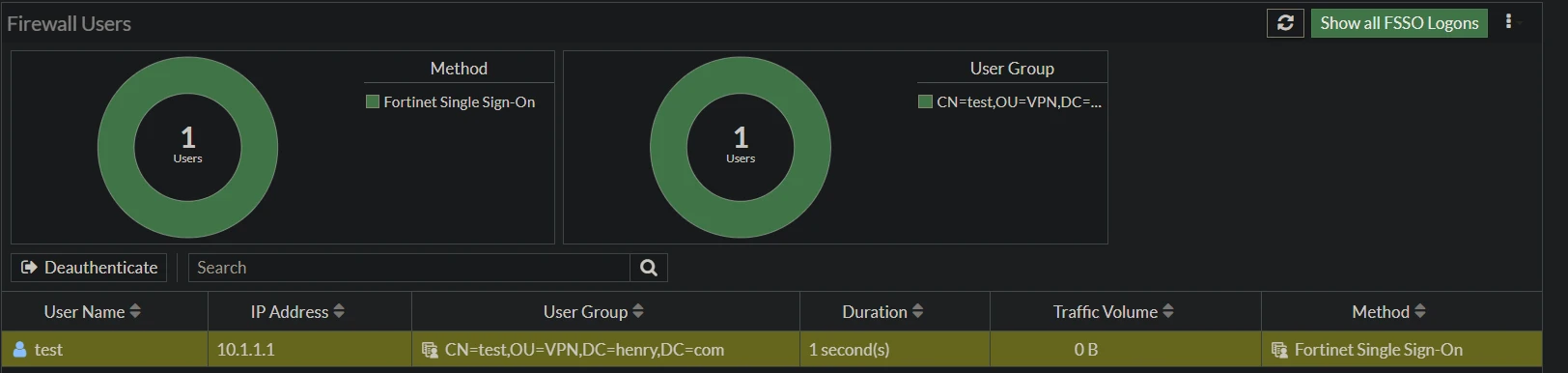
This article describes a case scenario where a user is bound to the wrong IP while authenticating using FSSO agentless polling mode.
mle2802_0-1684150633636.png


mle2802_1-1684150633642.png
Scope All firmware and FortiGate.
Solution

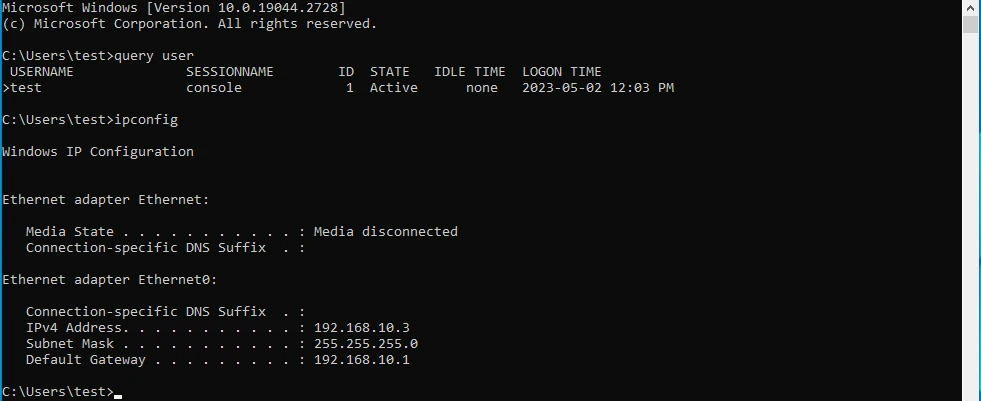
This behavior happens when the PC on which the user is logged in is located on a different network than the AD server and NAT is enabled on the policy between those networks.
With NAT enabled, it will be translated to the FortiGate interface IP instead. In this case, it is 10.1.1.1.

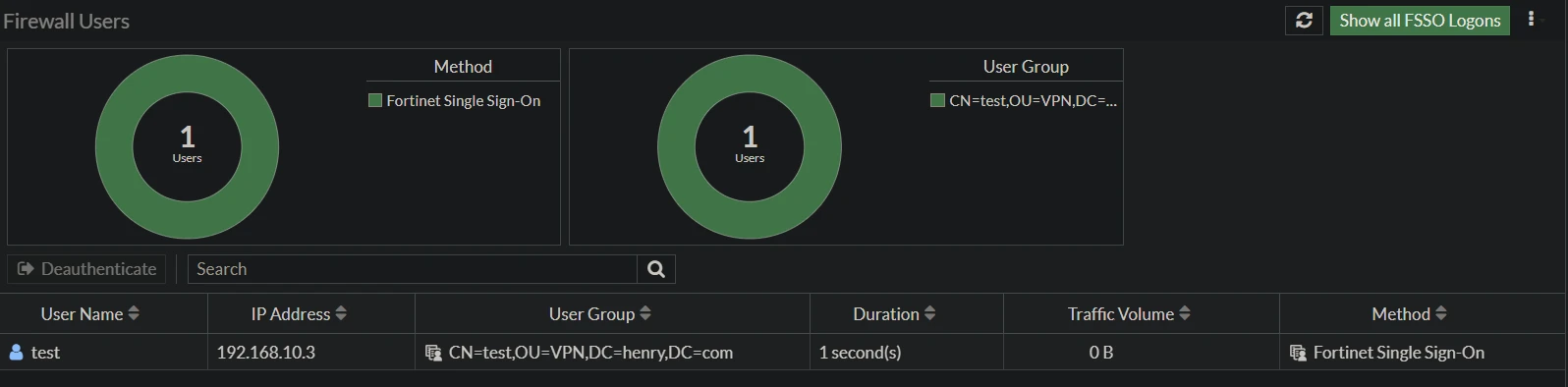
After disabling NAT on the internal policy between the AD server and the user network, the right IP will be shown.

mle2802_2-1684150652542.png


If the issue persists, contact Fortinet support.
    Risk and Resilience in the Age of AI. An OT Thought Leadership Summit for Houston's Critical Infrastructure Leaders. Date: Thursday, December 3, 2026. Time: 8:30 am - 1:30 pm (CT). Location: The Westin Houston, Memorial City | 945 Gessner Road, Houston, TX 77024