tino_p
Staff
Staff
Nov 6, 2023 9:18 AM UTC

Technical Tip: Using different WAN interface for SSL VPN connections

  • Apr 16, 2026 11:50 AM UTC
  • 0 replies
  • 4055 views
  • Translate All
Description

This article describes how to configure the different WAN interfaces (instead of the default route) for SSL VPN connections. 


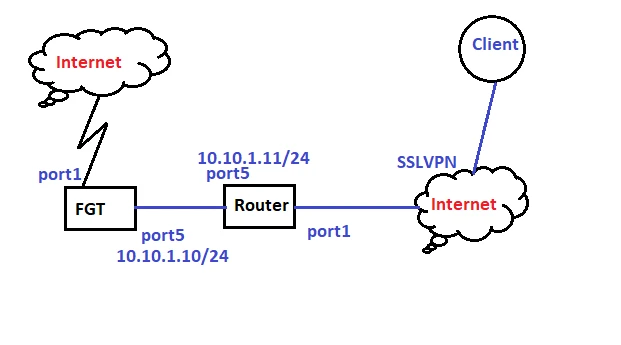
In this network diagram:

  • FortiGate firewall has a default route via port1, SSL VPN connections will be configured on port5 (which is behind the ISP router).
  • Port forwarding will be configured in the ISP router, to forward traffic on port 10777 (on Router) to SSL VPN port 8443 (on FortiGate).
  • Another FortiGate will be used as the simulation for the ISP router.


Capture.PNG

ISP router's port1 = 10.47.4.7.

FortiGate's port1 = 10.47.4.6.

Client's public IP = 10.47.2.226.

Scope FortiGate, NAT, VIP.
Solution
  1. Basic Configurations on ISP router and FGT
  • The static default route via port1.
  • The static IP addresses on port5.
  • A local user on the FortiGate firewall for SSL VPN authentication.


  1. In ISP router, configurations of VIP, and Firewall policy.


    Virtual IP to forward traffic on port 10777 (on Router) to SSL VPN port (8443).
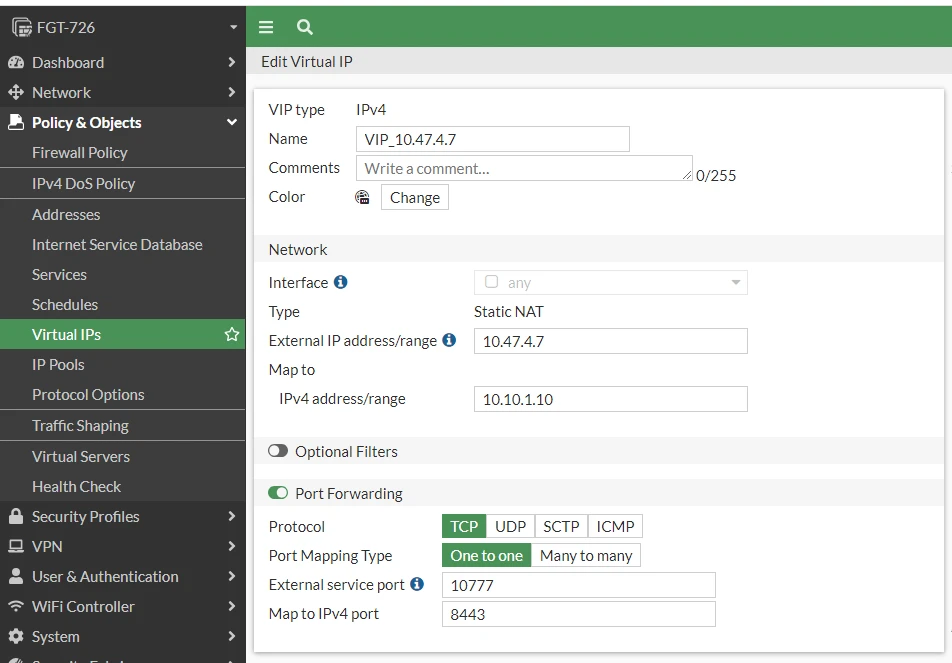
    1.PNG


    The Firewall policy with the above VIP is set as the Destination address, with NAT enabled.
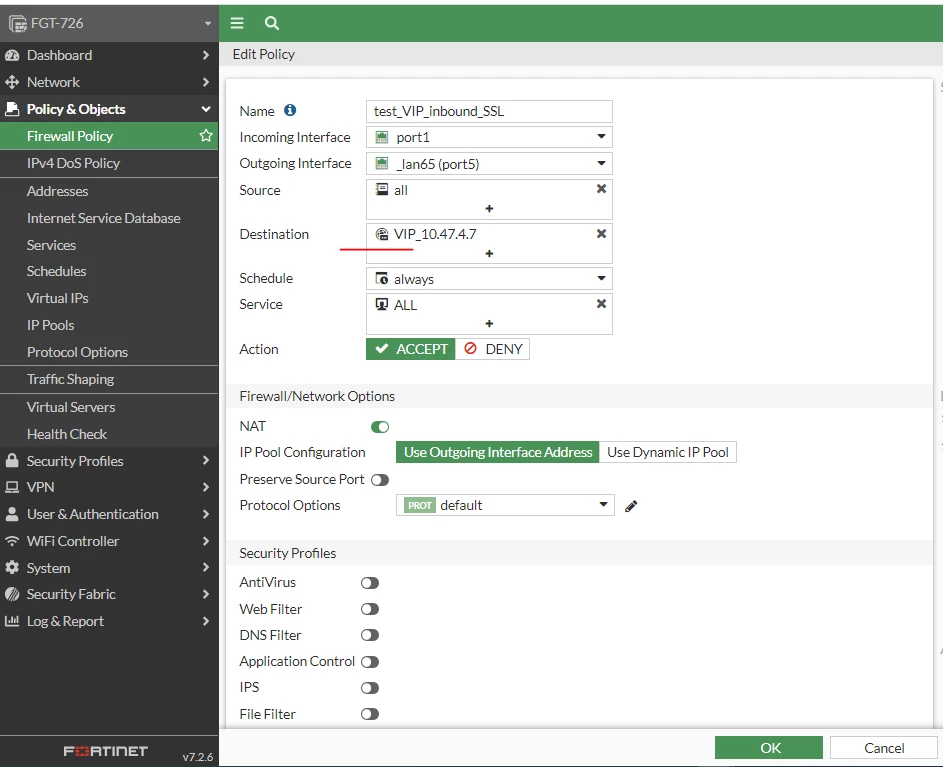
    2.PNG


  2. In the FortiGate firewall, configurations of SSL VPN, Firewall policy, and Policy route:


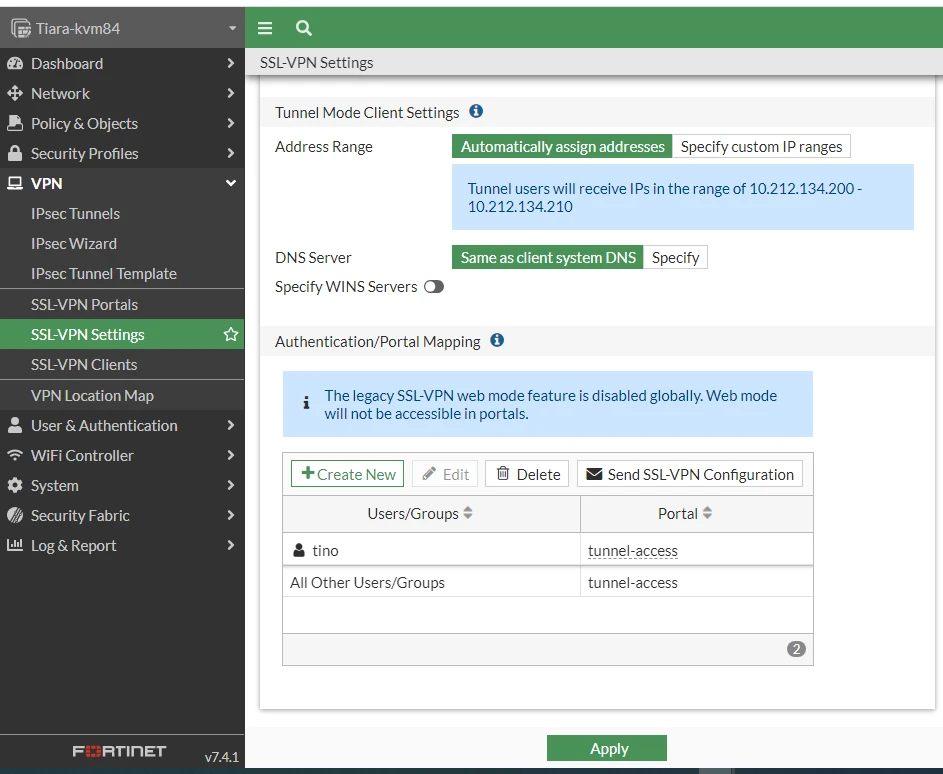
    SSL VPN settings with the listening interface (port5), port(8443), and user/portal.
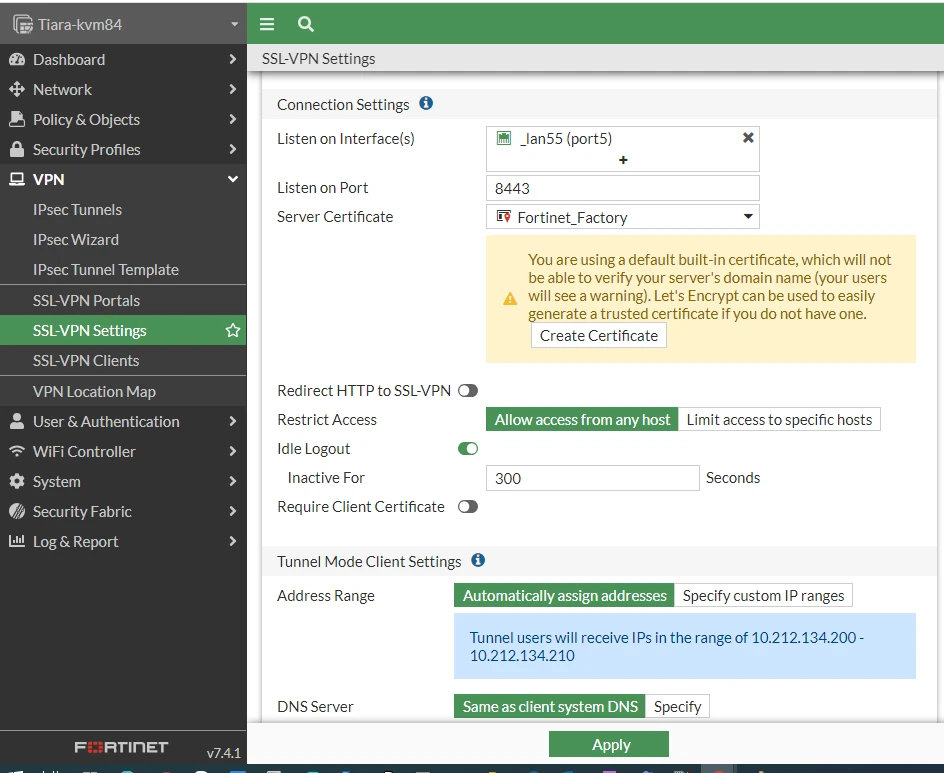
    3.PNG  4.PNG


    The Firewall policy for SSL VPN connections:
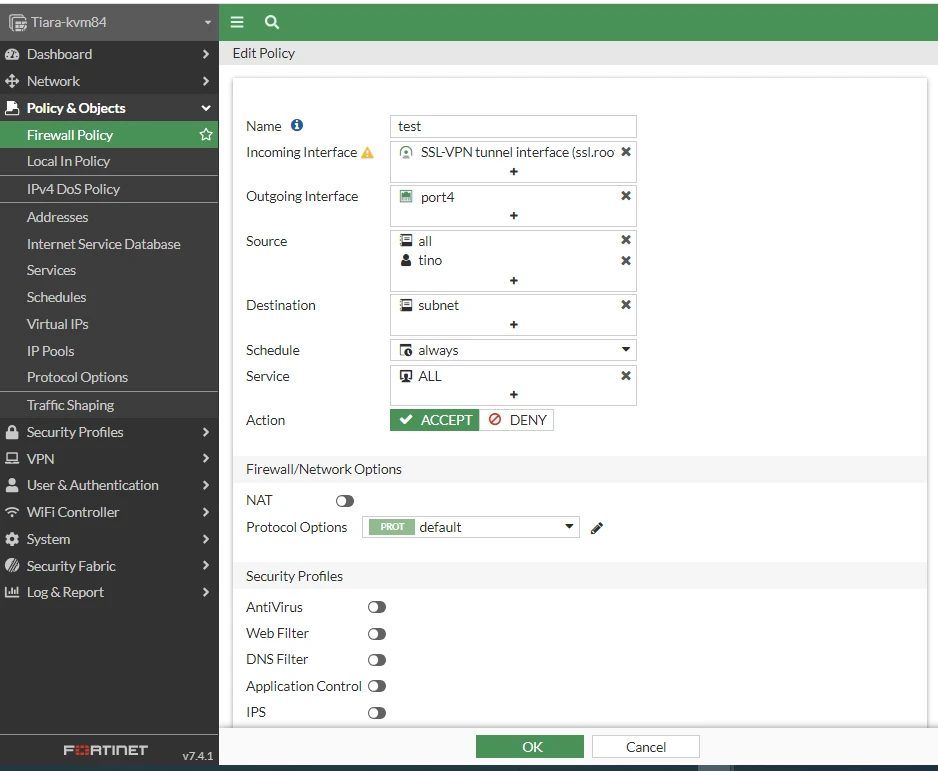
    5.PNG


    A policy route to reply to the SSL VPN traffic (which comes from port5) to port5.
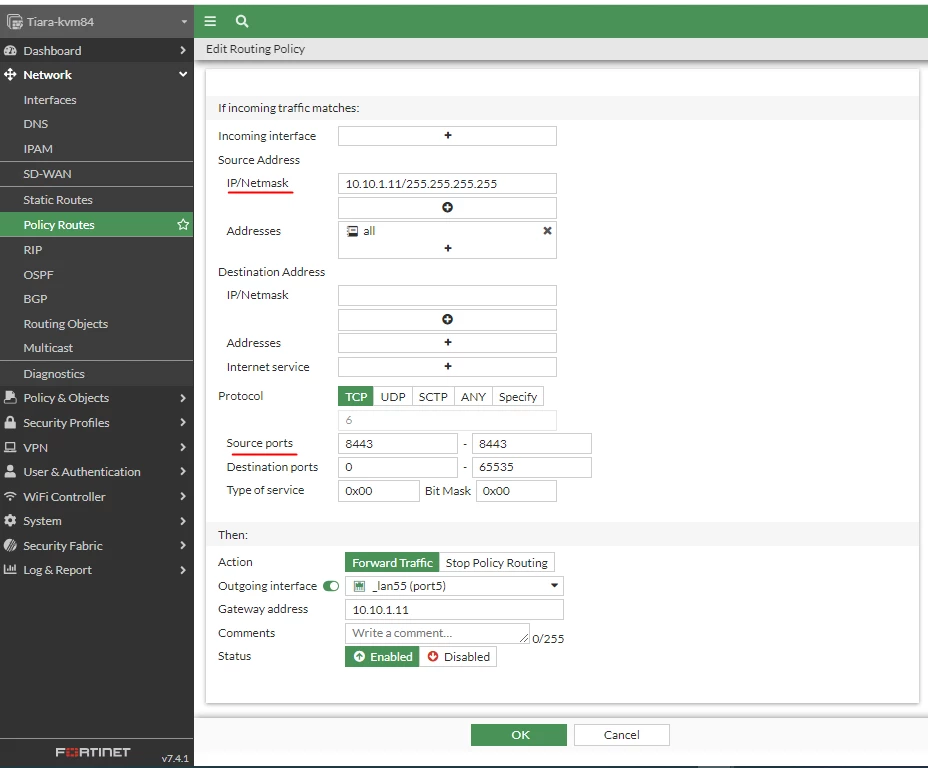
    6.PNG


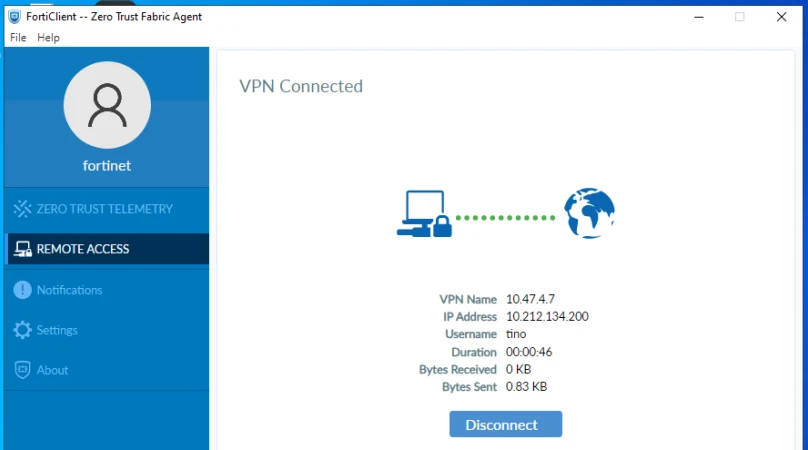
  3. Configurations on FortiClient (in Client's computer):
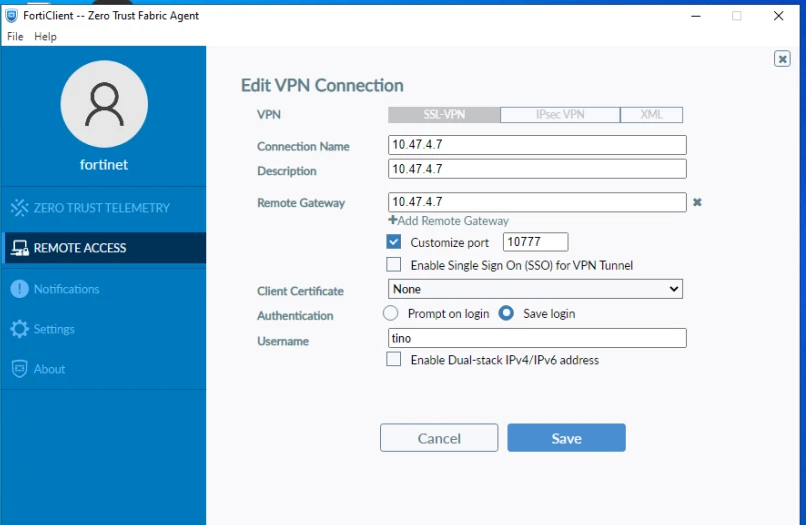
    7.PNG 8.PNG


  4. Notes:


    In the FortiGate firewall, the packet sniffer shows the connections from 10.10.1.11 (which is Router's port1) because, in step 2, the firewall policy has NAT enabled.
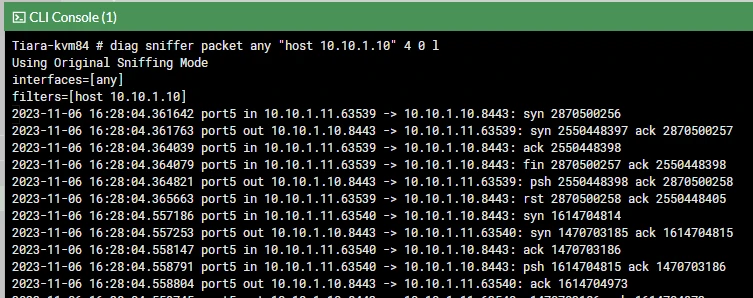
    9.PNG


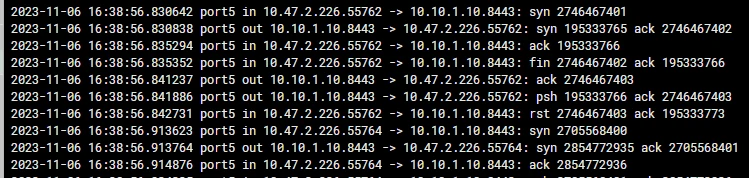
    If NAT is disabled, the sniffer will show the connections from 10.47.2.226 (which is the client's public IP) and FortiClient will fail to connect:

    10.PNG

    In this case, the policy route in the FortiGate firewall needs to specify the source address = 10.47.2.226 to fix the problem.
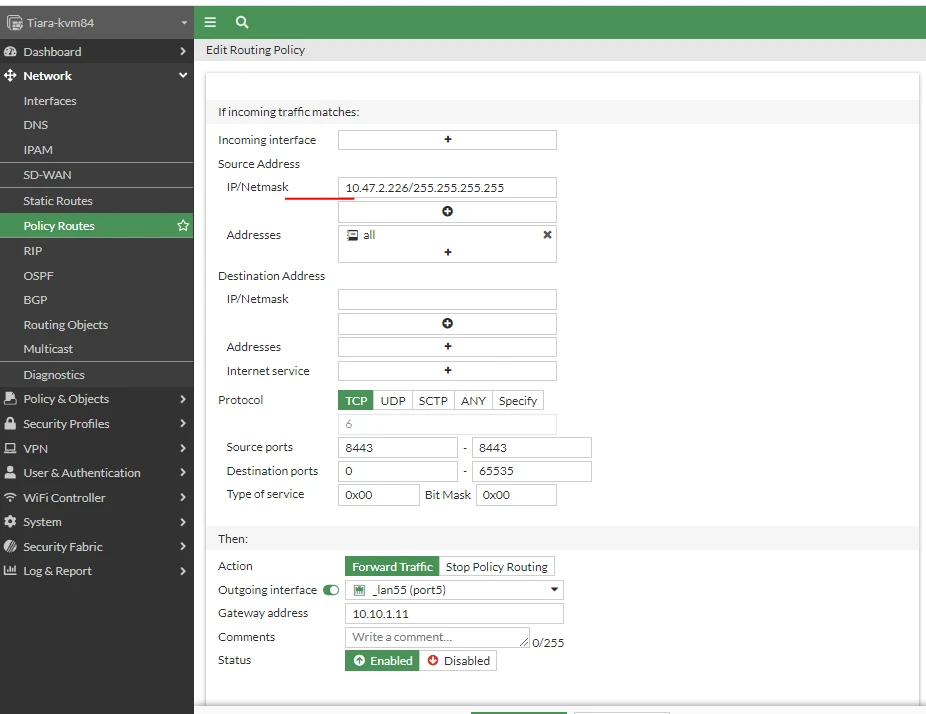
     

    11.PNG
    12.PNG


Risk and Resilience in the Age of AI. An OT Thought Leadership Summit for Houston's Critical Infrastructure Leaders. Date: Thursday, December 3, 2026. Time: 8:30 am - 1:30 pm (CT). Location: The Westin Houston, Memorial City | 945 Gessner Road, Houston, TX 77024