Technical Tip: Users facing issue when accessing HTTPS websites, after migrating from one FortiGate to another FortiGate
| Description | This article describes that users are facing issues when accessing HTTPS websites after migrating from one FortiGate to another FortiGate when Deep Inspection is in use. |
| Scope | FortiGate. |
| Solution | When the configuration is migrated from one FortiGate to another, the default certificates will not get carried over. For example, the built-in 'Fortinet_CA_SSL' cert, which is the default for the Deep Inspection profiles, will always be the one included or generated by the device itself.
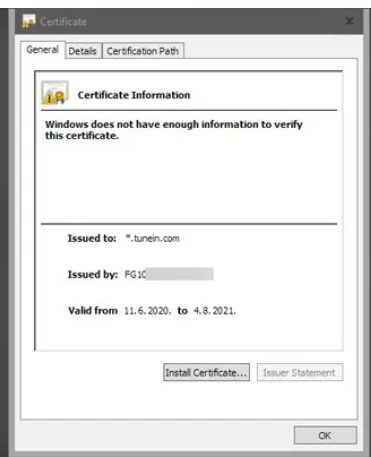
If the old CA certificate was imported onto a user's device for Deep Inspection, the new certificate will no longer match, and they will get a certificate error when visiting an HTTPS web page:
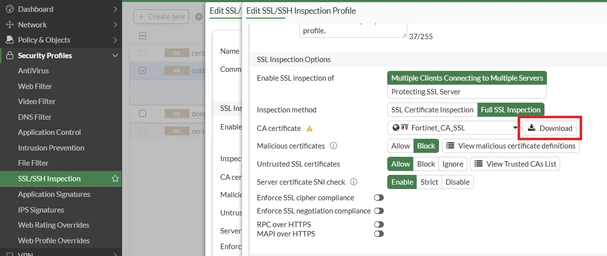
To resolve this, navigate to the Deep Inspection profile in use and re-import the CA cert onto each user's device:
Specific steps for this can be seen here: Technical Tip: How to enable deep inspection and import a certificate in the browser |