


Technical Tip: Username format for LDAP authentication
| Description | This article describes what format of LDAP username that should be used when LDAP authentication is integrated in FortiGate. For example, the LDAP user authentication to log in to FortiGate or for SSL-VPN authentication. |
| Scope | FortiGate. |
| Solution | In this active directory configuration, CN value of a user is 'JohnRice' and the SAMAccountName is 'John'.
Case1: When cn value is used under 'Common Name Identifier'.
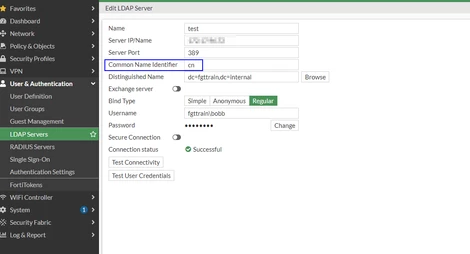
When the user authenticates, it should use the username value present in the Display Name section in Active Directory.
For example: Username: 'JohnRice' (see screenshot below).
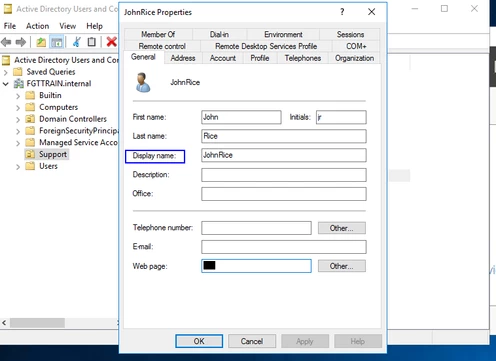 When importing as an individual user on FortiGate for 2FA purposes, it will display as 'JohnRice', and the client will need to use this value for authentication. A few packet capture snippets that show working and non-working scenarios for each case.
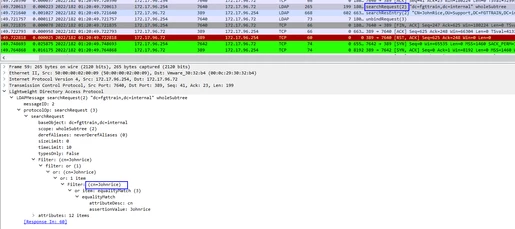
If Common Name Identifier: CN is used in the FortiGates' LDAP configuration:
Working Scenario. Search request:
Search response:
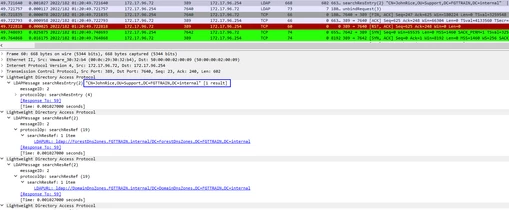
Bind the request and response after a successful search request.
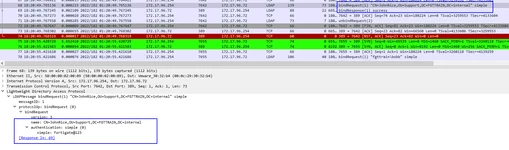
Non-Working scenario. Search request:
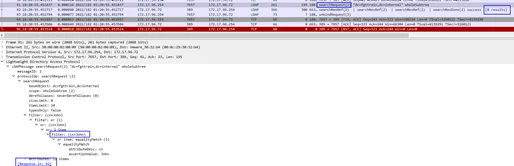
Search response:
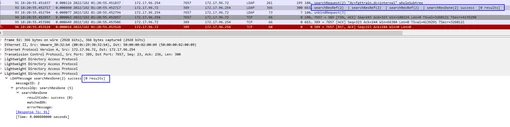
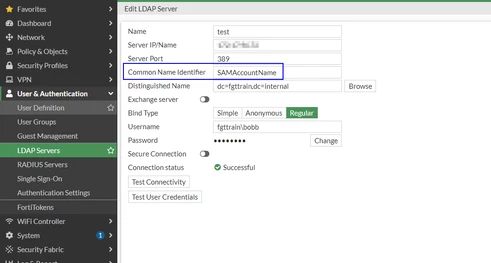
Case2: When SAMAccountName is used under Common Name Identifier.
When the user authenticates, it should use the username value present in the 'User logon name' section in Active Directory.
For example: Username: John (see in screenshot below).
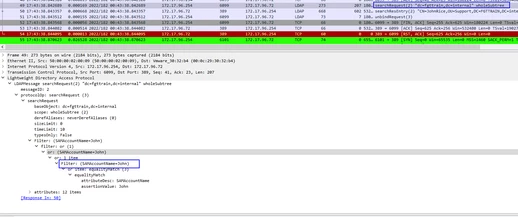
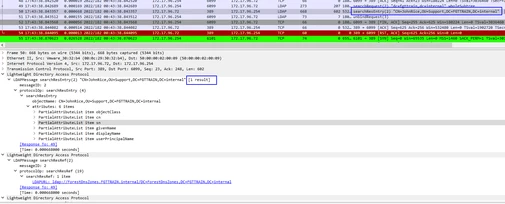
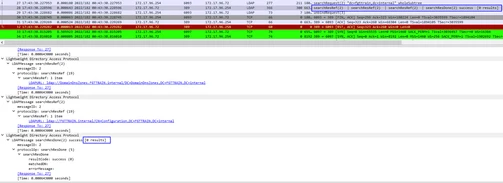
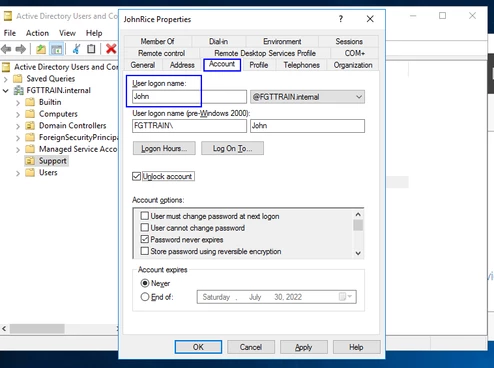 When importing as individual user on FortiGate for 2FA purpose, it will display as "John" and client will need to use this value for authentication. If Common Name Identifier: SAMAccountName is used in the FortiGates's LDAP configuration:
Working Scenario.
Non-working. Search request:
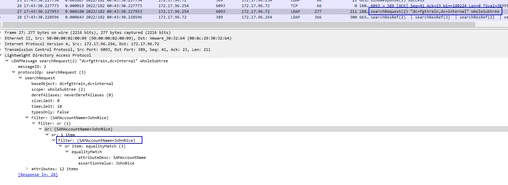
Search response:
 |

