raureada
Staff
Staff
May 17, 2024 8:41 AM UTC

Technical Tip: Step by Step Inter-VDOM configuration examples

Description This article describes the steps for Inter-VDOM configuration examples for LAN-to-LAN connectivity.
Scope FortiGate.
Solution

Below are the steps on how to configure Inter-VDOM:


Setup:

(10.118.1.0/20) Root VDOM.

(10.119.1.0/20) Test VDOM.


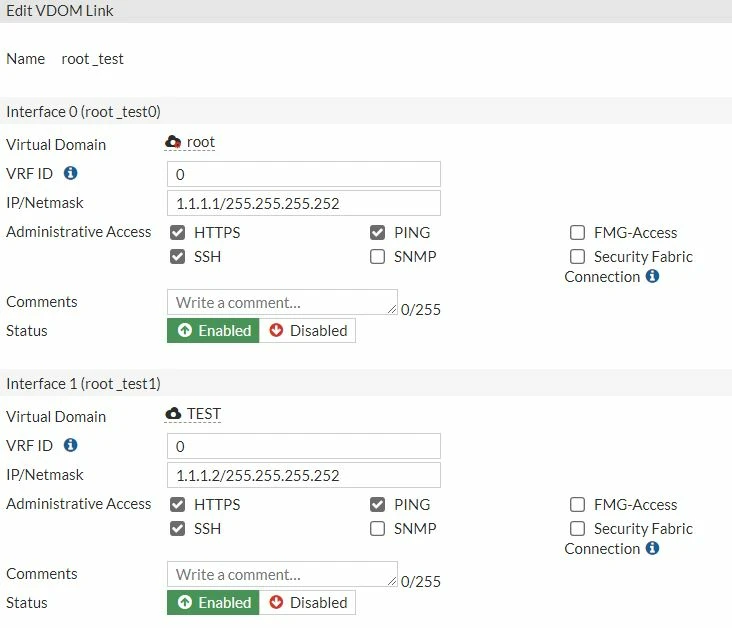
  1. Create a VDOM link from Global VDOM.


vdom1.JPG


Note: It is possible to use any IP address which is not used on the network as a point-to-point IP for the VDOM link.


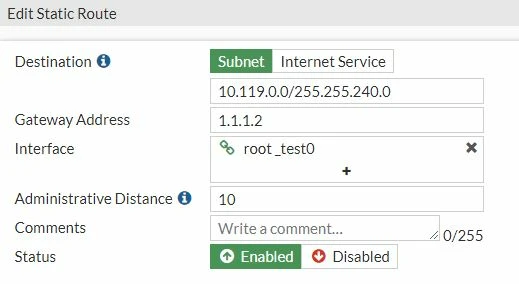
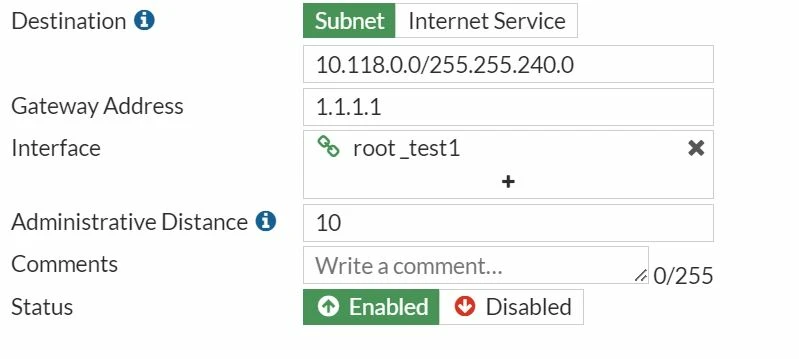
  1. Create a static route on both VDOMs:


    • Root VDOM.

    static root.JPG


    • Test VDOM.

     static test.JPG


  2. Create a firewall policy on both VDOMs.


    • Root VDOM.

    Policy Root.JPG

    • Test VDOM.

    Policy Test.JPG


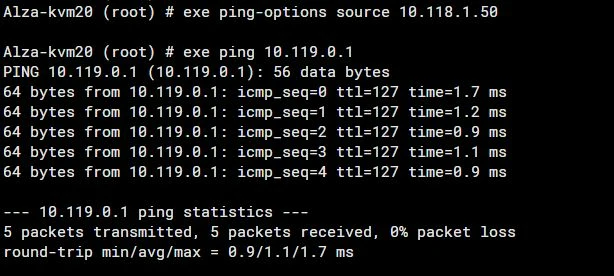
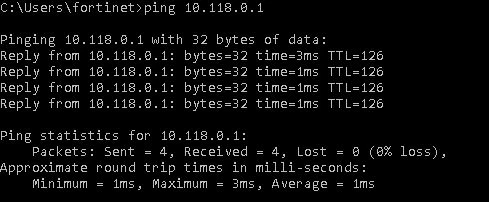
  3. Test the connectivity.


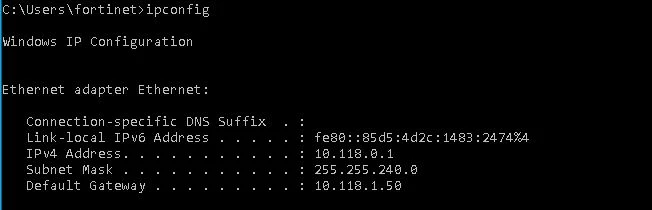
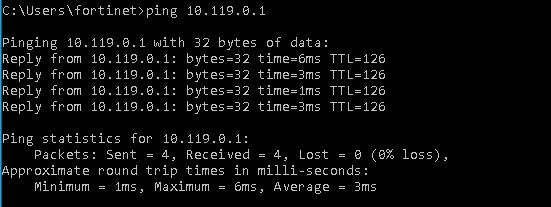
    • Ping from Root VDOM to Test VDOM.

    ping fom root vdom.JPG

    ping fom root vdom1.JPG

    ping fom root vdom2.JPG


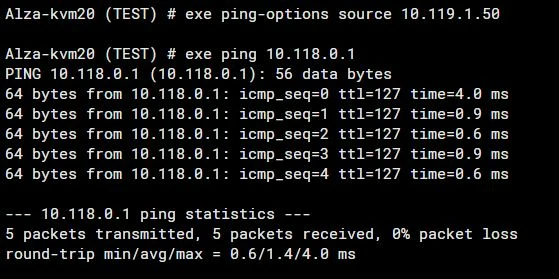
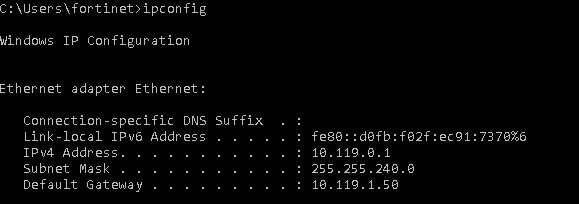
    • Ping from Test VDOM to Root VDOM.

     ping fom test vdom.JPG

    ping fom test vdom1.JPG

    ping fom test vdom2.JPG

    Risk and Resilience in the Age of AI. An OT Thought Leadership Summit for Houston's Critical Infrastructure Leaders. Date: Thursday, December 3, 2026. Time: 8:30 am - 1:30 pm (CT). Location: The Westin Houston, Memorial City | 945 Gessner Road, Houston, TX 77024