



Technical Tip: Setup Maxis PPPoE interface
Description
This article describes how to setup PPPoE interface for Maxis (Internet Service Provider in Malaysia).
Solution
To configure a VLAN PPPoE interface, connect to the FortiGate via CLI and execute commands below:
This article describes how to setup PPPoE interface for Maxis (Internet Service Provider in Malaysia).
Solution
To configure a VLAN PPPoE interface, connect to the FortiGate via CLI and execute commands below:
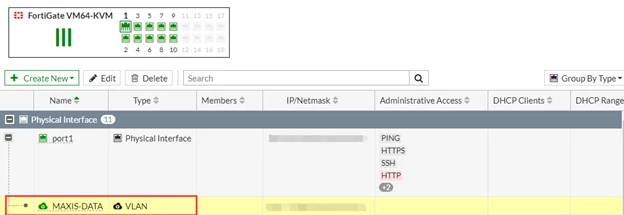
# config system interfaceA new VLAN interface (MAXIS-DATA) will be created under PORT1after executing commands above:
edit MAXIS-DATA
set mode pppoe
set username fortinetbiz@home.maxis.com.my <----- Replace fortinetbiz@home.maxis.com.my with the maxis account username.
set password fortinetbiz1 <----- Replace fortinetbiz1 with the account’s password.
set interface “port1” <----- Replace port1 with wan port name in the FortiGate.
set vlanid 621
end
Maxis uses VLAN 621 for Internet while VLAN 821 or VLAN 822 for VoIP.


