Technical Tip: Setup DNS Database (Split DNS) for SSL VPN client
| Description | This article describes how to setup DNS Database(Split DNS) for SSL VPN Client. |
| Scope | FortiGate. |
| Solution | Diagram:
Internet ---- <SSLVPN Connection> ------ [Port1]FortiGate[Port3 IP x.x.3.23]----------Internal
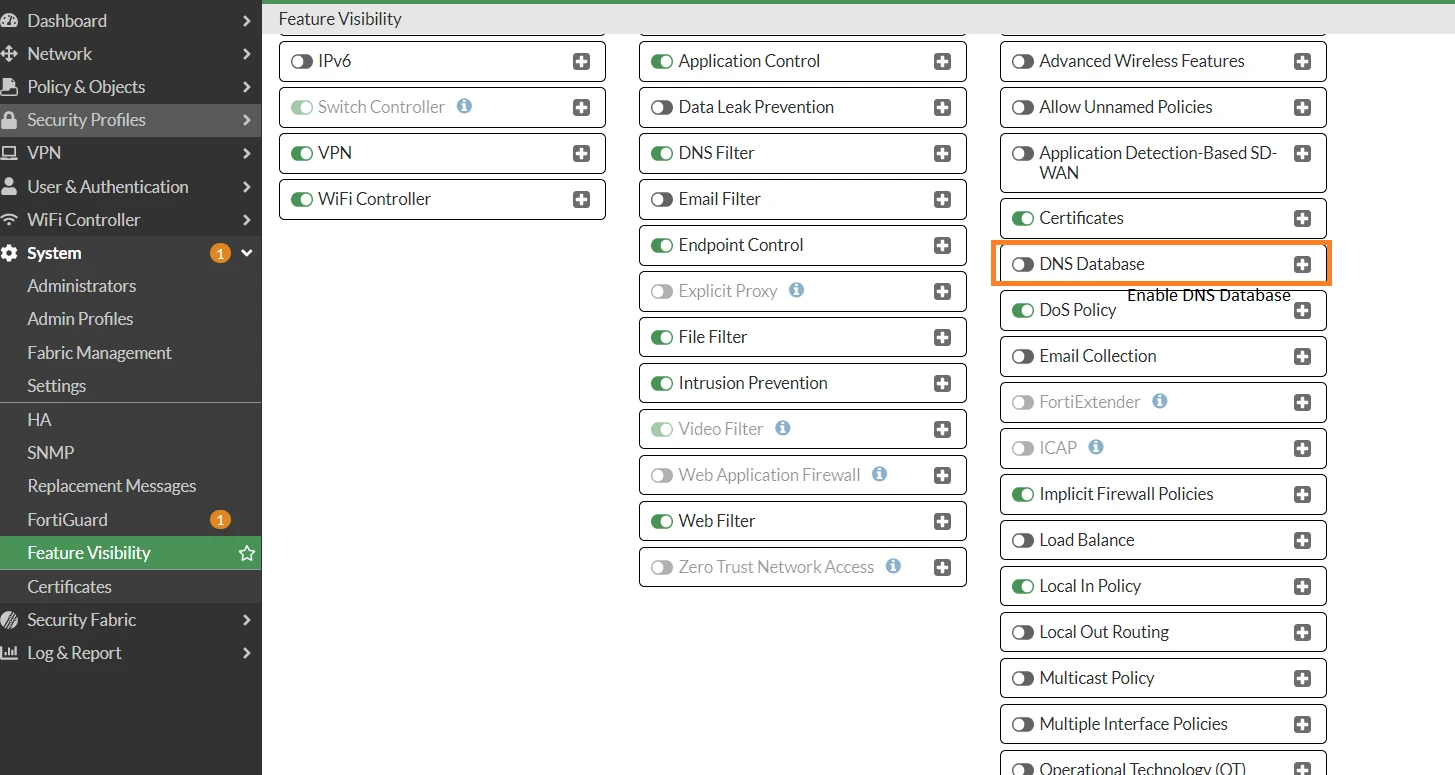
1) Enable 'DNS Database' from Feature Visibility:
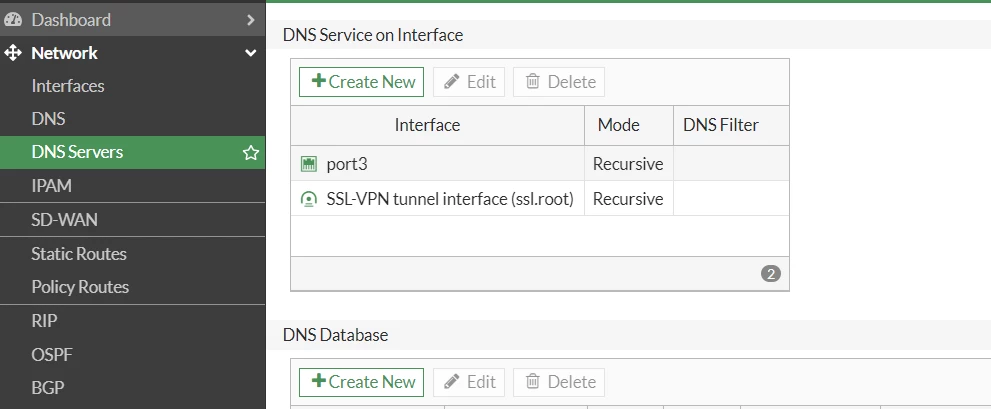
2) Go to Network -> DNS Server:

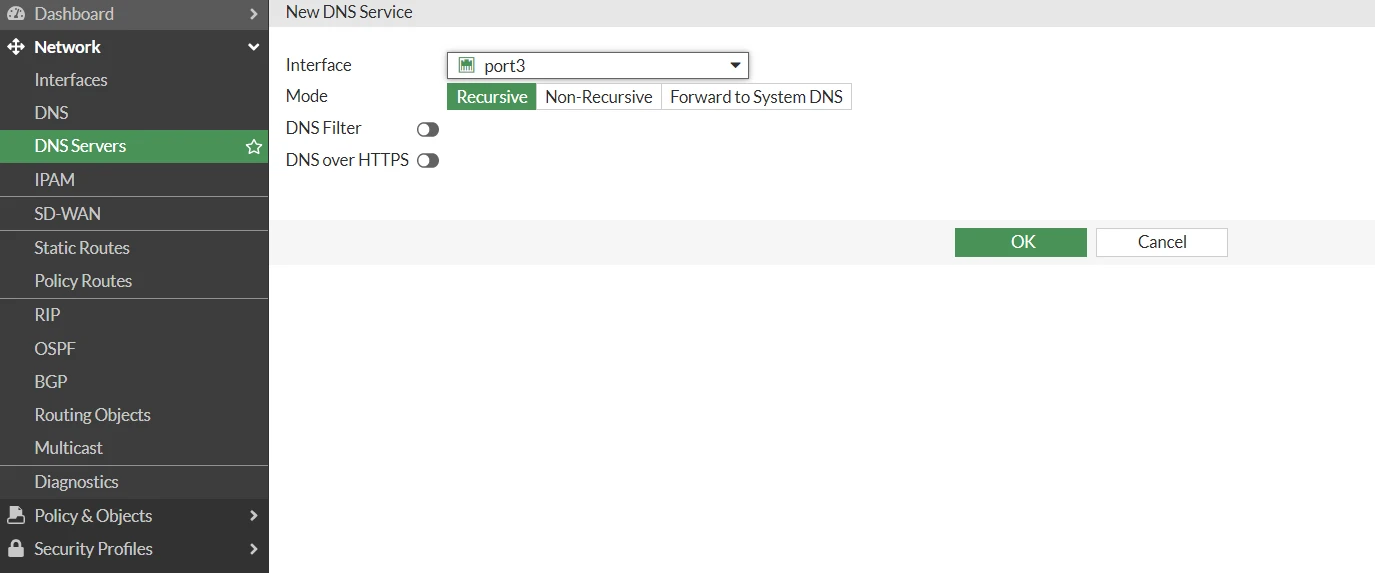
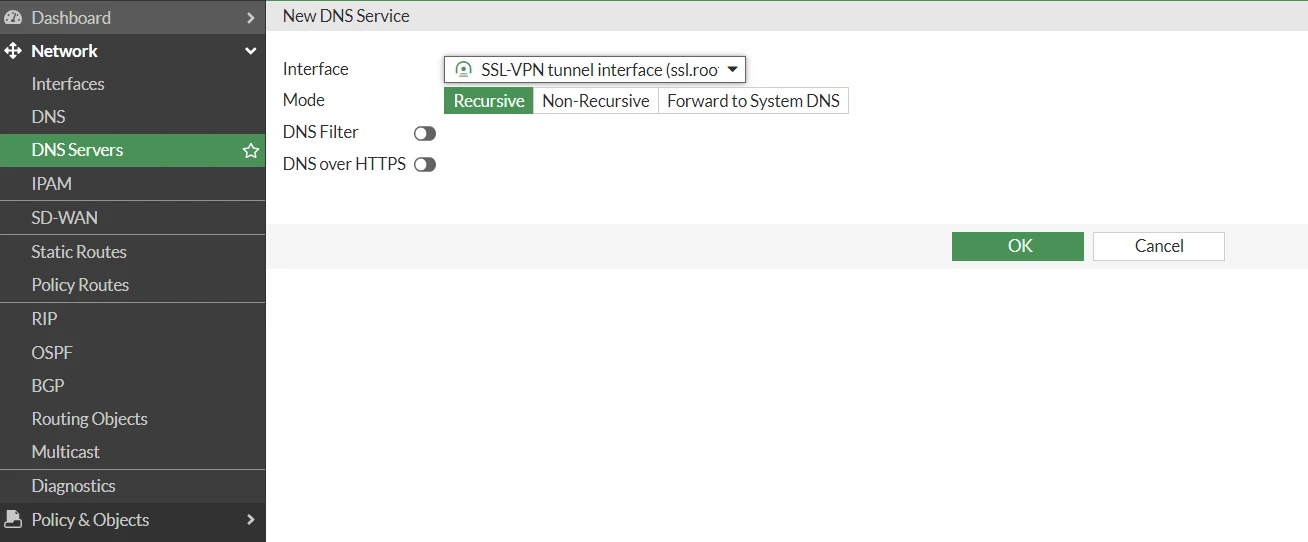
3) Go to DNS Service on Interface, select 'New', Add port3 and SSL-VPN tunnel interface:
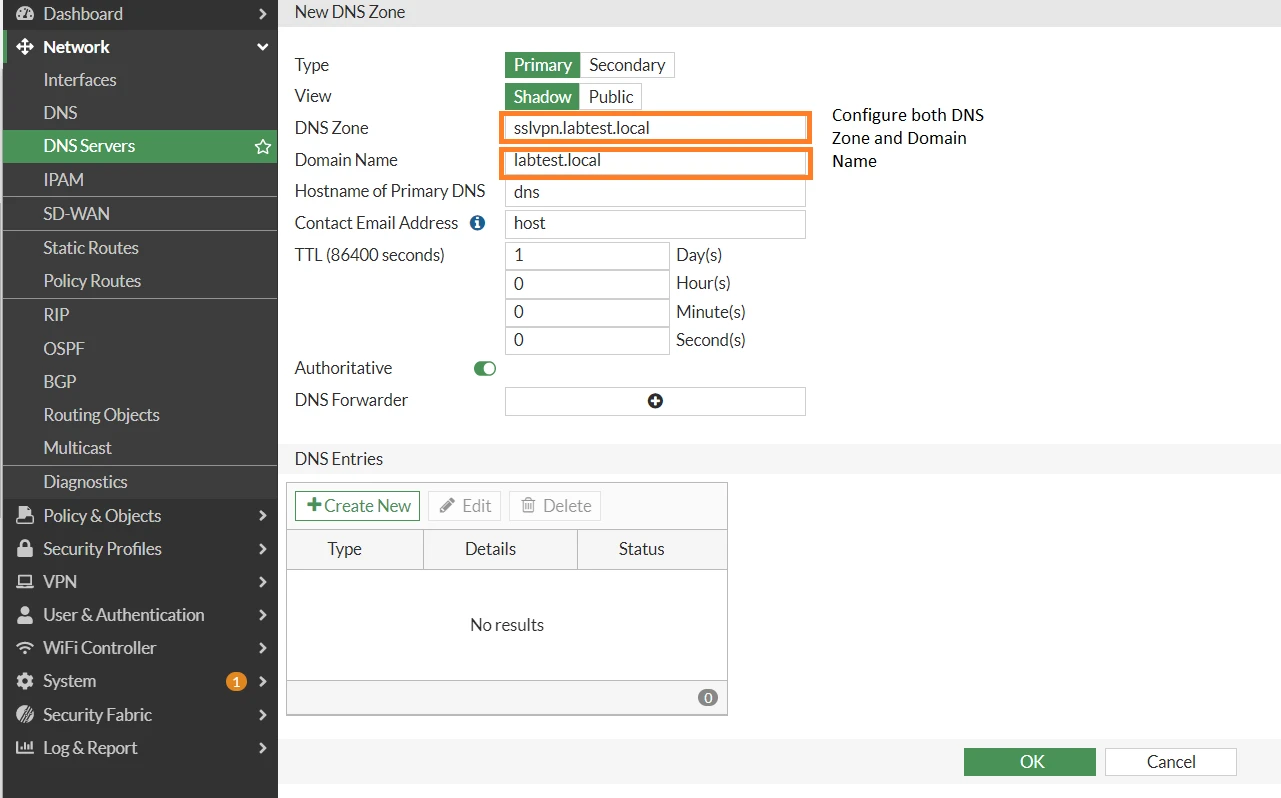
4) Go to DNS Database and select 'New': Configure DNS Zone and Domain Name.
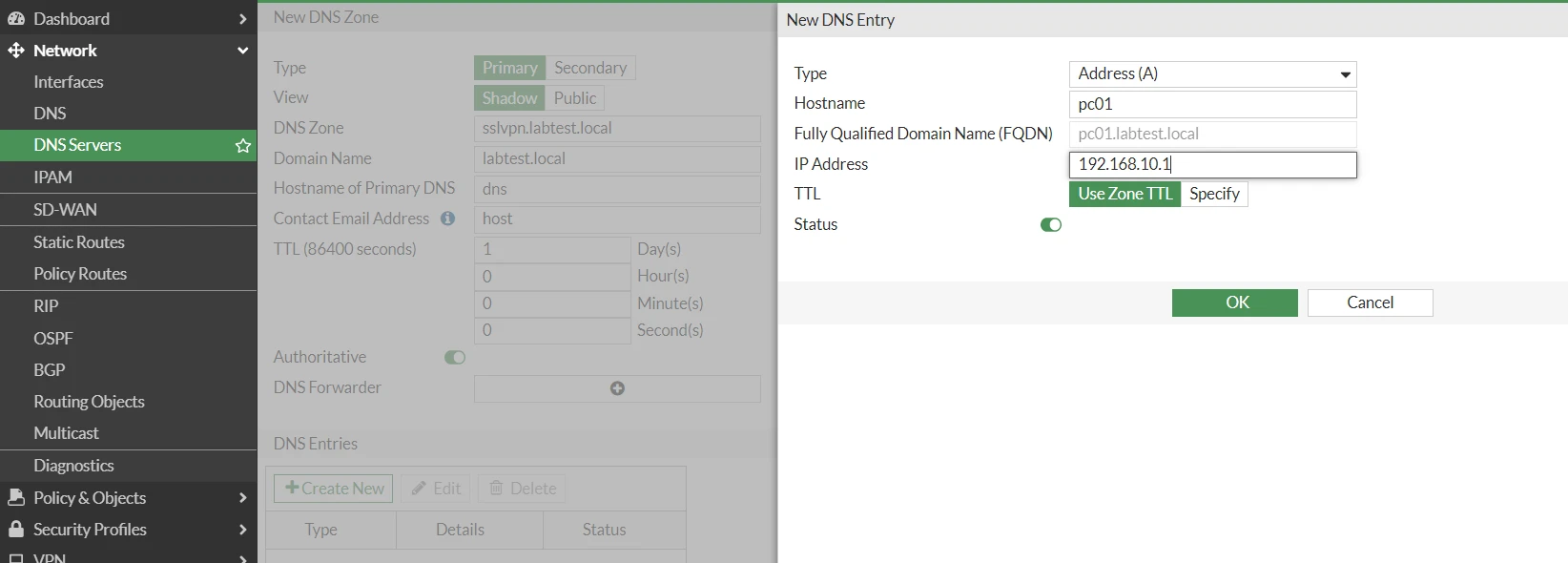
5) Go to DNS Entries and select 'New':
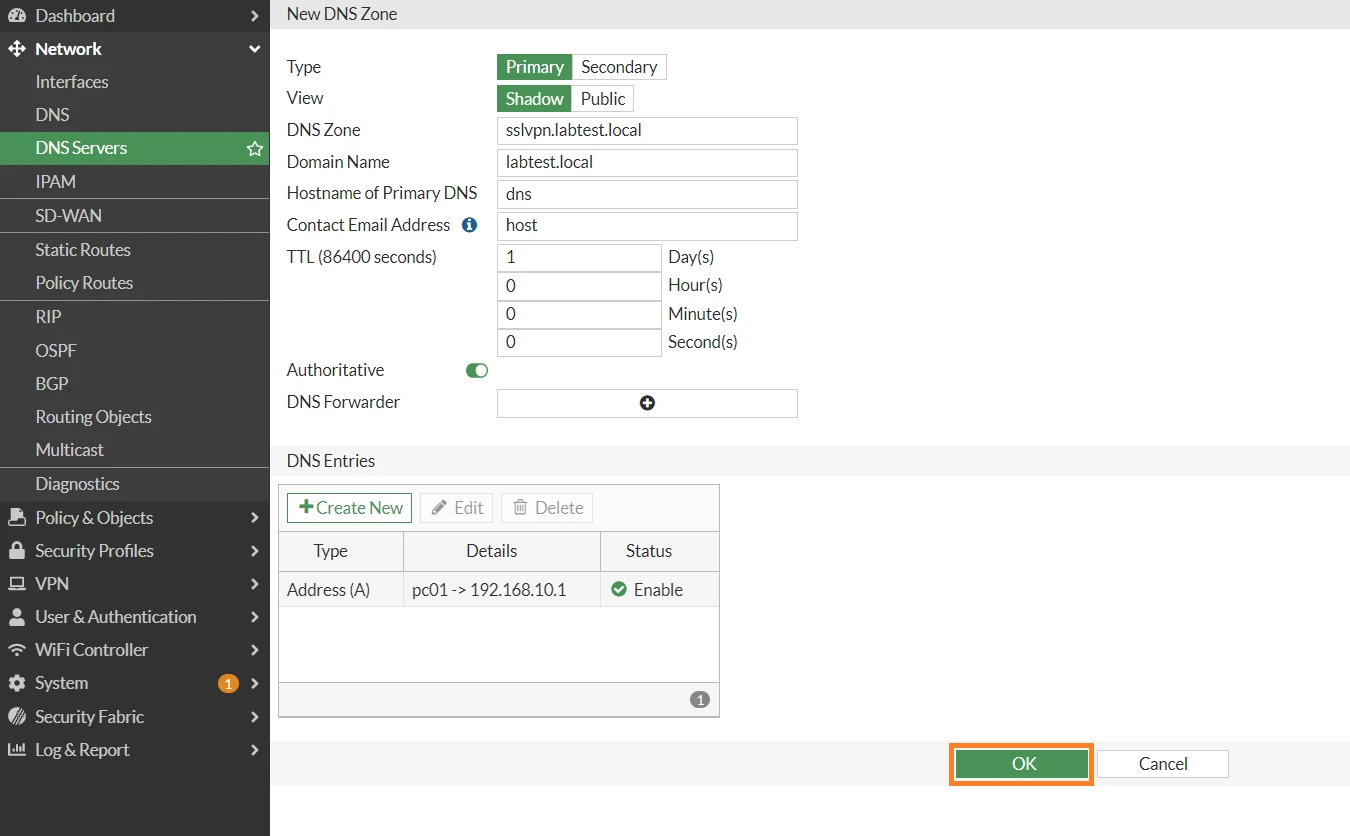
6) Select 'OK':
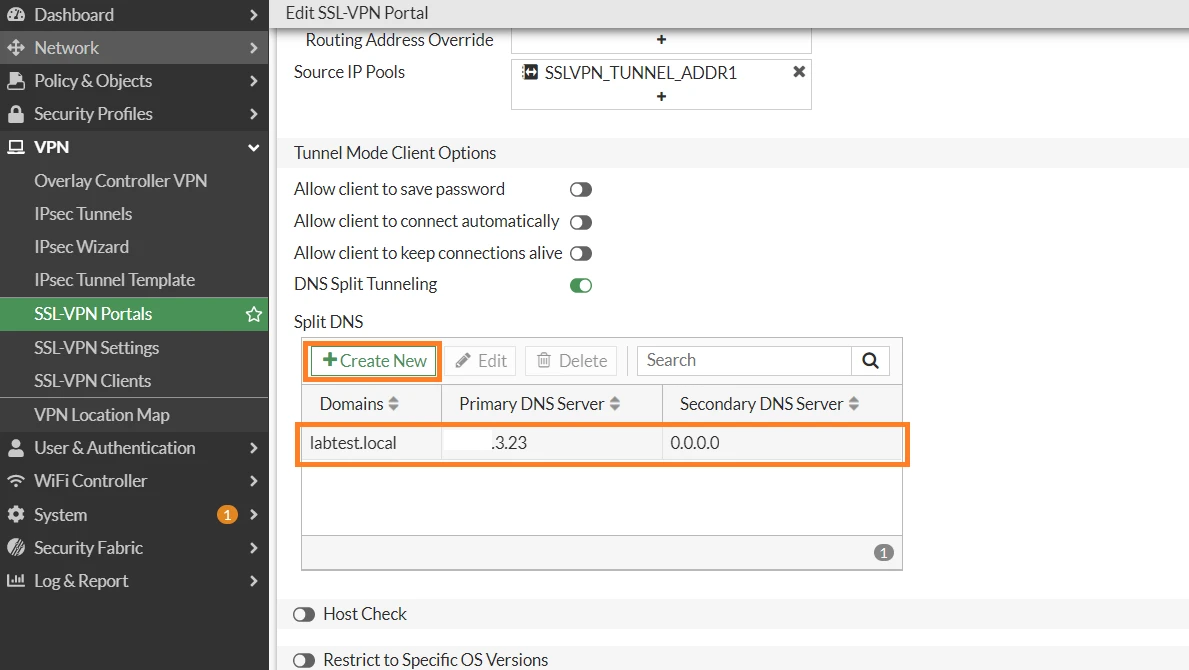
7) Go to SSL-VPN Portals, select the respective portal and enable DNS Split Tunneling:
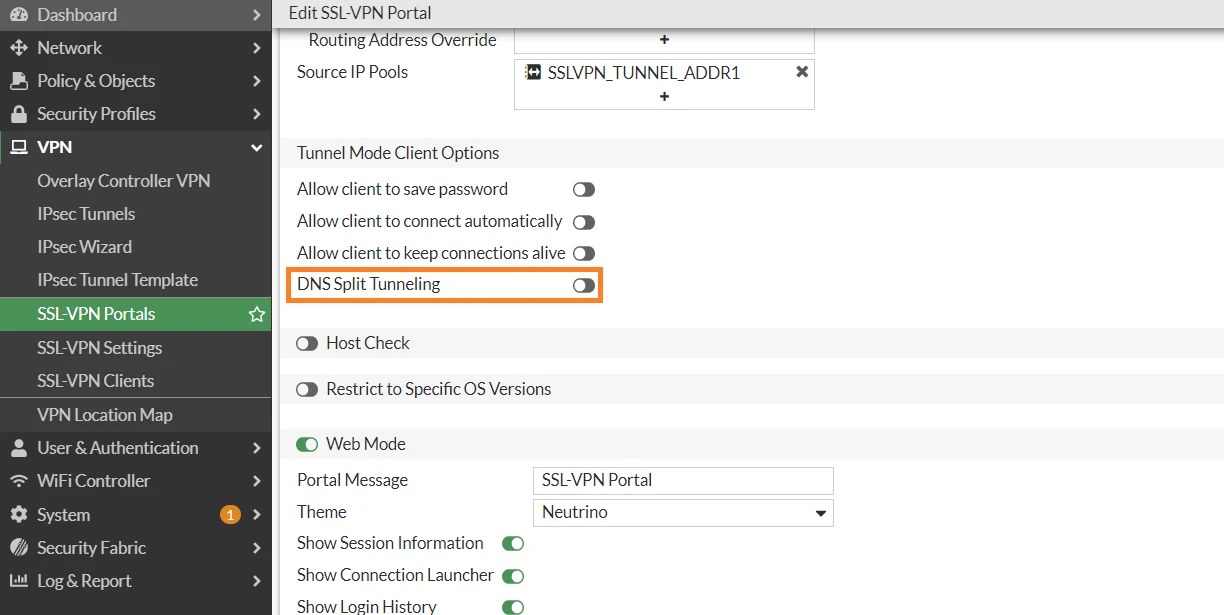
8) Go to Split DNS, select 'New' and enter the domains and FortiGate port3 interface IP:
9) Create a firewall policy to allow SSL VPN client to access DNS server IP x.x.3.23:
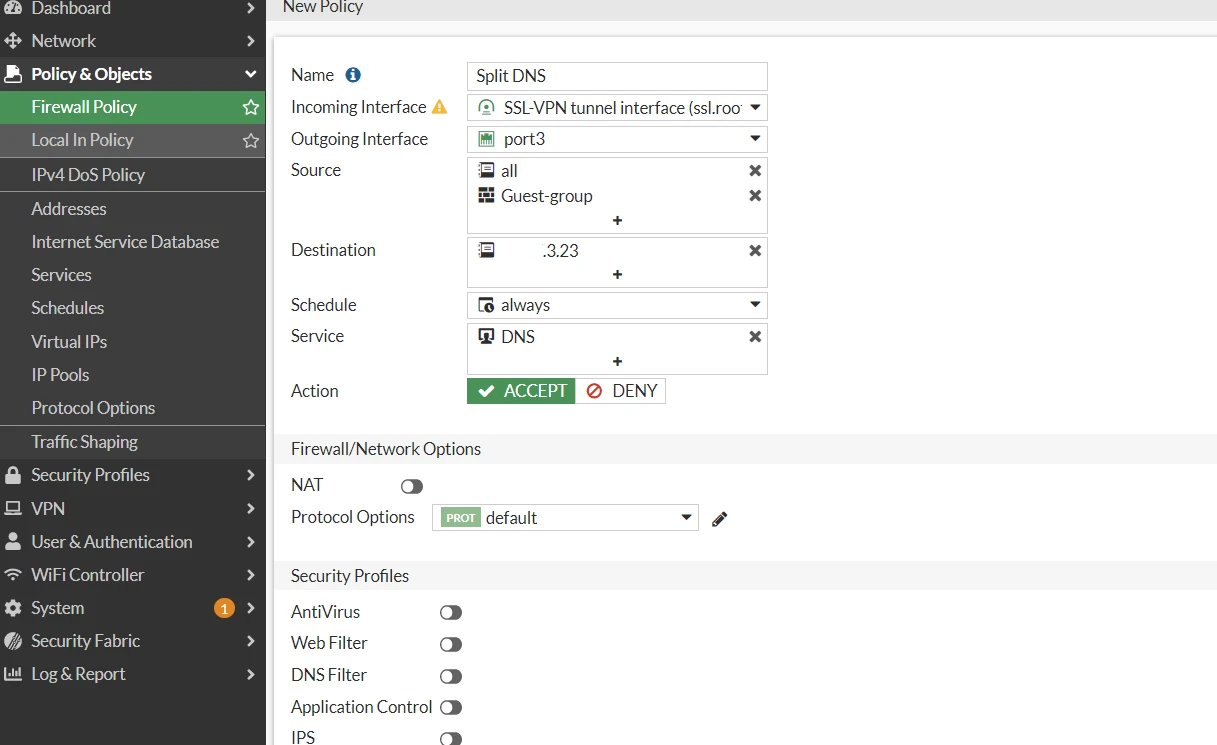
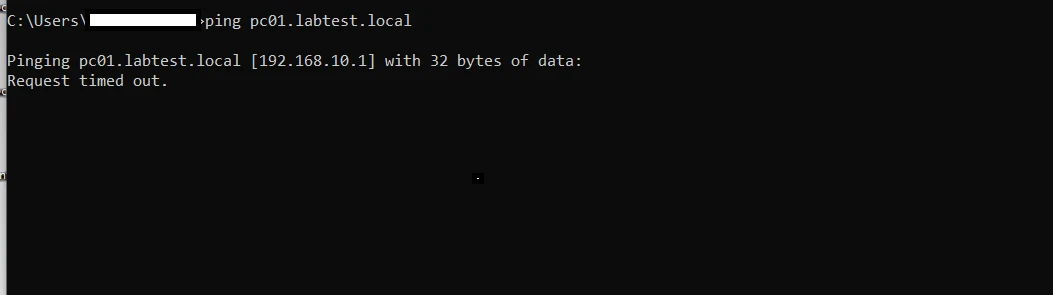
10) Connect to FortiClient SSLV PN. Test ping to pc01.labtest.local. SSL VPN client can now resolve the domain name from FortiGate DNS Database:
 |