
Technical Tip: Scanning order for application control
| Description | This article describes the scanning order for application control. |
| Scope | FortiGate v7.2 and above. |
| Solution | An Application control (IPS engine) on FortiGate inspects incoming traffic for signature-matching.
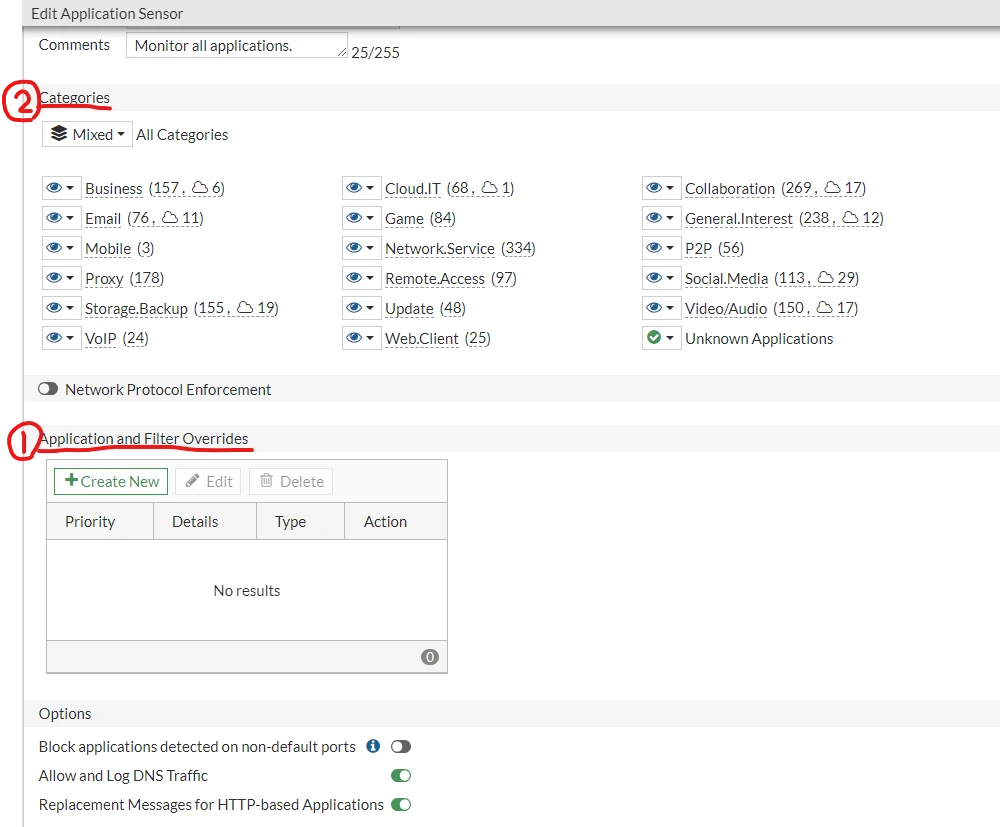
The one scans the traffic for matches in the following order for the application control profile:
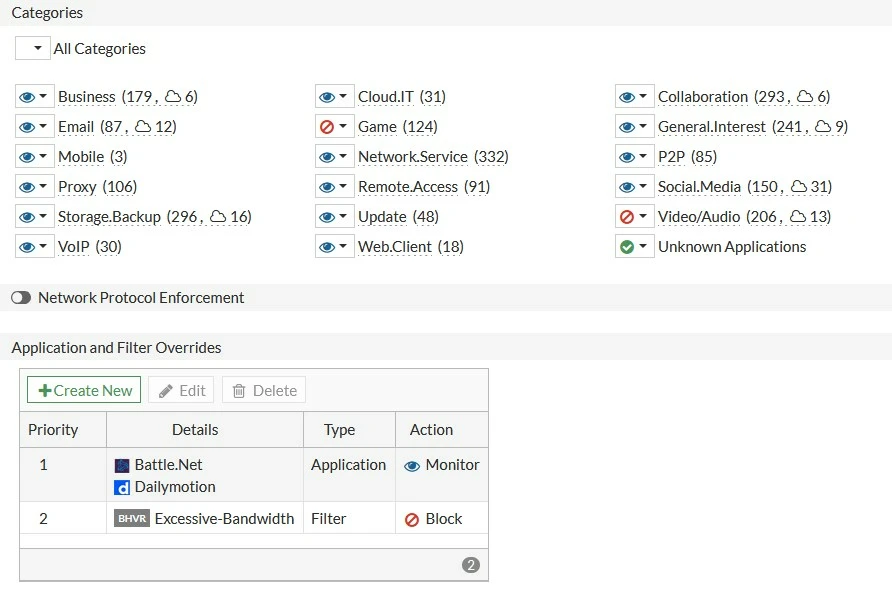
Example:
In the Application and Filter Overrides section, specific exceptions are configured to override the default category actions.
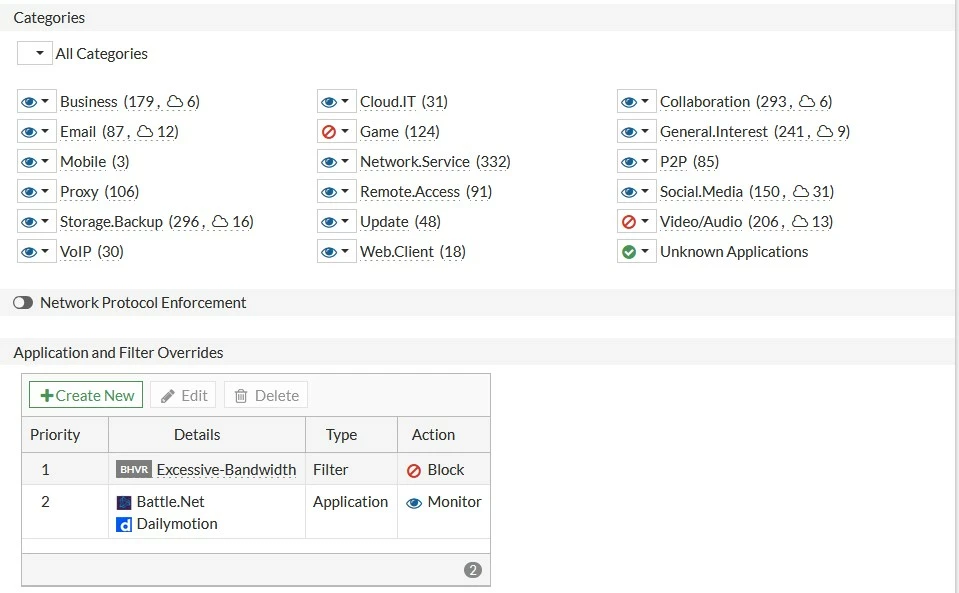
The filter override has been moved above the application override. In this scenario, the filter override (Excessive-Bandwidth) is blocked and, since Dailymotion falls under the excessive bandwidth category, Dailymotion is blocked even though it is set to Monitor under the Application and Filter Overrides section.
Note: It would help to consider other scans like web filtering, although an Application control is done. |