Pedro_FTNT
Staff
Staff
Oct 23, 2024 5:01 AM UTC

Technical Tip: Routing Object Configuration by GUI Interface

  • Apr 16, 2026 11:08 AM UTC
  • 0 replies
  • 1353 views
  • Translate All
Description This article describe where to configure Routing Objects as: Route Map, Access List, Prefix List, AS Path List and Community List by GUI Interface.
Scope FortiGate.
Solution

New FortiOS versions allow to configure Routing Objects by GUI Interface.


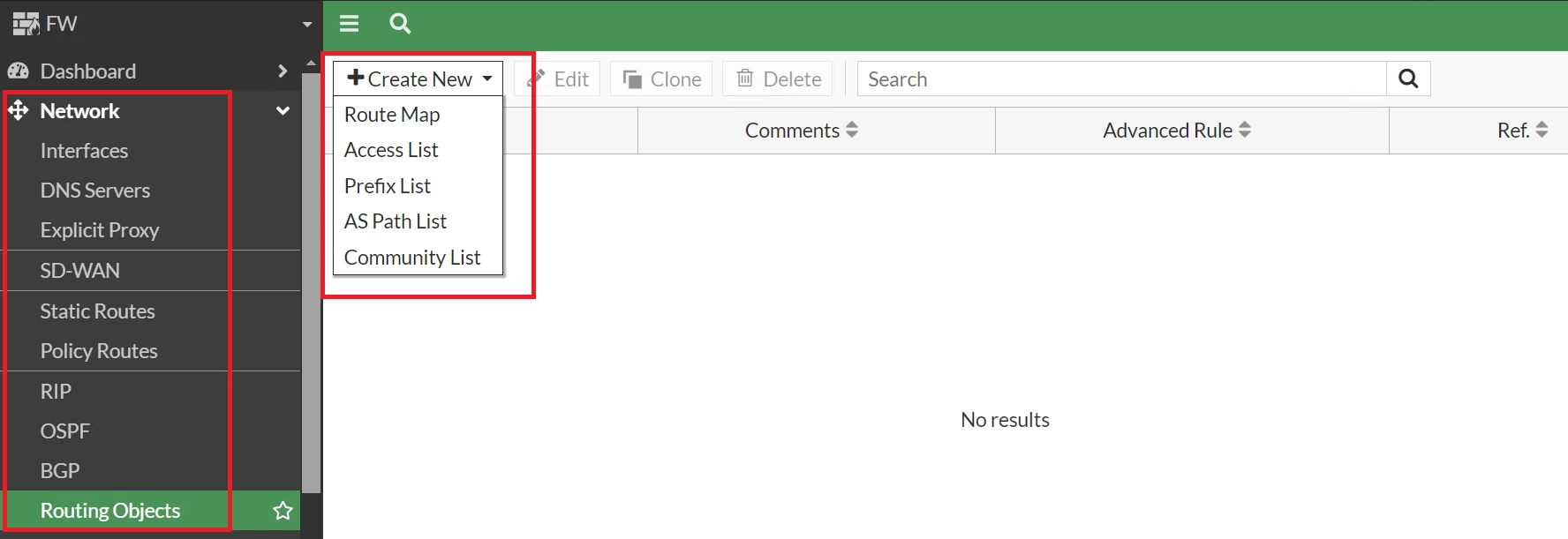
  • Go to Network -> Routing Objects -> Create New.


47.png


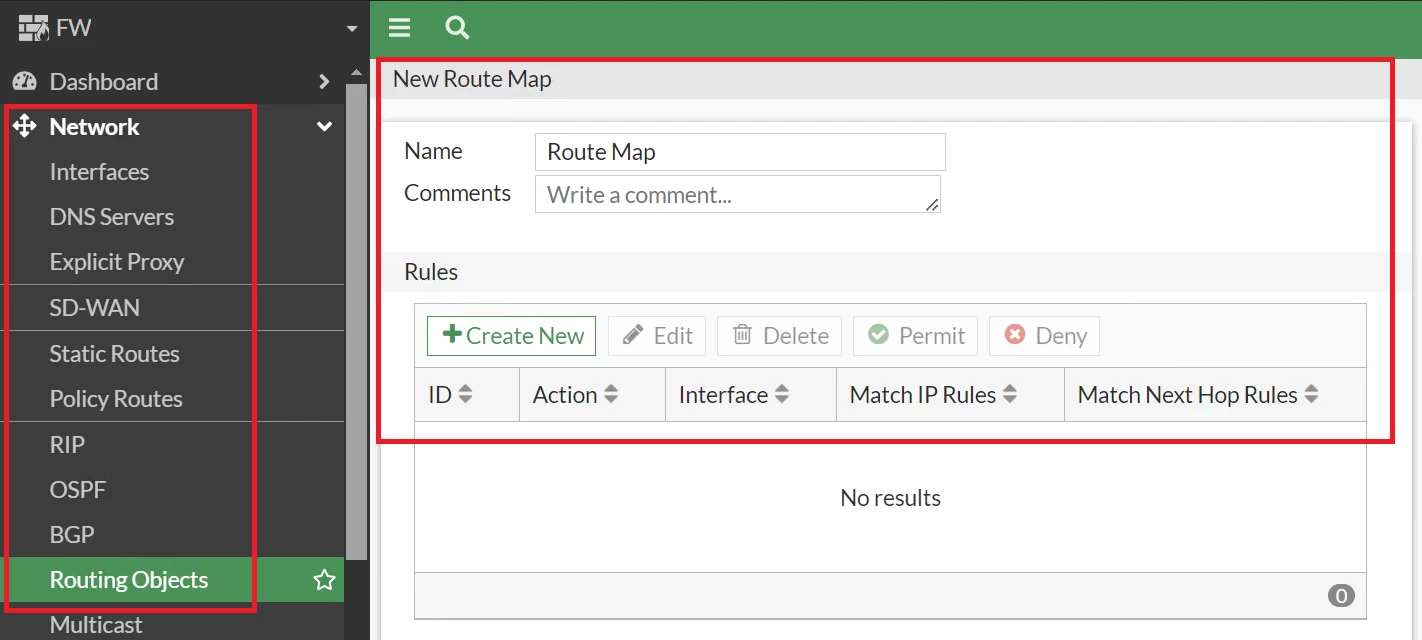
  1. Route Map.


48.png


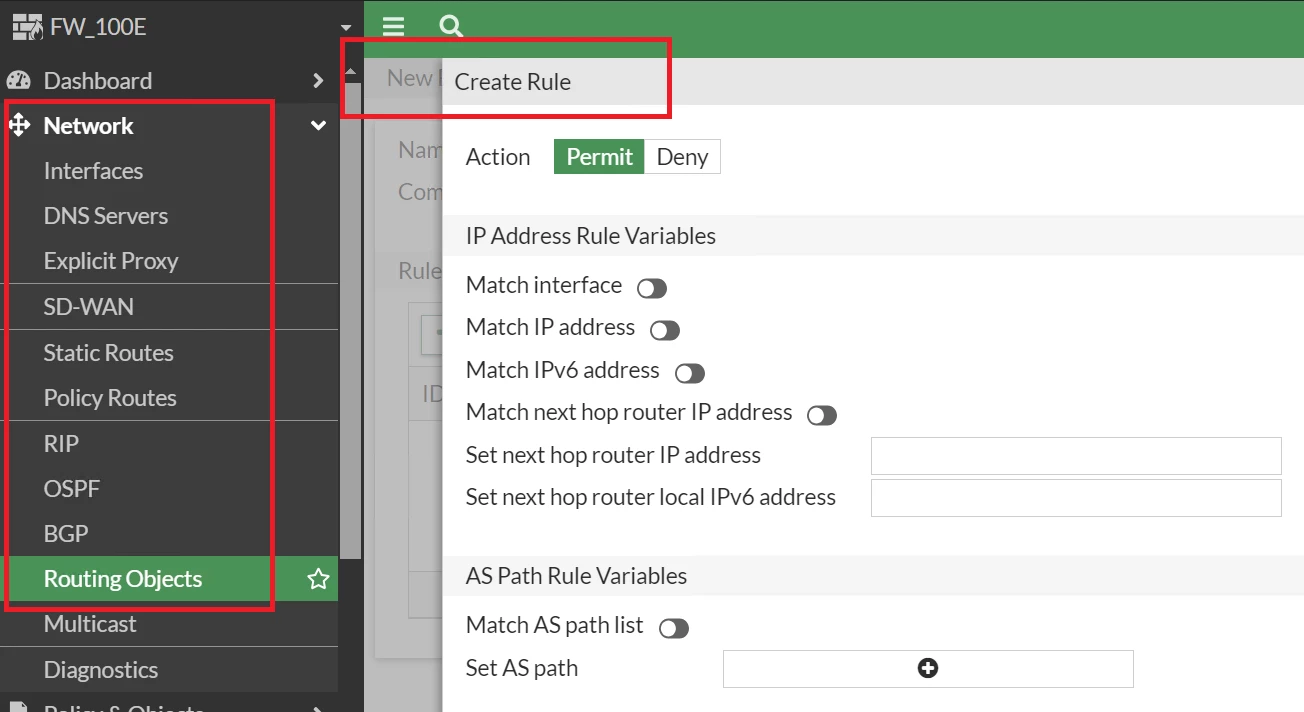
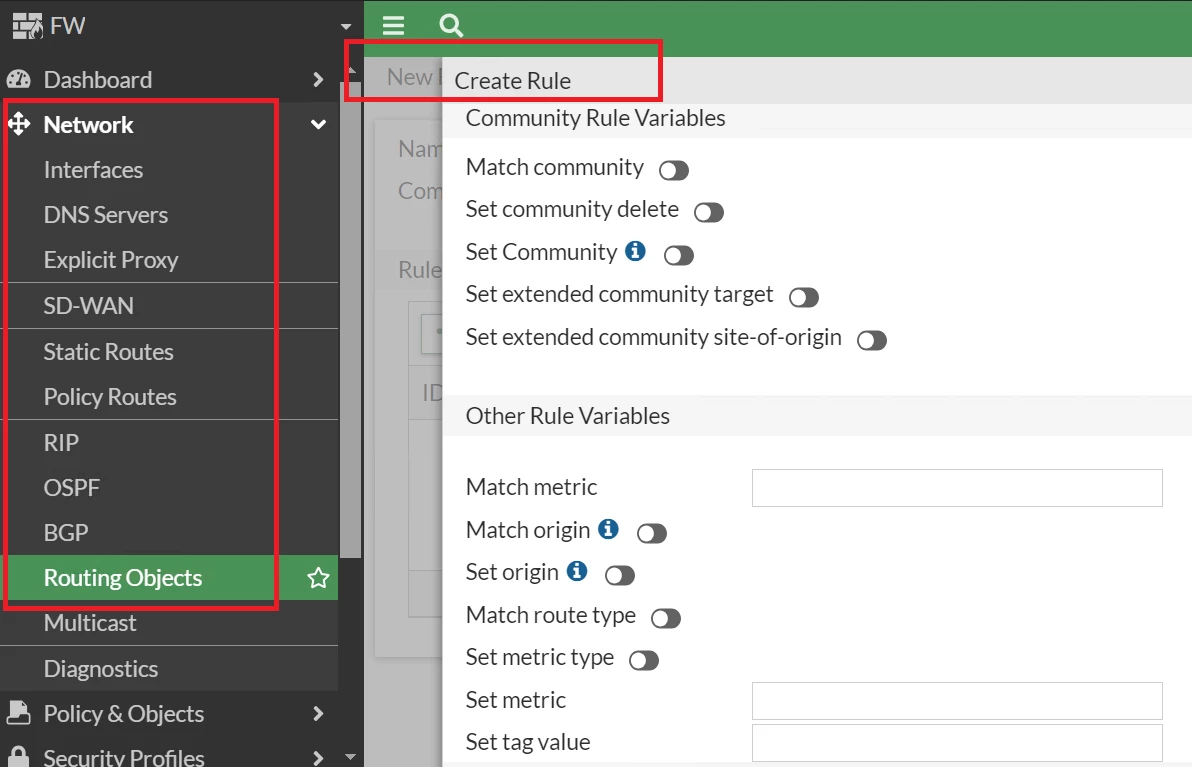
  • Go under Route Map -> Rule Settings:


49.png


50.png


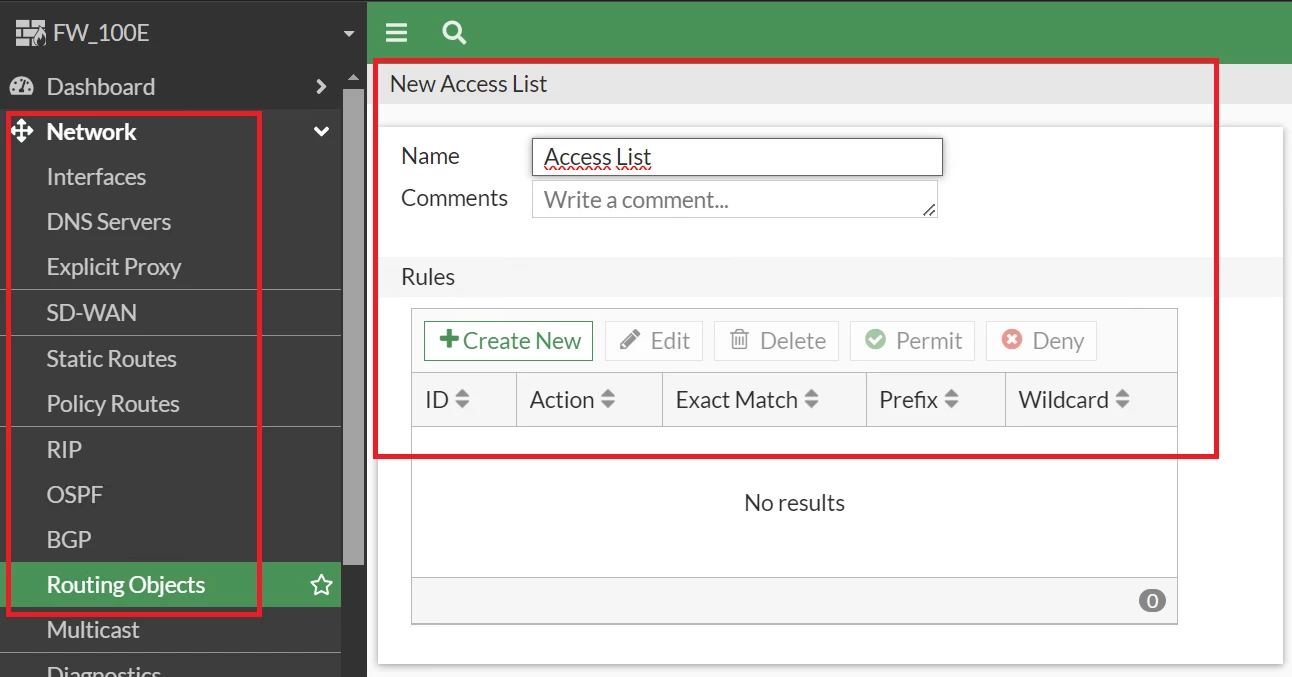
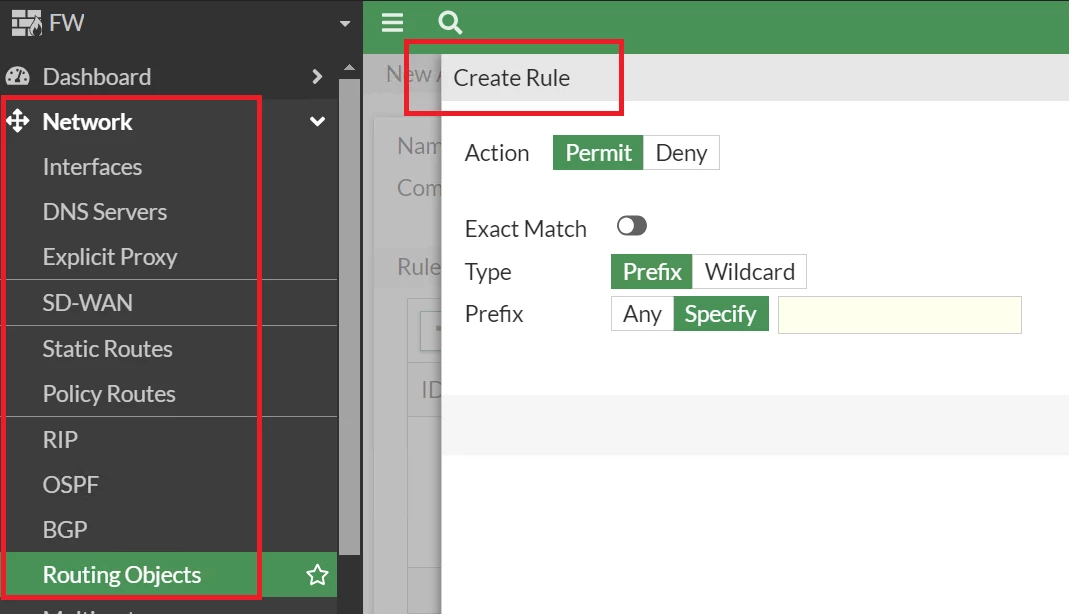
  1. Access List.


51.png


  • Go under Access List -> Rule Settings:


52.png


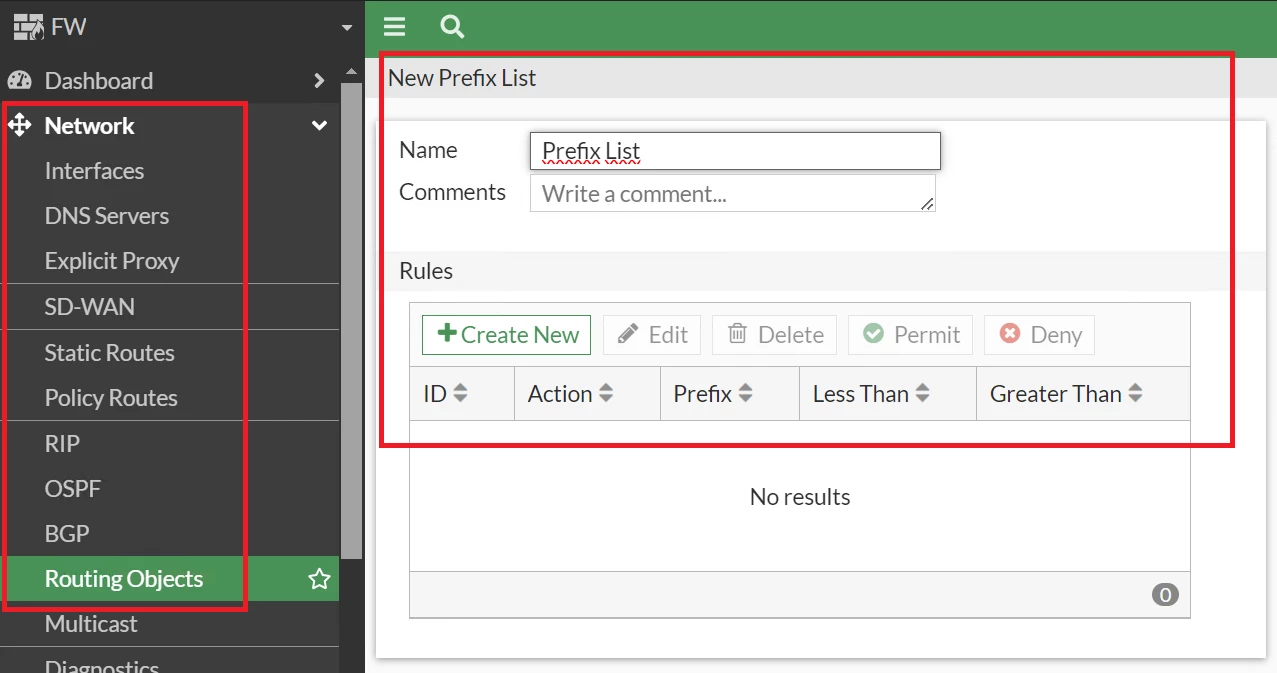
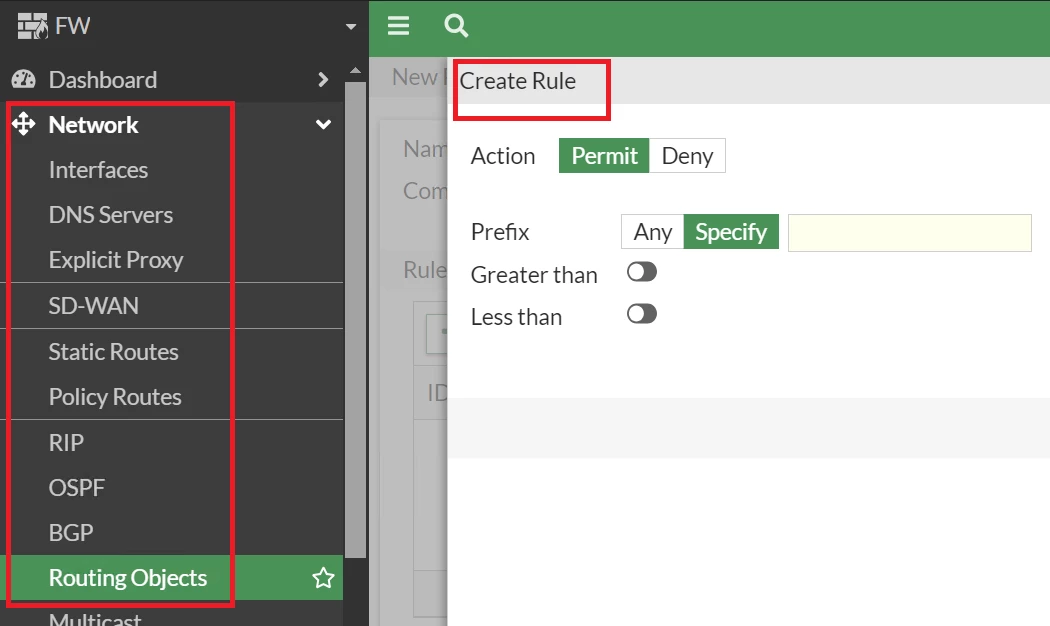
  1. Prefix List.


53.png


  • Go under Prefix List -> Rule Settings.


54.png


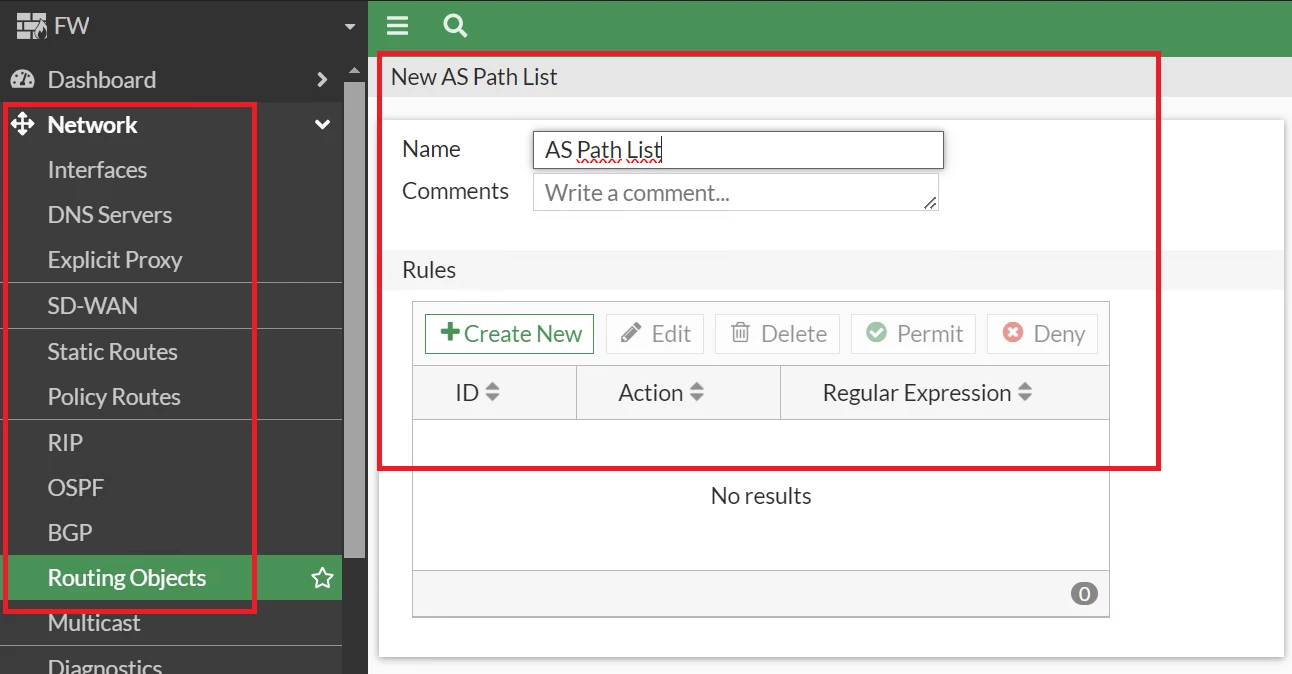
  1. AS Path List.


55.png


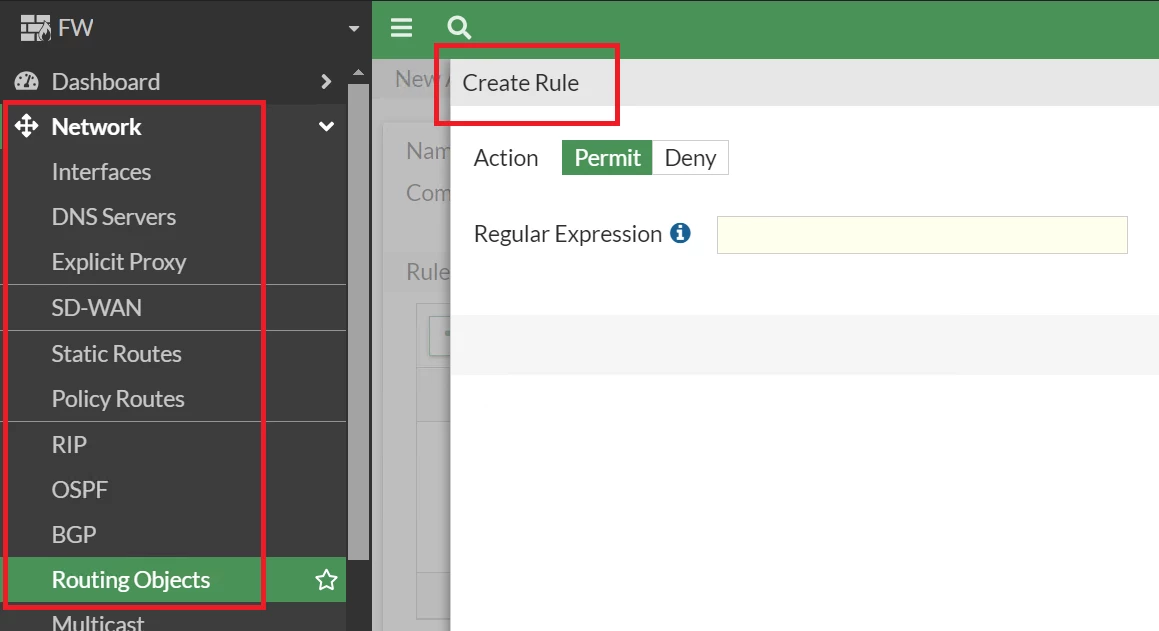
  • Go under AS Path -> Rule Setting.


56.png


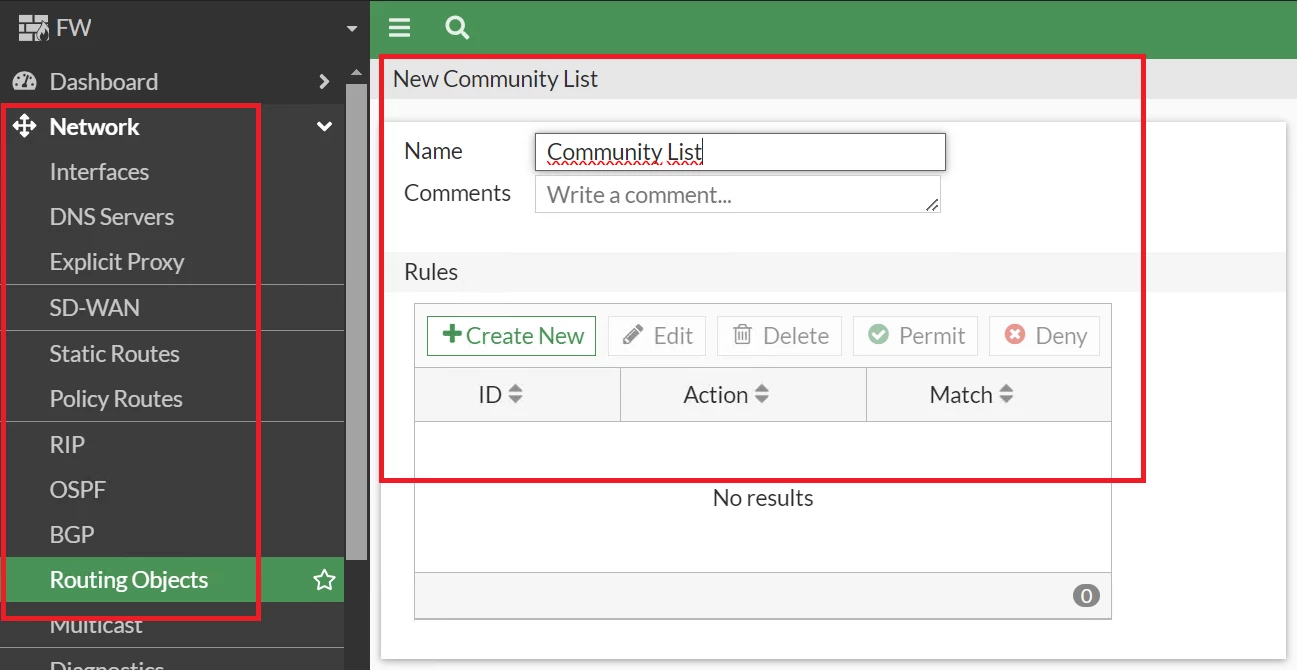
  1. Community List.


57.png


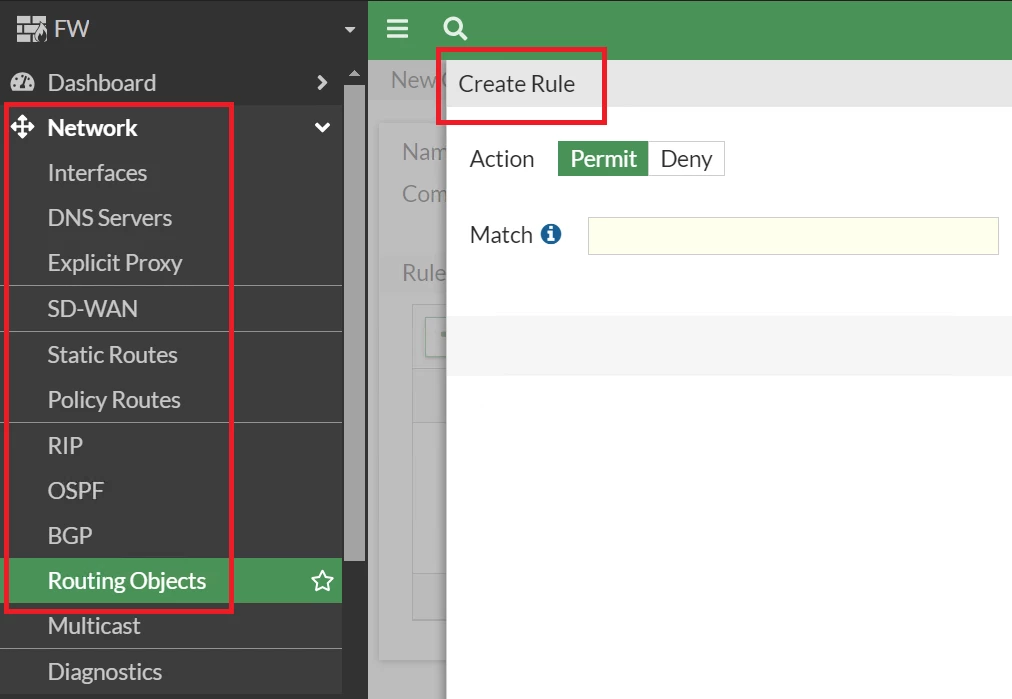
  • Go under Community List -> Rule Settings.


58.png


To extend and detail the configuration, review these documents:

FortiGate / FortiOS 7.6.0 Administration Guide / Routing objects

FortiGate / FortiOS 7.6.0 CLI Reference / router.

Fortigate Documentation / FortiOS 7.6

Risk and Resilience in the Age of AI. An OT Thought Leadership Summit for Houston's Critical Infrastructure Leaders. Date: Thursday, December 3, 2026. Time: 8:30 am - 1:30 pm (CT). Location: The Westin Houston, Memorial City | 945 Gessner Road, Houston, TX 77024