


Technical Tip: Resolving maximum user groups limitation on FortiGate
Description | This article describes the resolution for the maximum number of User Groups limitation on FortiGate devices. The user may encounter an error message indicating that the maximum number of entries has been reached when attempting to create new User Groups. |
Scope | FortiGate. |
Solution | When attempting to create a new group and the message below appears, consider the following actions to resolve the issue: 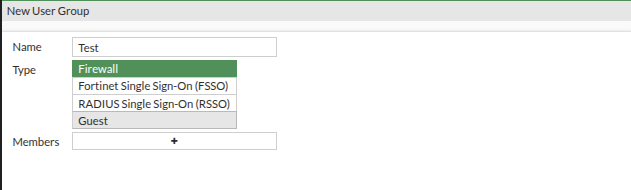 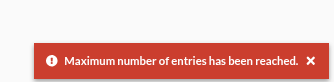
This verification will help determine whether the issue is related to the platform's maximum supported configuration limits. |

