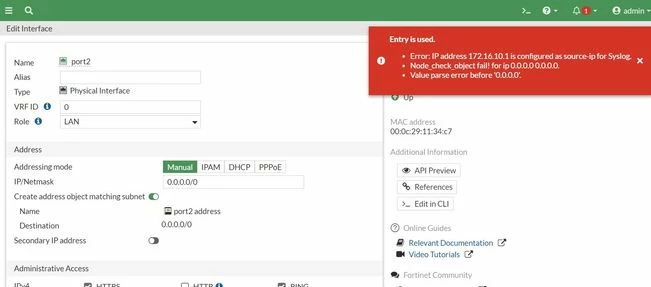
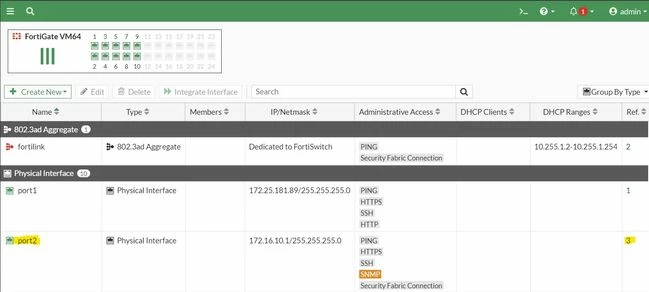
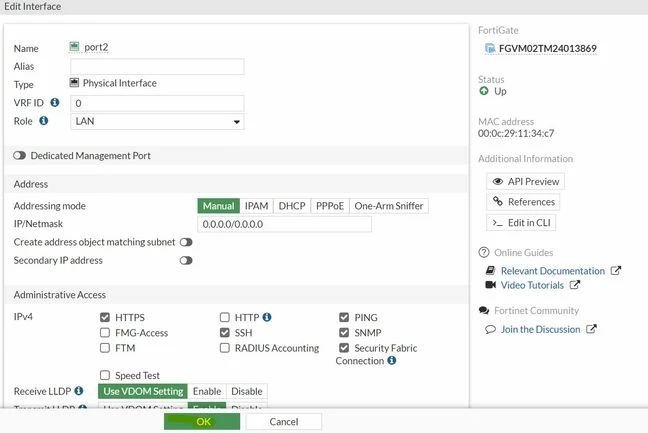
| Solution | Attempting to remove LAN IP from the interface gives an error 'Entry in Use'. The steps given below need to be followed: - This error is coming because the Interface has references associated with it, as shown on the screenshot below.
 - The references need to be cleared.
- Hover the mouse pointer on the references and select it.
- It will bring up the reference section as shown in the screenshot given below.
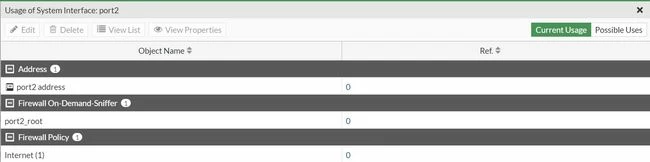
- Delete each of the references by selecting them individually.
- For example, select 'Internet(1)' under the Firewall Policy and select 'View List' this brings up the Reference that needs to be deleted.

- Either the entire policy is deleted or the interface 'Port2' is removed from the 'Incoming interface'.
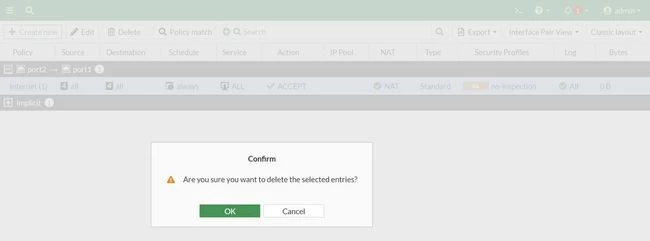
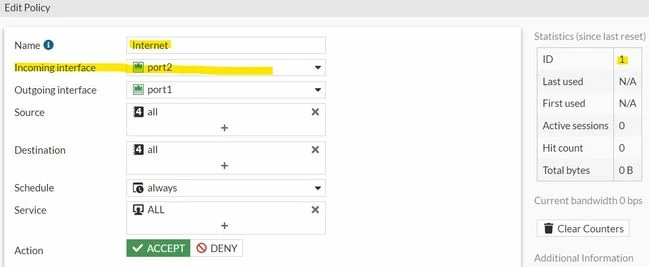
- The same procedure is followed for the rest of the other two reference objects.
- Once all the references are cleared then try to remove the address from the interface.
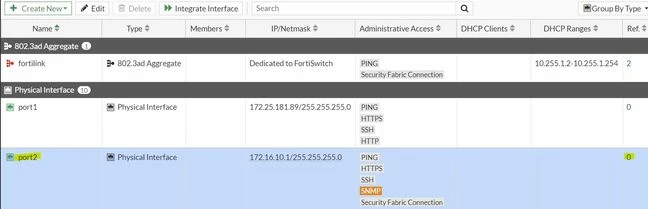
- The references are showing 'Zero' but still it is impossible to remove the IP address. It is because it is being used at the syslog as a source-ip.
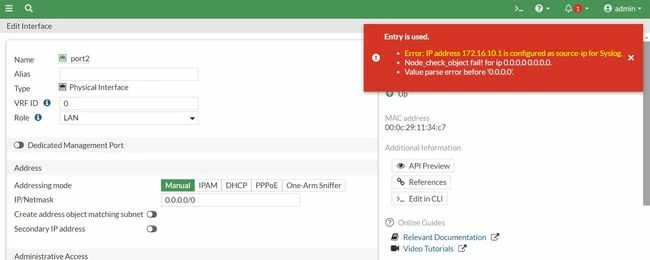
- From the firewall CLI remove the 'Source-IP' for the Syslog server.
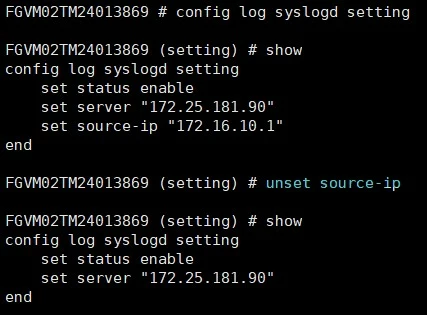
- The command used to unset the source-ip 'unset source-ip':
config log syslogd setting
unset source-ip
end
- After that, the IP can be removed from the interface.
|



