




Technical Tip: Redirect HTTP admin request to HTTPS
Description
This article describes how to redirect the HTTP admin page request to HTTPS.
Scope
FortiGate.
Solution
By default, this option will be disabled.
It is possible to enable it from the GUI and CLI.
From the GUI.
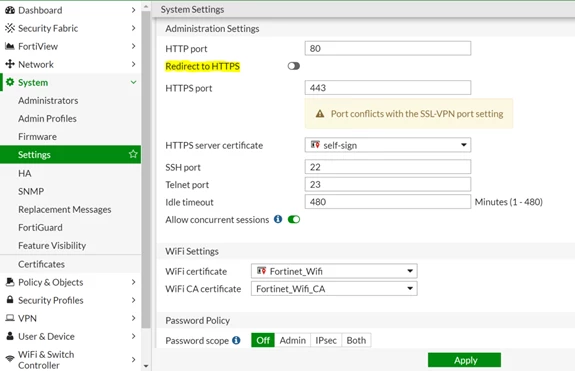
Go to System -> Settings -> Administration Settings and select the checkbox "Redirect to HTTPS" to make sure that all attempted HTTP login connections are redirected to HTTPS:
From CLI.
config sys global
admin-https-redirect enable
end
admin-https-redirect enable
end
With VDOMs enabled:
config global
config system global
set admin-https-redirect enable
end