



Technical Tip: Real server configurations using address objects from GUI
Description
This article describes how to configure dynamic address objects as real servers from GUI.
Scope
For version 6.4.2.
Solution
To enable Real server :
1) Go to System -> Feature visibility, Enable 'Load balance' and select 'Apply'.
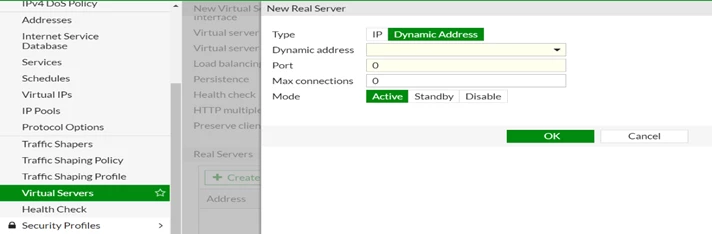
2) When creating a new real server go to Policy & Objects -> Virtual Servers, select 'Create New Real Server'.
Users can select either 'IP' or 'Dynamic Address' as 'Type'.
This article describes how to configure dynamic address objects as real servers from GUI.
Scope
For version 6.4.2.
Solution
To enable Real server :
1) Go to System -> Feature visibility, Enable 'Load balance' and select 'Apply'.
2) When creating a new real server go to Policy & Objects -> Virtual Servers, select 'Create New Real Server'.
Users can select either 'IP' or 'Dynamic Address' as 'Type'.
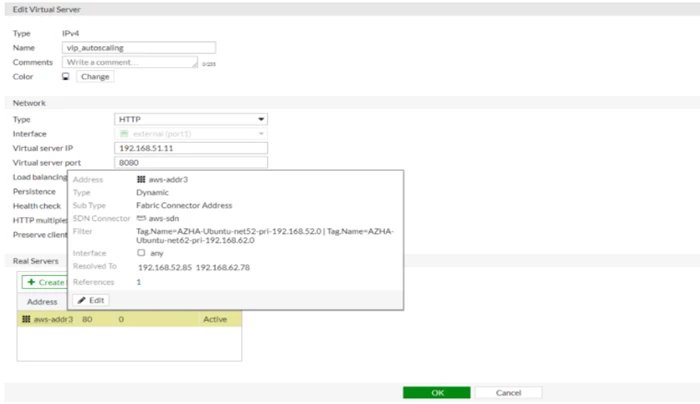
Dynamic addresses are visible in the real servers list. Hover over an address to view more information.

