


Technical Tip: Options to Implement DNS Filter
Description
This article explains the options available in implementing DNS Filter in FortiGate.
Scope
FortiGate.
Solution
For DNS filter implementation, there are two options available to enforce this security feature.
There is no difference in the DNS filter profile for either option.
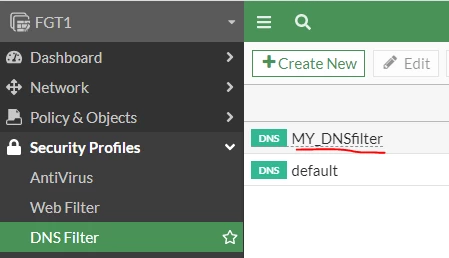
Here are the options:
Option 1.
Assign DNS filter profile at FortiGate interface as DNS server.
Here are some considerations:
- FortiGate is utilized as a local DNS server, and there is some internal domain for an internal purpose, not globally acknowledged.
- Users are not allowed to make a DNS request outside the network.
How to:
- For DNS profile implementation, refer to these KB articles:
Technical Tip: Implement FortiGate as a Local DNS ... - Fortinet Community
Technical Tip: Implement split DNS for Local and G... - Fortinet Community
- Make sure users' IP config lists FortiGate DNS-server IP address as their DNS server address:
FGT1 # show system dns-server
config system dns-server
edit "port3"
set dnsfilter-profile "MY_DNSfilter"
next
end
# config firewall policy
edit 1
set name "internet"
set uuid 86d8866e-c5a1-51ed-a40d-ed14f13d1b13
set srcintf "port3"
set dstintf "port2"
set action accept
set srcaddr "all"
set dstaddr "all"
set schedule "always"
set service "HTTP" "HTTPS"
set nat enable
next
end
Option 2.
Assign DNSfilter profile at firewall policy. This option is relatively simpler than the first one.
Here are some considerations:
- There is not local DNS server to maintain the local domain name.
- Users are allowed to make a DNS request outside the network.
How to:
- Make sure users' IP config lists the global DNS-server IP address as their DNS server address.
- Allow DNS service and activate DNS filter profile at firewall policy.
# config firewall policy
edit 1
set name "internet"
set uuid 86d8866e-c5a1-51ed-a40d-ed14f13d1b13
set srcintf "port3"
set dstintf "port2"
set action accept
set srcaddr "all"
set dstaddr "all"
set schedule "always"
set service "HTTP" "HTTPS" "DNS"
set utm-status enable
set dnsfilter-profile "MY_DNSfilter"
set nat enable
next
end
