



Technical Tip: Not able to see 'HTTPS certificate' option for admin in settings
| Description | This article describes how to assign an HTTPS certificate when the option is not visible in GUI. |
| Scope | FortiGate 7.2, 7.0. |
| Solution | It is not possible to see 'HTTPS server certificate' option under System -> Settings -> Administration Settings.
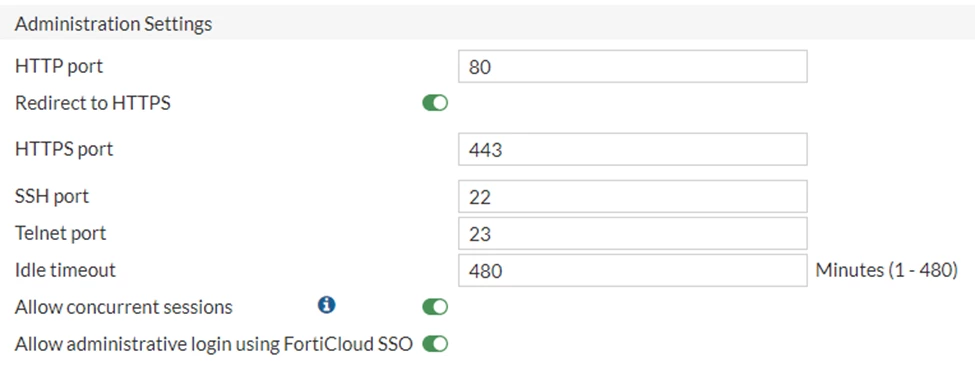
Even though, it is possible to see this option on CLI.
# config system global
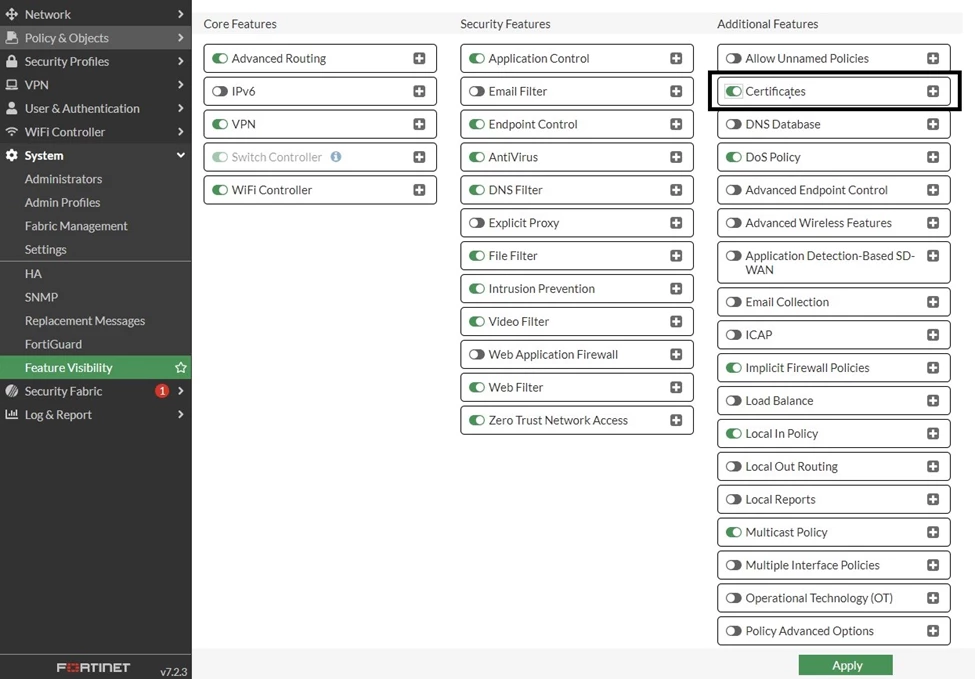
It is possible to enable the option 'Certificates' from System -> Feature Visibility. After that, the ‘HTTPS server certificate' option is visible on GUI.
 |

