| 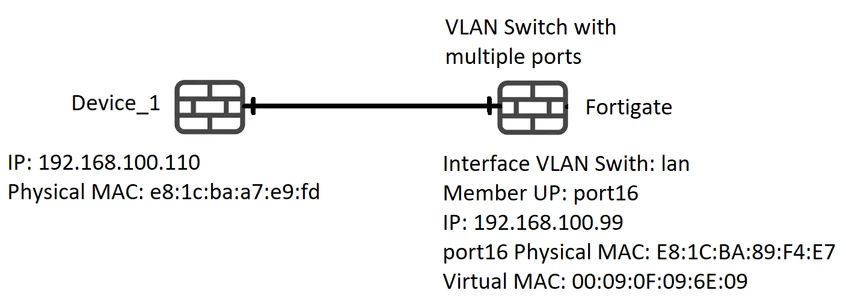
- 'Device_1' is directly connected to the FortiGate interface: 'port16'.
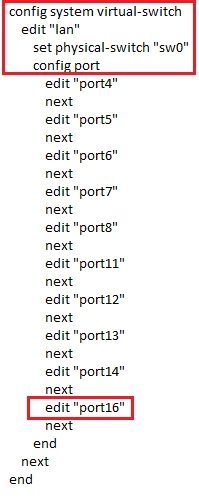
- 'VLAN Switch / hard-switch' configuration:
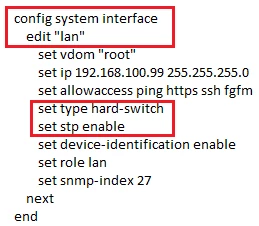
- Interface 'lan' configuration:
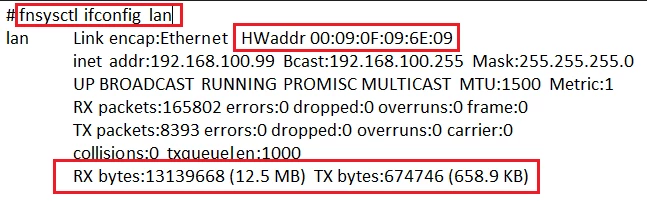
- Virtual MAC Address to interface 'lan':
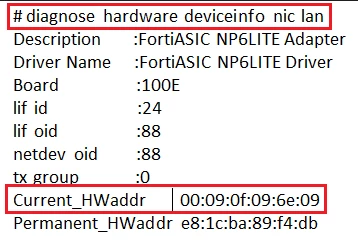
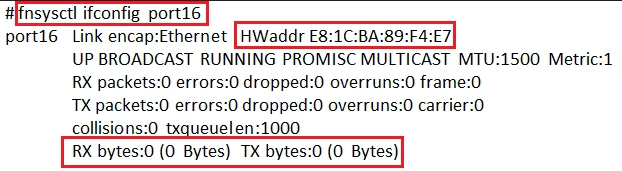
- MAC Address to interface 'port16':
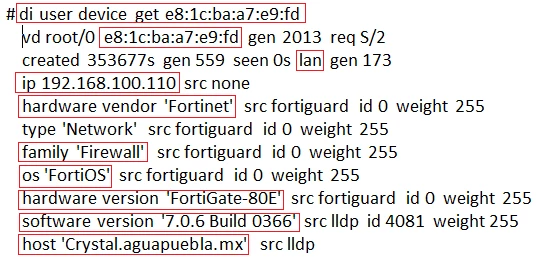
- MAC Address to 'Device_1': 'e8:1c:ba:a7:e9:fd'.
When 'VLAN Switch / hard-switch' is configured in FortiGate. - FortiGate learns 'Device_1' MAC Address by 'lan' interface:

- Due to interface 'lan' having 'device-identification' enabled its possible to filter by 'Device_1' MAC Address:
- Event 'Device_1' is connected directly to interface 'port16' all traffic statistics will be displayed on interface 'lan'.
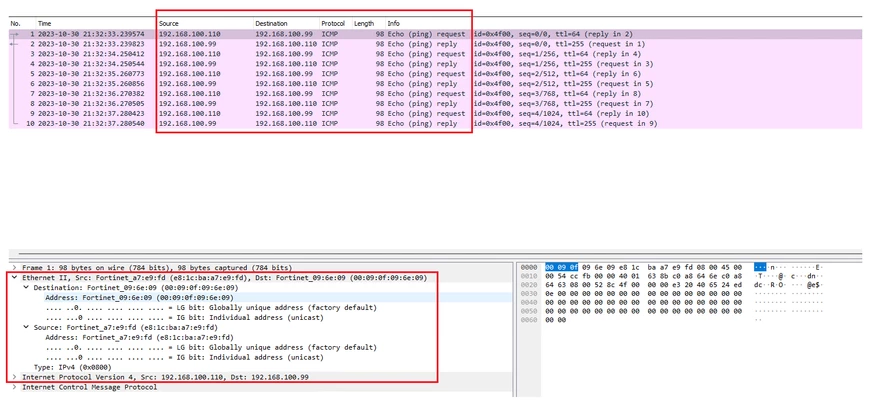
- MAC Address Negotiation will be between the 'Device_1' MAC Address Physical interface and the Virtual MAC Address 'lan' interface.
Related articles: Setup comparison between FortiGate Hardware switch, Software switch, VLAN switch Technical Tip: Hardware switch, Software switch, VLAN switch - Use cases, compiled details Technical Tip : What is and how to enable VLAN Switch on FortiGate | 




