


Technical Tip: Logging for replayed packets
Description
This article describes how to enable logging for anti-replay.
Scope
FortiGate.
Solution
FortiGate anti-replay function can detect replayed packets as described in this document: Replay traffic scenario
config system global
set anti-replay | loose | strict | disable |
end
Debug command '# diagnose debug flow' can show the replayed flow.
id=20085 trace_id=179 msg="vd-VDOM_VLAN1 received a packet(proto=6, 10.10.253.9:10709
>10.10.248.5:25) from TO_EXTERNAL ."
id=20085 trace_id=179 msg="Find an existing session, id-00041475, original direction"
id=20085 trace_id=179 msg="replay packet, drop" <----- Drop by 'replay'.
If logging of the detected replayed packets is also required, configuration 'log-invalid-packet' can be enabled.
config log setting
set log-invalid-packet enable <----- Default 'disable'
Note:
Starting in v7.4.0 and above the 'log-invalid-packet' was removed. To enable logging for replayed packets the configuration 'extended-log' can be enabled.
config log setting
set extended-log enable <----- Default 'disable'
end
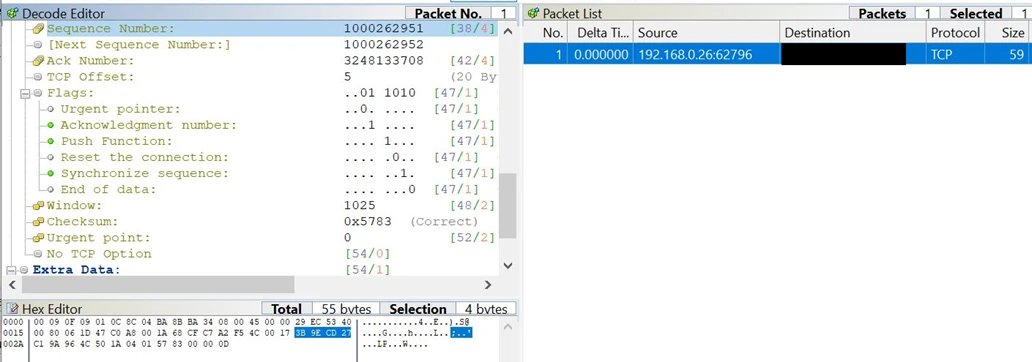
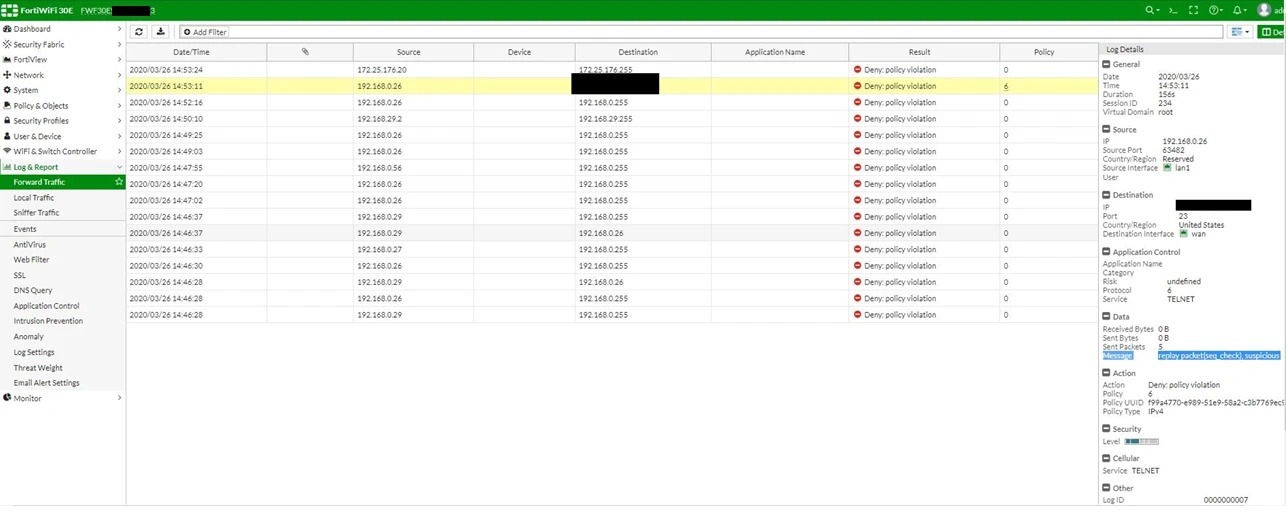
After this is enabled, if a replayed packet is received (such as by replaying packet below), forward traffic log will have logging of 'replay_packet(seq_check)' as shown below.
- All dropped ICMP packets.
- All dropped invalid IP packets.
Related article:
Technical Note: How to get log messages for packets dropped due to anti-spoofing
