Technical Tip: IPS packet capture logging
| Description | This article describes how to set up IPS packet capture logging. |
| Scope | FortiGate. |
| Solution | Auto-capturing of packets if they match an IPS anomaly. This enhances the view of erroneous or suspicious packets.
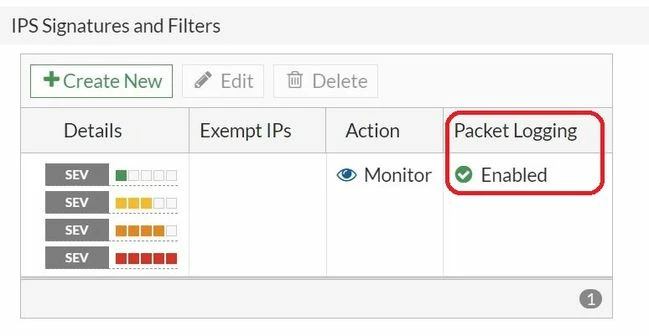
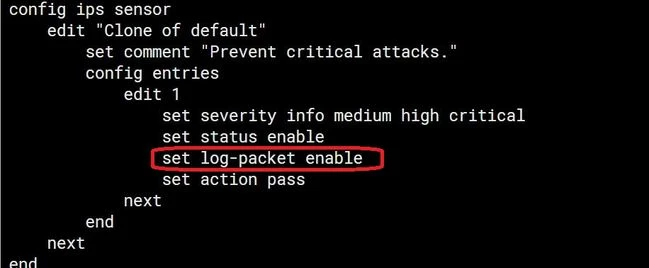
This feature can be enabled within the IPS profile by CLI or GUI as shown below:
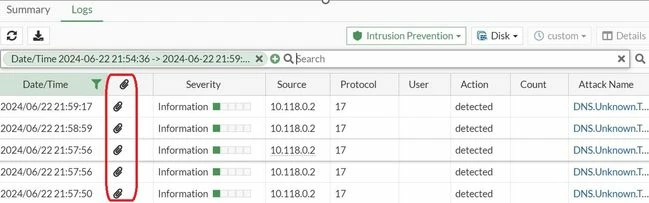
Once a packet matches an IPS signature with enabled packet logging, the icon below will appear:
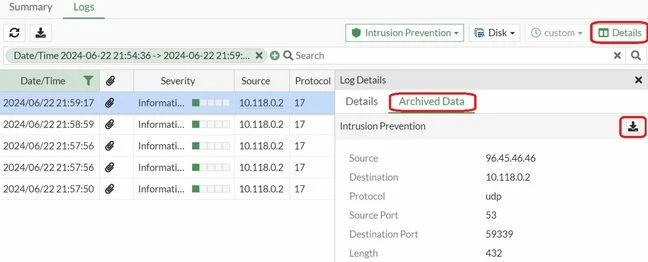
To download the packet capture, select the logs, then select details. Select Archived Data, then select the download button. Note: This feature is not available when the device does not have internal storage.
Related documents: |