


Technical Tip: Invalid HTTP_HOST header
Description
This article describes 'Invalid HTTP_HOST header'.
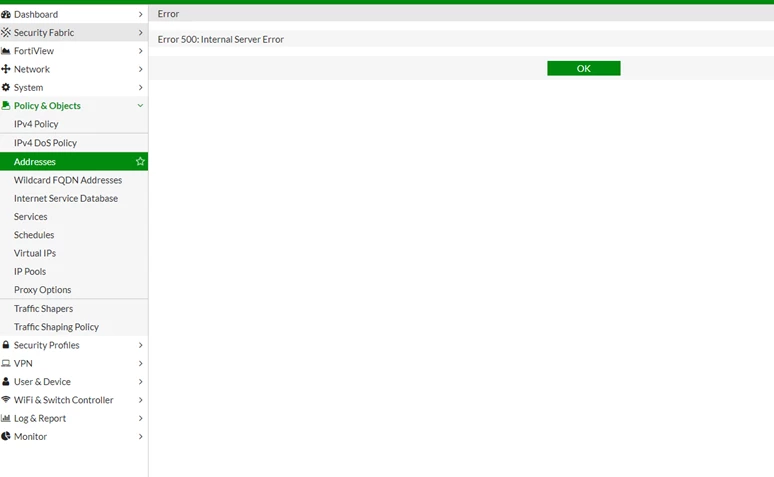
'Error 500: Internal Server Error' when creating Addresses, Services, Schedules and IP Pools.
Scope
For version 6.0 and 6.2.1.
Solution
1) Rename the hostname without using underscore '_'.
2) Upgrade to version 6.2.2 and above.
This article describes 'Invalid HTTP_HOST header'.
'Error 500: Internal Server Error' when creating Addresses, Services, Schedules and IP Pools.
User access FortiGate firewall using hostname. (This issue will not happen by accessing via IP address).
URL hostname contain underscore '_' (example: test_lab.com).
Debug commands:
URL hostname contain underscore '_' (example: test_lab.com).
Debug commands:
# diagnose debug application httpsd -1Debug output will shown as following:
# diagnose webui debug enable
# diagnose debug enable
[httpsd 4250 - 1603702589 info] ap_invoke_handler[593] -- new request (handler='fastcgi-script', uri='/p/firewall/object/address/edit/?', method='GET')
[httpsd 4250 - 1603702589 info] ap_invoke_handler[597] -- User-Agent: Mozilla/5.0 (Windows NT 10.0; Win64; x64) AppleWebKit/537.36 (KHTML, like Gecko) Chrome/86.0.4240.111 Safari/537.36
[httpsd 4250 - 1603702589 info] ap_invoke_handler[600] -- Source: xx.xx.xx.xx:55022 Destination: xx.xx.xx.xx:80
[pyfcgid 4267 - 1603702589.376798] line 203 handle_uncaught_exception -- Internal Server Error: /p/firewall/object/address/edit/
Traceback (most recent call last):
line 87, in get_response
response = middleware_method(request)
line 54, in process_request
host = request.get_host()
line 172, in get_host
raise SuspiciousOperation('Invalid HTTP_HOST header: %s' % host)
SuspiciousOperation: Invalid HTTP_HOST header: test_lab.com
Scope
For version 6.0 and 6.2.1.
Solution
1) Rename the hostname without using underscore '_'.
2) Upgrade to version 6.2.2 and above.

