| L2TP IP Pool can only be edited via CLI.
In the below example, the L2TP IP Pool only has IPs from 192.168.50.1 to 192.168.50.5.
FGT # show full-configuration vpn l2tp
config vpn l2tp
set status enable
set eip 192.168.50.5
set sip 192.168.50.1
set enforce-ipsec disable
set lcp-echo-interval 5
set lcp-max-echo-fails 3
set hello-interval 60
set compress disable
set usrgrp "L2TP_USER_GROUP"
end
To increase the IP Pool from 192.168.50.1 to 192.168.50.35, configure as below:
config vpn l2tp
set eip 192.168.50.35
set sip 192.168.50.1
end
Then reconfigure the L2TP IP Pool on Address Object. Note: Changing the IP range on the Address Object does not mean the L2TP IP Pool will change. This step is needed for the firewall policies that are using the L2TP Pool.
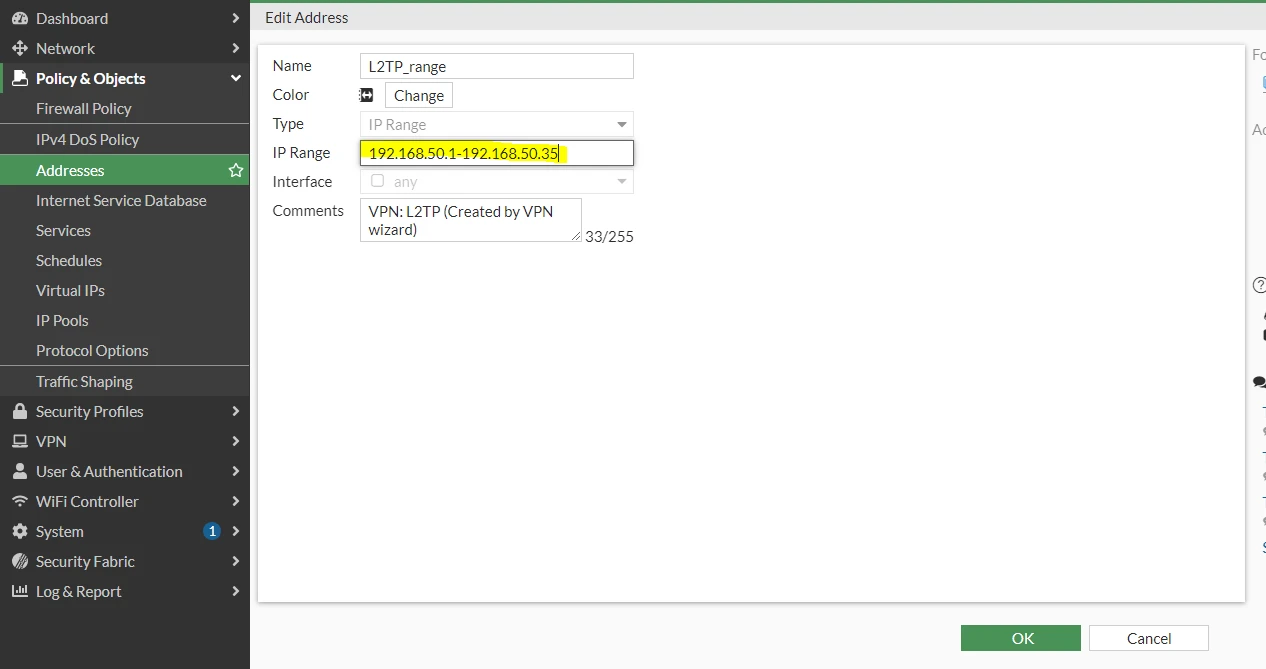
config firewall address
edit "L2TP_range"
set type iprange
set start-ip 192.168.50.1
set end-ip 192.168.50.35
next
end |