


Technical Tip: Incompatible version on downstream FortiGate security fabric error
Description
This article describes how to get rid of the incompatible version of the downstream FortiGate security fabric error.
Scope
FortiGate.
Solution
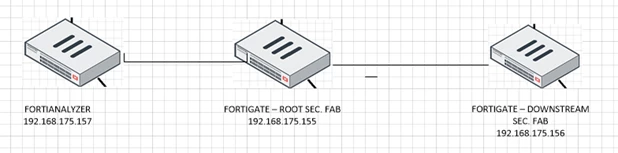
Configuration.
ROOT FortiGate in SECURITY FABRIC.
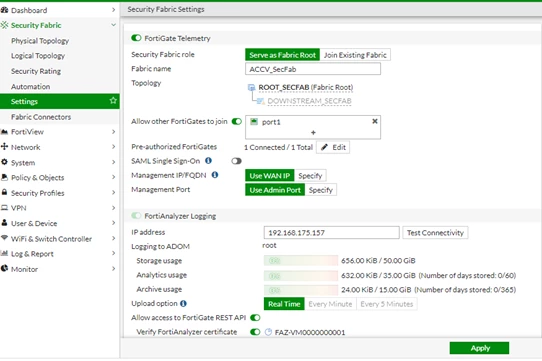
DOWNSTREAM FortiGate in SECURITY FABRIC.
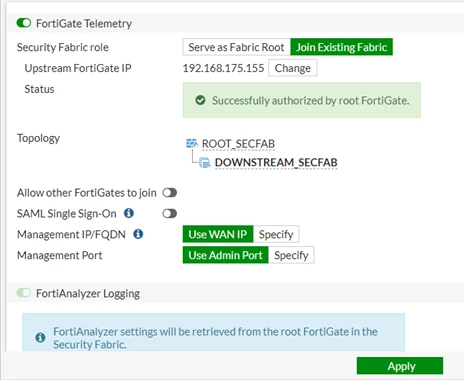
Authorize the root and downstream FortiGate in FortiAnalyzer

Solution:
When the ROOT FortiGate is on v7.6.3
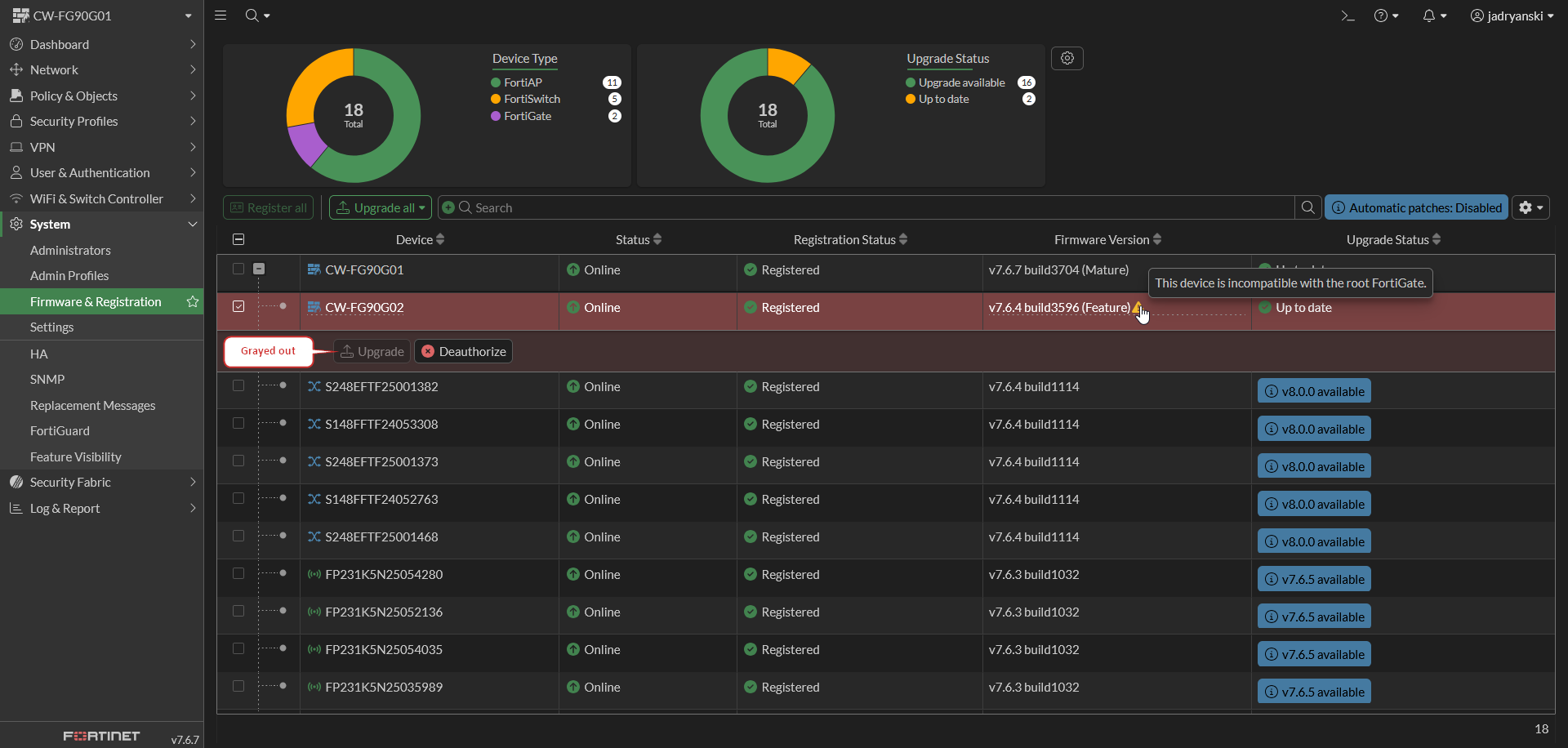
Then the DOWNSTREAM FortiGate is for examplee on 7v.6.2, does not match the ROOT FortiGate; this warning will appear:
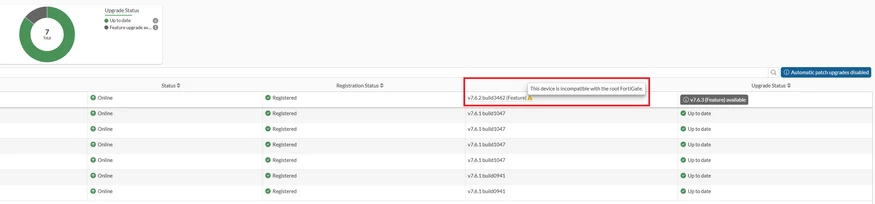
To resolve that, upgrade the downstream FortiGate to a similar version of the root FortiGate, which is v7.6.3 in this case.
Note:
When the downstream FortiGate is running a different firmware version, the upgrade button will appear greyed out. In such cases, the downstream FortiGate must be upgraded manually to match the firmware version of the root FortiGate.
It is really important for all FortiGates on the security fabric to be on the same version to establish a good state on the security fabric connectivity.
