Technical Tip: Import bulk URL for web filter
| Description | This article describes how to import a list of URLs and use it for web filters. |
| Scope | FortiGate. |
| Solution | To achieve this, it is possible to use FortiGuard Category threat feeds. This method will dynamically import a text file from an external server, which contains one URL per line.
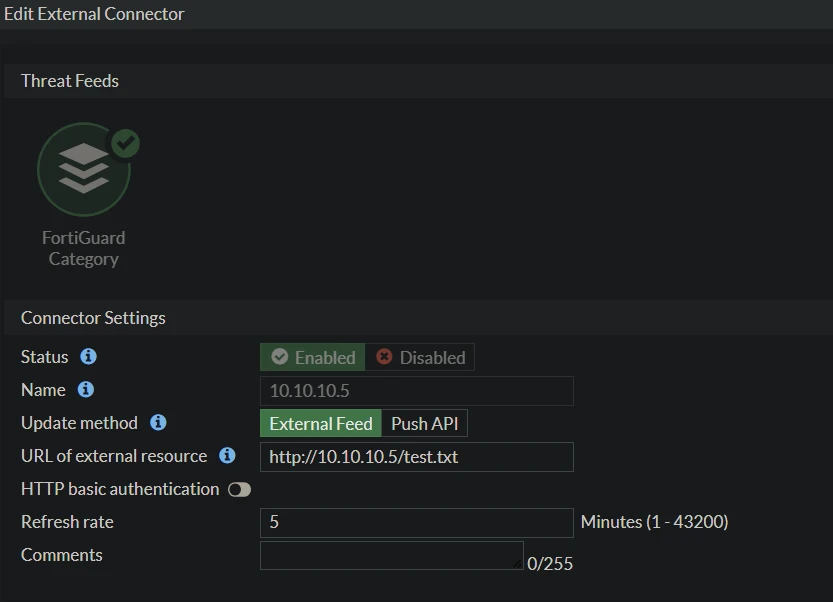
Go to Security Fabric -> External Connectors and select Create New. In the Threat Feeds section, select FortiGuard Category.
After being connected, select view entries to see the list of imported URLs.

To configure a FortiGuard category threat feed in the CLI, type the below commands: config system external-resource edit "10.10.10.5" set type category set category 192 set resource "http://10.10.10.5/test.txt" set server-identity-check {none | basic | full} next end After being successfully created, under the web filter profile, there will be a new category called 'Remote categories' with the list of URLs imported from the server. Modify the action for this new category based on the requirements.  |