

Pavan_Chintha
Staff
Staff
September 23, 2024

Technical Tip: How to resolve the ERR_TIMED_OUT error while accessing any https website

  • September 23, 2024
  • 0 replies
  • 16842 views
Description This article describes the issue when it is impossible to access the website, getting an ERR_TIMED_OUT error in the browser.
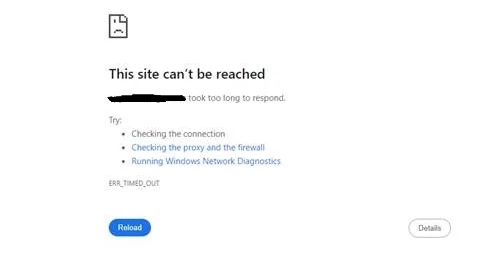
err.png
Scope FortiGate.
Solution
  1. Try to access the website by a plain policy without any security profiles. If it is possible to access the website without any security profiles in the matching policy, then try to enable security profiles one by one to check which is responsible for the error.

  2. If the error pops up while applying any security profiles, check the security event logs and forward logs with source filter if it is getting denied by the FortiGate.

  3. Try to access the website in different inspection modes, such as flow or proxy-based inspection, in the policy as well as in the security profile.

  4. If using a deep inspection profile under the SSH inspection profile in the policy, try to access in no inspection or certificate inspection profile.

  5. Reduce the MSS value to 1400 or 1300 under the Firewall policy. This will change the TCP MSS value in the TCP SYN packet.


In the CLI, set the tcp-mss value of sender and receiver under the firewall policy on FortiGate:
 
config firewall policy
    edit <policy_id>
         set tcp-mss-sender <mss_value>
         set tcp-mss-receiver <mss_value>
    end
end
                     
 
Also, setting up the tcp-mss in the interface can be another option:

config system interface
    edit "wan1"

        set tcp-mss <mss_value>
    next
end                                                                  

    Thought Leadership Security Summit. Outpace New Threats with AI - enhanced defense. Tuesday, Septmeber 15, 8:30 AM - 2:30 PM PT. The Golf Club at Newcastle, WA.
    Virtual event | September 2026. SASE summit. The age of autonomous trust. Register here!

