Technical Tip: How to enable Explicit Proxy
| Description | This article describes how to enable Explicit Proxy on FortiGate with different versions of FortiOS. |
| Scope | FortiGate. |
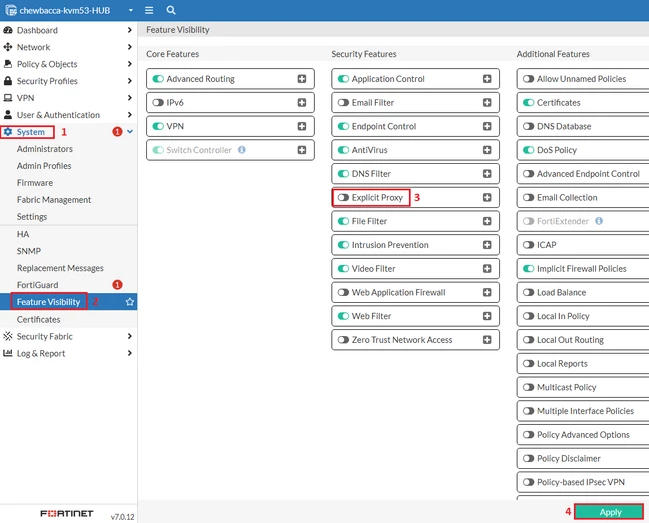
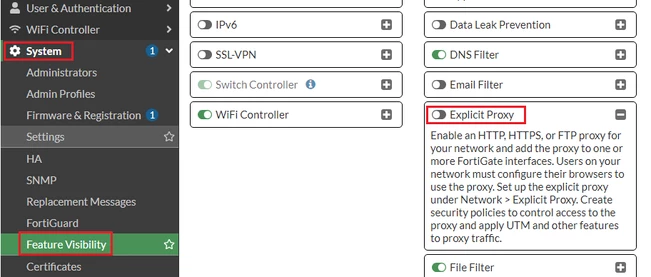
| Solution | For FortiGate v7.0.x and previous:
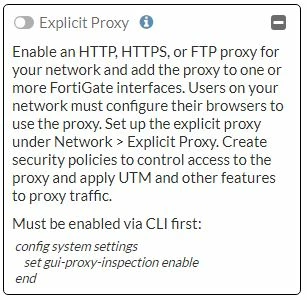
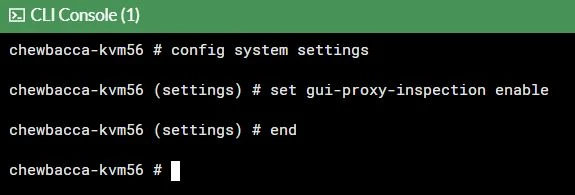
For FortiGate v7.2.x or later, in some models, the option above may be greyed out. To enable it:
config system settings set gui-proxy-inspection enable end
Note: The commands above enable Proxy Features on the FortiGate (for example, enabling proxy inspection in firewall policies). However, this is not enough to enable the Explicit Proxy feature, which still needs to be enabled from Feature Visibility in the following steps.
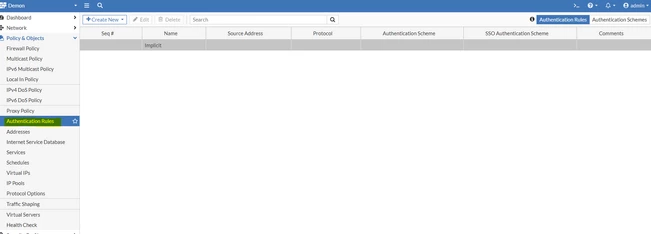
Enabling this feature will also enable and allow administrators to create Authentication Rules and Schemes on the FortiGate.
Note: It was reported by users and tested in the lab that in v7.2.6, the explicit proxy feature is disabled after reboot. The latest version, v7.2.9, is not affected by the issue; explicit proxy is kept enabled after reboot, as it is supposed to. Effective from v7.4.4 and later, explicit proxy features are no longer supported on FortiGate models with 2 GB RAM or less. |