



Technical Tip: How to disable Switch-Controller
Description
This article describes how to disable FortiGate Switch-Controller.
Scope
FortiGate
Solution
Perform the following before disabling switch-controller.
*** Disable 'auto-auth-extension-device' on all FortiLink interfaces.
*** Delete all managed switches.
*** Disable FortiLink on interfaces.
*** Delete all managed switches again in case any are discovered.
When attempting to disable switch-controller on FortiGate the below-shown error might be encountered.
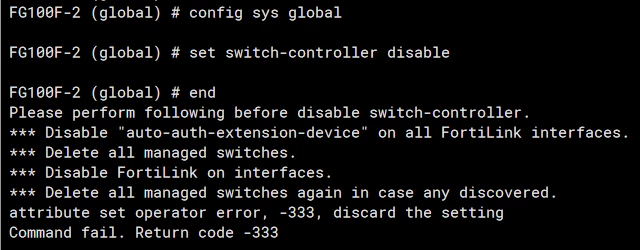
To disable the FortiLink follow these steps:
# config system interface
show
After the configuration is printed look for references as depicted below.
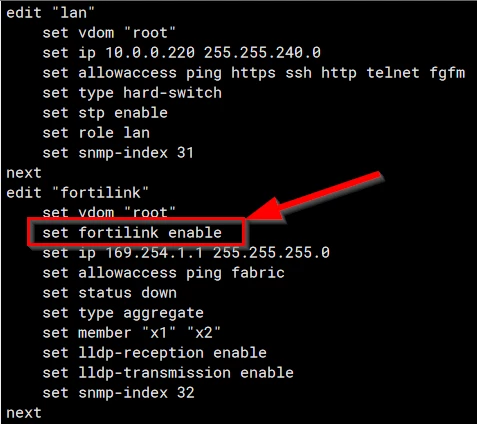
Once the interfaces referencing FortiLink are located, unset this option would be needed.
In this scenario:
# config system interface
edit fortilink
set fortilink disable
end
Lastly, remove the switch-controller:
# config system global
set switch-controller disable
end
Disabling FortiLink and switch-controller will remove the capability to manage switches by FortiGate.