Technical Tip: How to create loopback interface from GUI
| Description | This article describes how to create a loopback interface from FortiGate GUI. |
| Scope | FortiGate. |
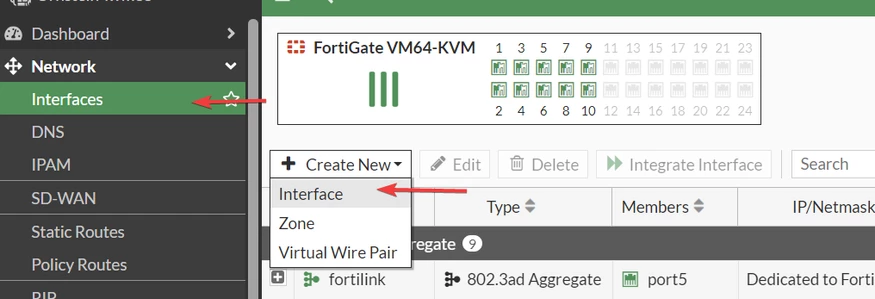
| Solution | Go to Network -> interface, select 'Create new' and choose Interface.
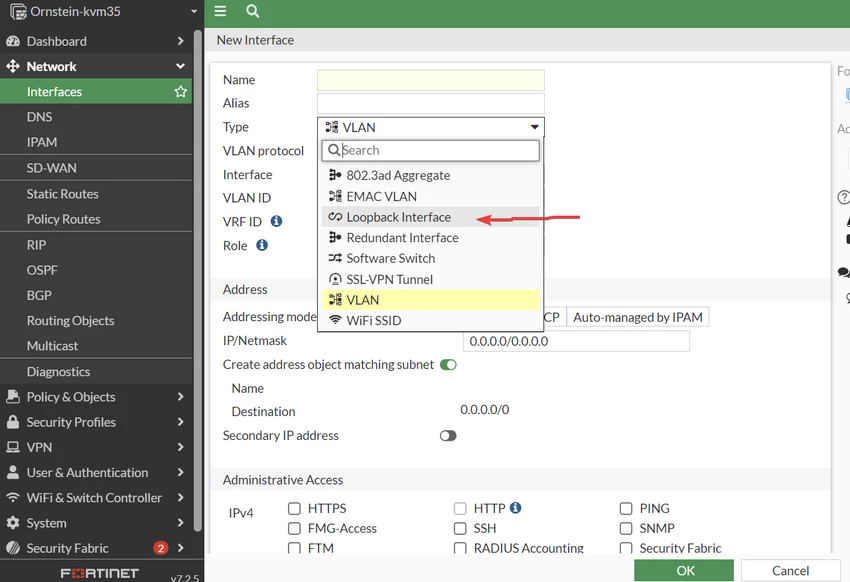
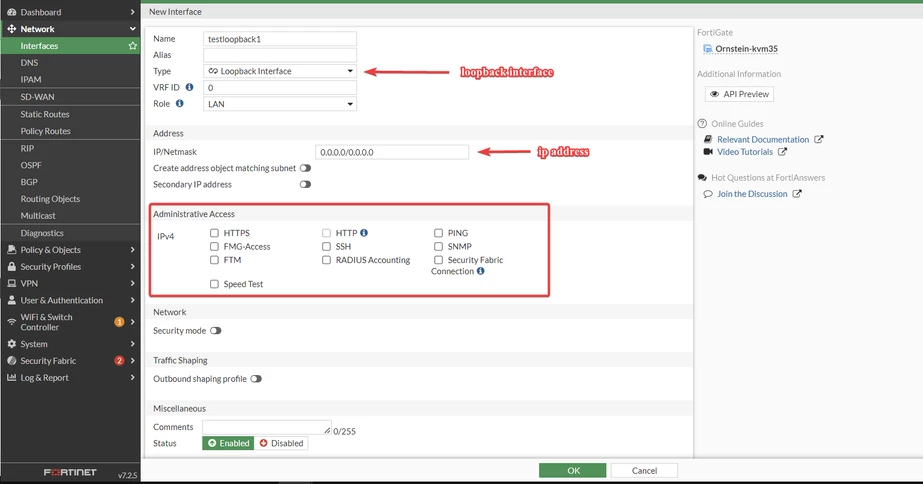
Give a name for the interface and then choose the type drop-down and select loopback interface:
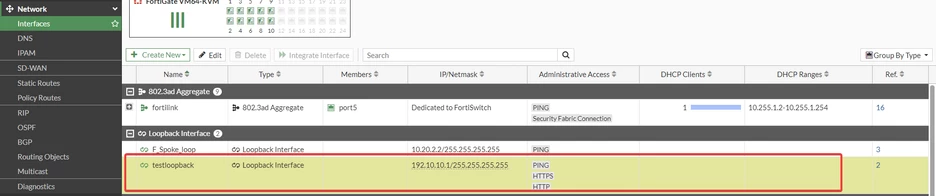
In the below example picture name: testloopback and IP address: 192.10.10.1:
To create from CLI, follow the below document:
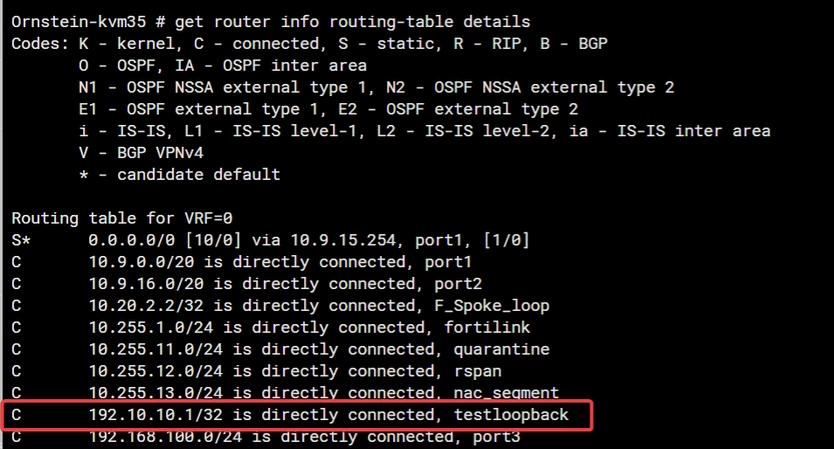
To verify the interface in the routing table run the below command:
get router info routing-table all
Related article: Technical Tip : Configuring and using a loopback i... - Fortinet Community |