
Technical Tip: How to create a script to kill WAD process automatically
Description
This article describes how to create a script to automatically kill a WAD process when it is spiking and causing high memory/CPU usage issues.
Scope
FortiGate.
Solution
WAD is the process in charge of handling proxy traffic (it is used by security profiles, IPS). To confirm whether it is causing the WAD process to spike, check the processes and their consumption through the GUI or CLI.
Checking processes using FortiGate’s GUI:
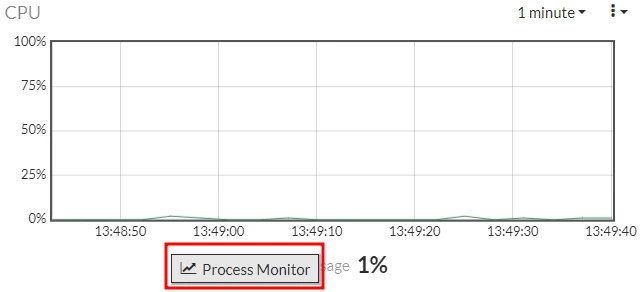
From the Dashboard, go to the CPU widget, select it, and select ‘Process Monitor’.
The processes will be listed. Select the ‘Command’ tab to organize them by name:
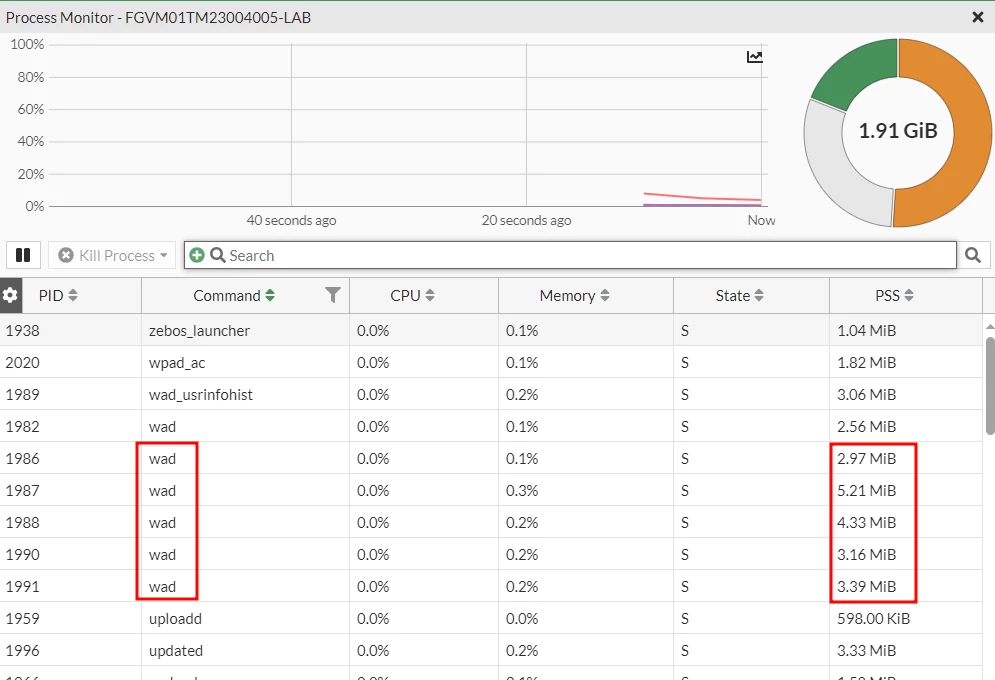
Then, to manually kill the process from the GUI, right-click it process, select ‘Kill process’, and then ‘Kill’ or ‘Force Kill’:

Checking processes using FortiGate’s CLI
The CLI command to list the processes consumption is as follows:
diag sys top
To manually kill/restart the WAD process from the CLI:
diagnose test application wad 99
Upon confirming that the WAD process is the one above normal, and to avoid killing/restarting this process manually every time, use the following script:
Go to the CLI:
config system auto-script
edit restart_wad
set interval 86400 <- Time in seconds (In this example is set to 24 hours).
set repeat 200 <- Times to repeat (days).
set start auto
set script 'diag test app wad 99'
next
end
The memory consumption will drop back to normal levels after applying this script.
To remove the Auto Script:
config system auto-script
delete restart_wad
end
If the issue recurs even after following the aforementioned steps, it is recommended to open a TAC case to check this behavior in-depth.
Note: The script will keep running in a loop or at the defined intervals and it may consume CPU, memory, or bandwidth, affecting the performance of the system or the device where it runs. Consider disabling it with the following command:
config system auto-script
delete restart_wad
end
Related articles:
