


How to check interface bandwidth utilization from GUI
Description
This article describes how to check and monitor bandwidth utilization from a graphical point of view. This will permit us to keep track of the bandwidth utilization for the interface.
Scope
FortiGate.
Solution
Add an interface widget that makes it possible to check/monitor bandwidth utilization.
From GUI:
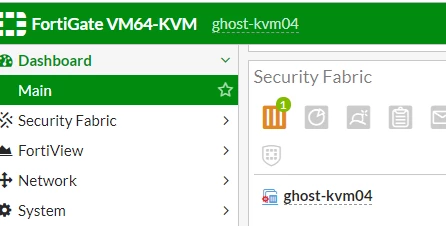
Login to the FortiGate.
Go to Dashboard -> Main/status.
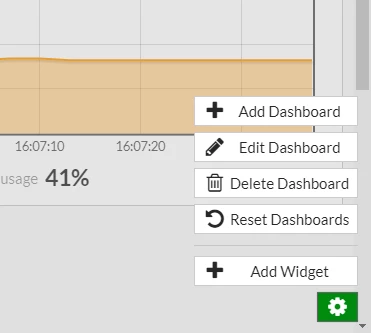
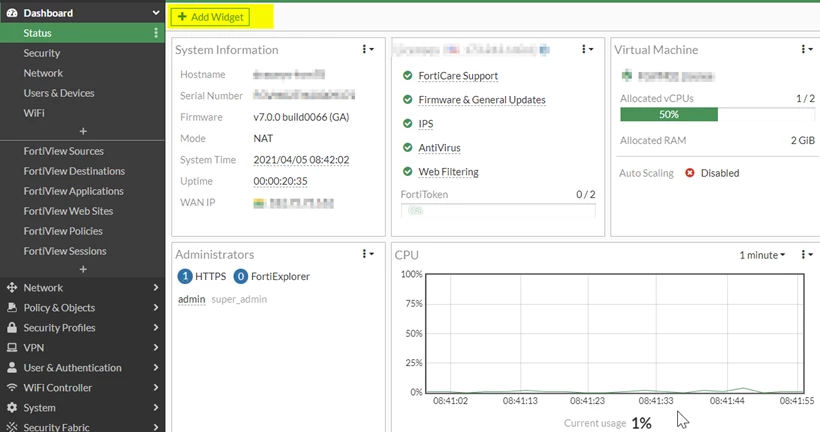
Check for the setting icon at the bottom, select the icon, and select 'Add Widget'.
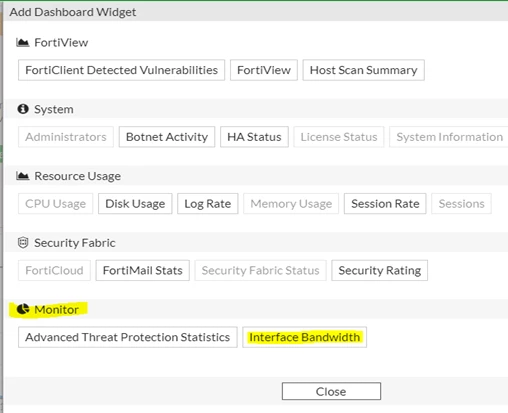
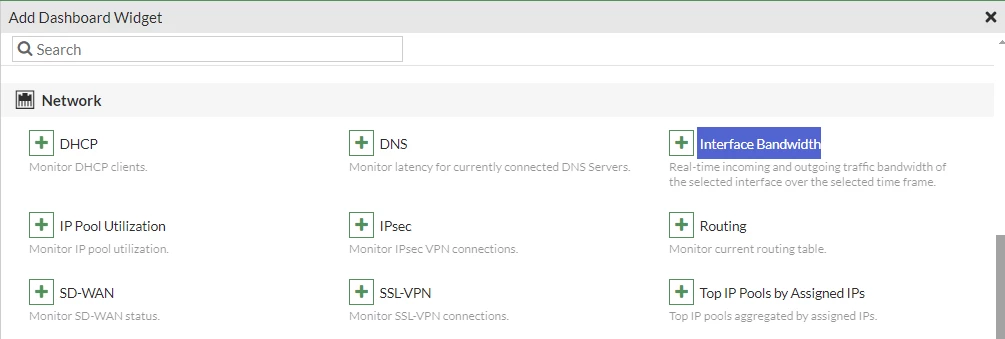
Go to 'Monitor', select 'Interface bandwidth' and select the interface.
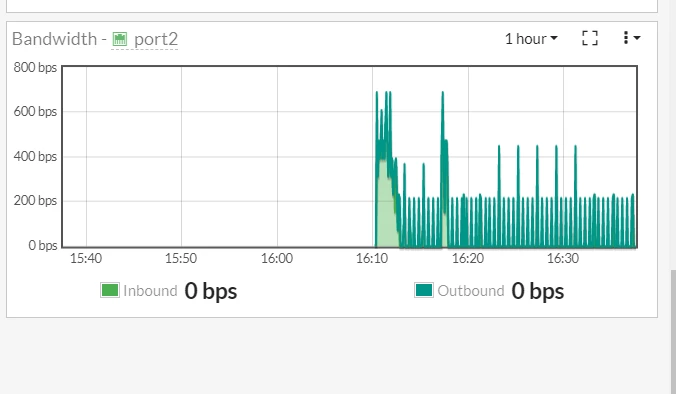
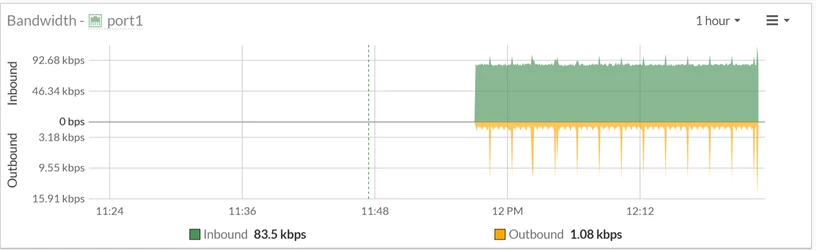
The bandwidth tracking will be displayed:
Note:
In v7.0, v7.2, and v7.4, the 'Add Widget' icon is on top.
Then go to Network -> Interface Bandwidth.
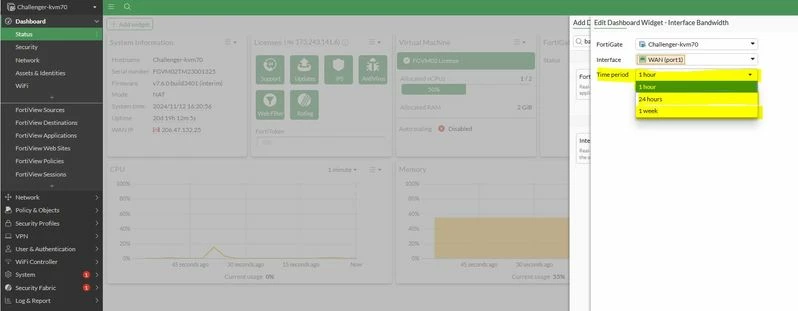
In v7.4 and v7.6, the 'Edit Dashboard Widget' icon option gives access to selecting the FortiGate, Interface, and period.
Once the monitor is configured, it can be checked from the Dashboard under Status.
Note:
Inbound traffic refers to data coming into the interface (from the Internet to the interface), while outbound traffic refers to data leaving the interface (from the internal network to the Internet).
The interface bandwidth represents the total amount of data being transmitted and received on the interface at a given moment.
To check which source or destination over this specific interface is using the top bandwidth can be checked by follow this method:
Custom widgets (such as interface bandwidth) in the status dashboard will be lost after upgrading to v8.0.x. This is by design.
Workaround:
Before upgrading from 7.6 to 8.0, record existing custom dashboard widgets (show system admin in 7.6 / show system gui-dashboard-collection in 8.0) and re-create them in the GUI after the upgrade; otherwise the GUI will present the new default dashboard set. Upgrades between builds ≥0224 within 8.0.x preserve dashboards normally.
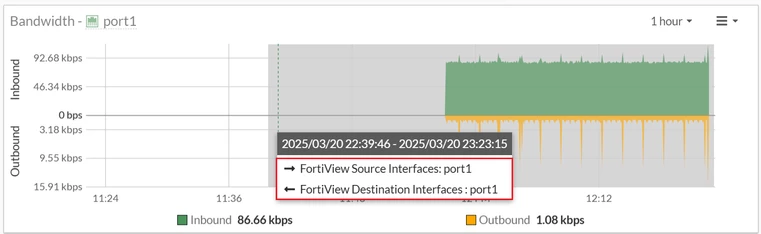
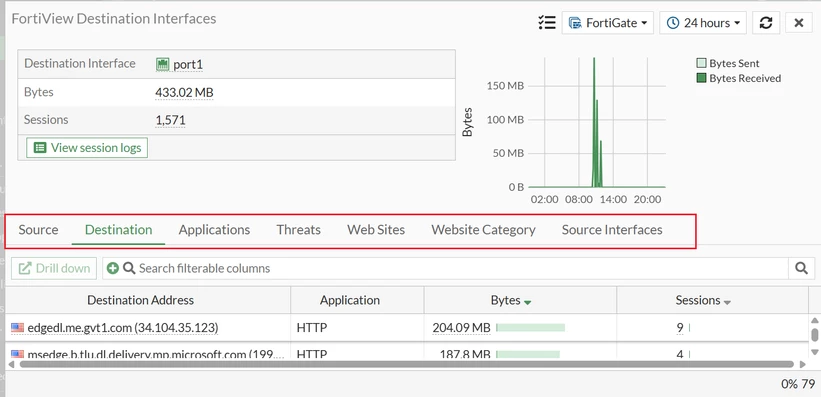
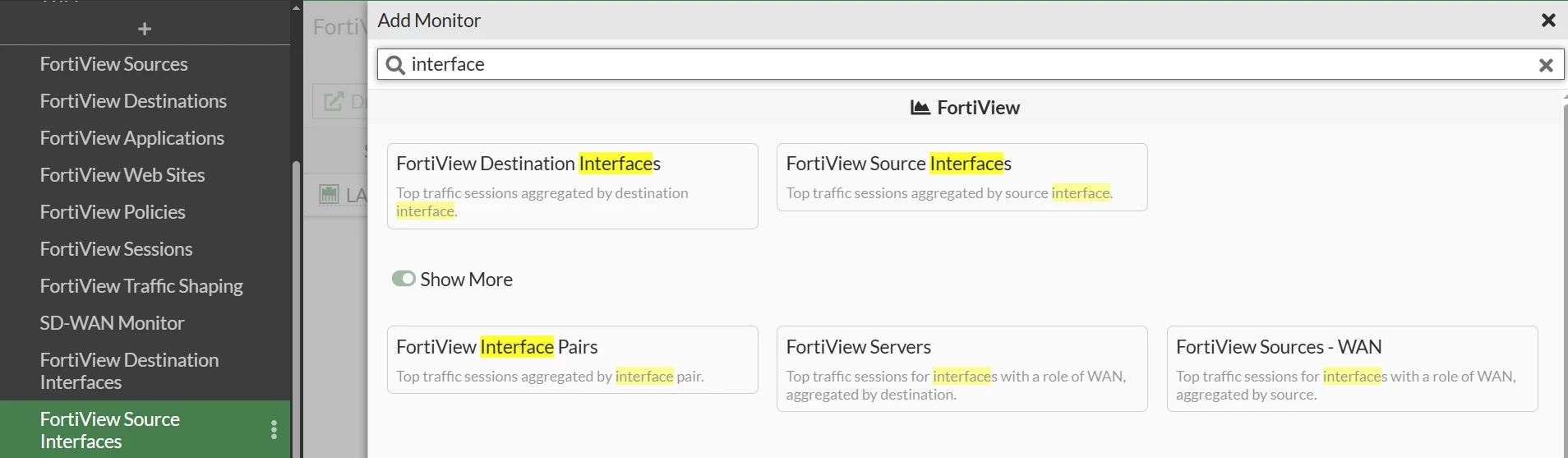
FortiView Source Interfaces and FortiView Destination Interfaces dashboards can also be added to monitor usage of interfaces.
In case it is desired to see how many interfaces are being monitored, do that from the CLI with the following command:
config global
(global) # show full-configuration | grep -c "monitor-bandwidth enable"
Related article:
Technical Tip: Monitor bandwidth usage per source

