SAJUDIYA
Staff
Staff
November 12, 2024

Technical Tip: How to block particular application using Application Control Filter

  • November 12, 2024
  • 0 replies
  • 4885 views
Description This article describes how to block a particular application on a particular Firewall Policy using an Application Control security profile.
Scope All FortiOS versions.
Solution

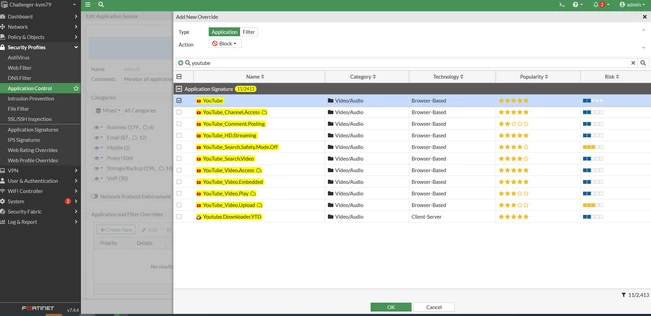
Step 1: Go to the Security Profile section → Application Control, then select Create New.

Example: Blocking YouTube using the override option:


  1. Navigate to Application and Filter Overrides → Create New.

  2. Set Type to Application.

  3. Set Action to Block.

  4. Search for YouTube.


application.PNG


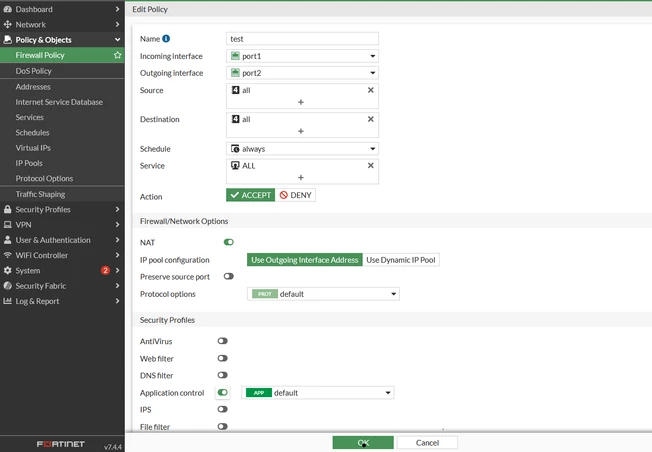
Step 2: Go to Policy & Objects → Firewall Policy, select the relevant firewall policy where the application needs to be blocked, and ensure that the correct Application Control Profile is applied:


policy.PNG


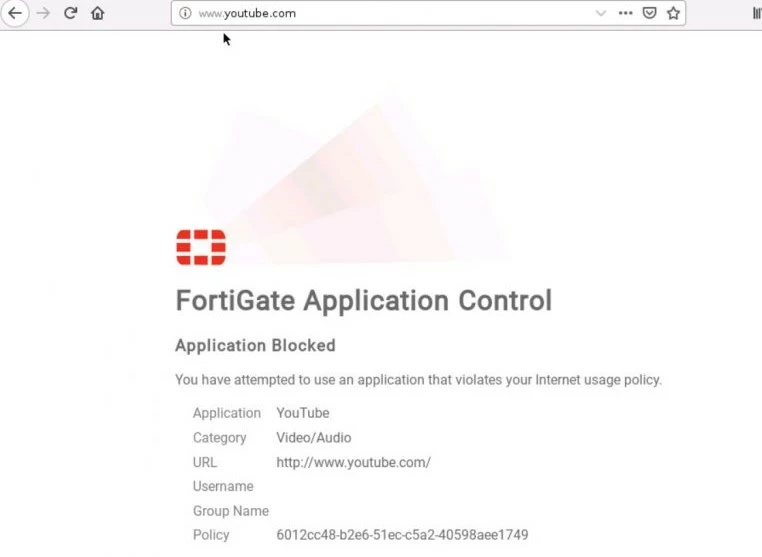
Step 3: Now open a browser, go to YouTube.com, and try searching for a video. It should show an application block page.


youtube block.jpg


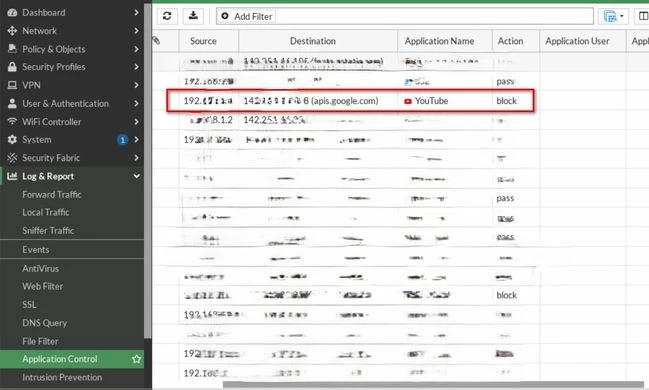
Step 4: Go to Log & Report → Application Control; it will provide detailed logs for the same blocked traffic:


block logs.jpg


Related documents:

    Thought Leadership. Security Summit. Thursday, November 12th, PGA National Resort, Palm Beach Gardens, FL.
    Thought Leadership. Security Summit. Thursday, October 8th. Disney's Grand Californian Hotel & SPA, Anaheim, CA.
    Security Operations Summit: Modernize SecOps. Operate AI-Native.AMER: November 4 | 9:00 AM PST. India and SAARC: November 5 | 10:00 AM IST. EMEA: November 5 | 10:30 AM CET. APAC: November 5 | 11:00 AM SGT