Technical Tip: Getting error while disabling the Explicit Web Proxy
| Description | This article describes an issue that occurs while disabling the Explicit Web Proxy. |
| Scope | FortiGate. |
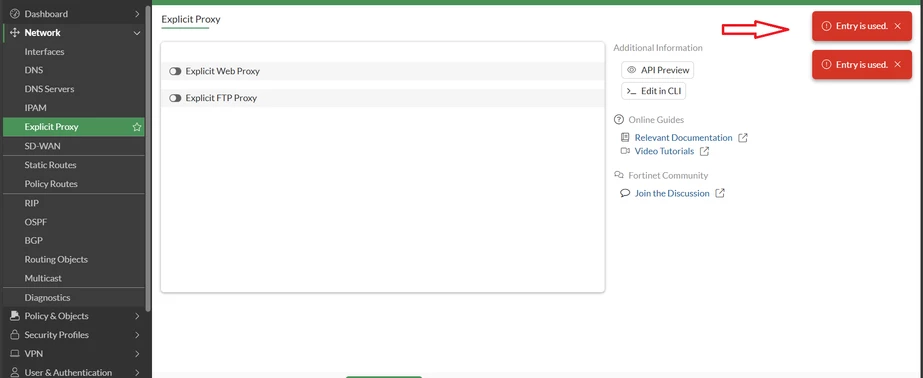
| Solution | While disabling the Explicit Web Proxy under Network, the user may see the 'Entry is used ' error as below:
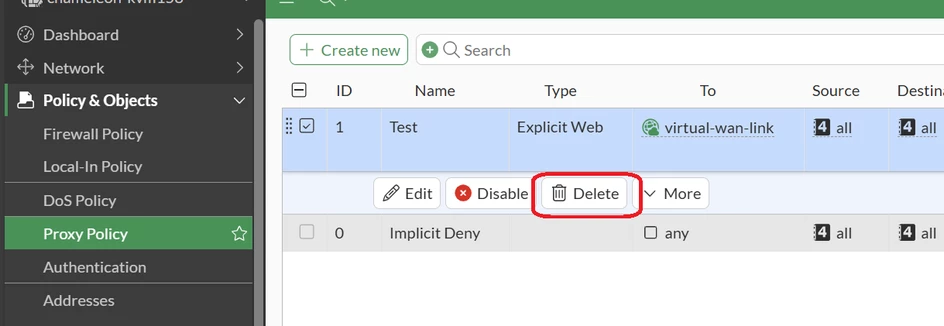
Navigate to Policy & Objects -> Proxy Policy and delete the Policy.
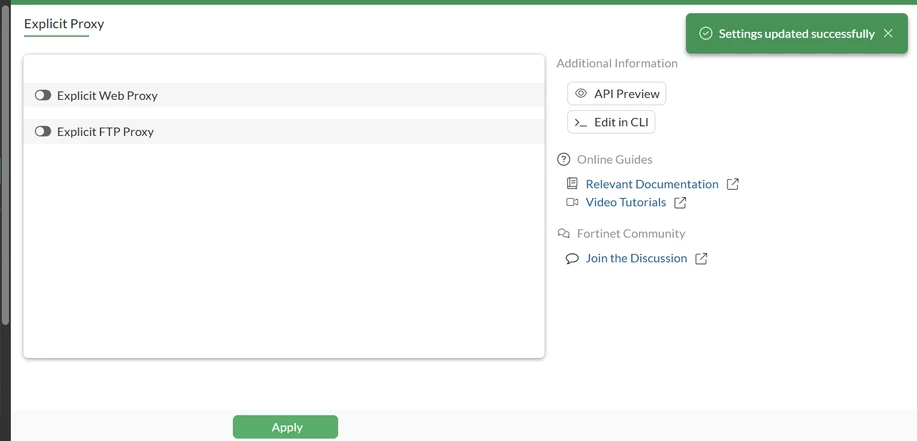
The Explicit Web Proxy can then be disabled.
Related documents: Technical Tip: Unable to configure port 80 for incoming HTTP port in Explicit Proxy |