


Technical Tip: FortiGate source-ping using SD-WAN rules
Description
This article describes FortiGate source-ping using SD-WAN rules.
Scope
FortiGate.
Solution
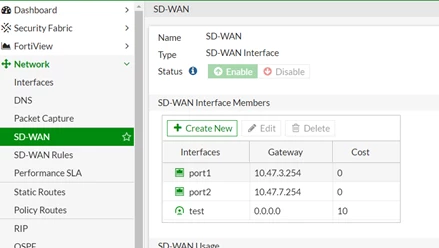
FortiGate has 2 WAN links, which are PORT1 and PORT2.
One IPsec tunnel is tested.
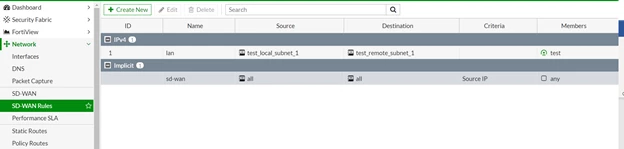
There is one SD-WAN rule and no performance SLA.
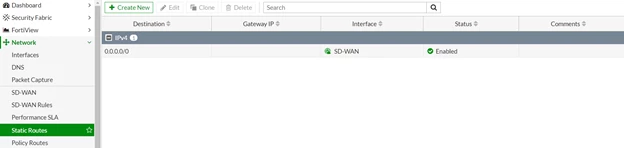
There is one default route.
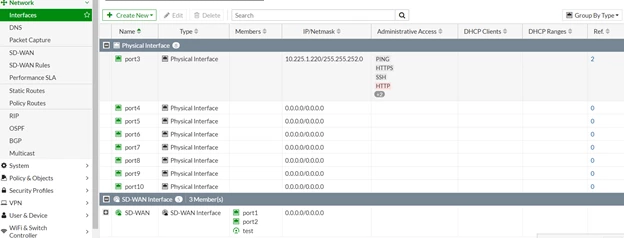
FortiGate LAN is PORT3, which is 10.225.1.220/22.
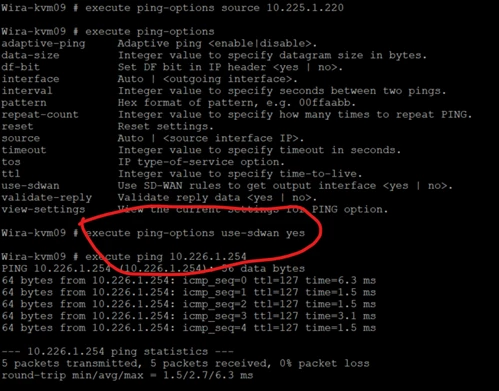
The source IP 10.225.1.220 has been configured to ping 10.226.1.254 but fails. 10.226.1.254 is a PC on the IPsec LAN.
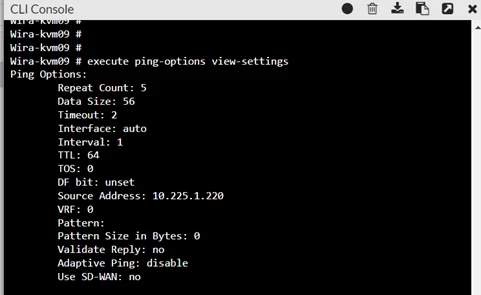
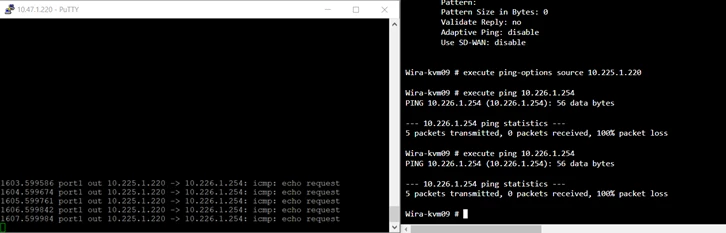
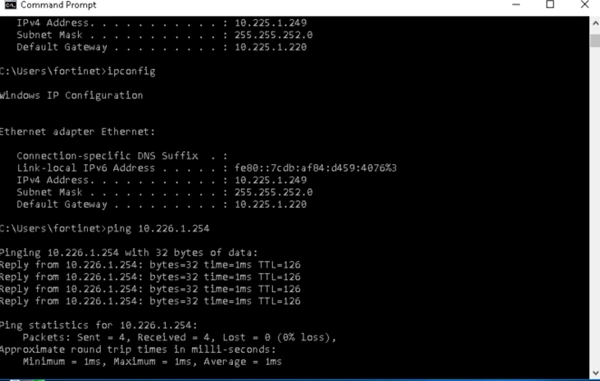
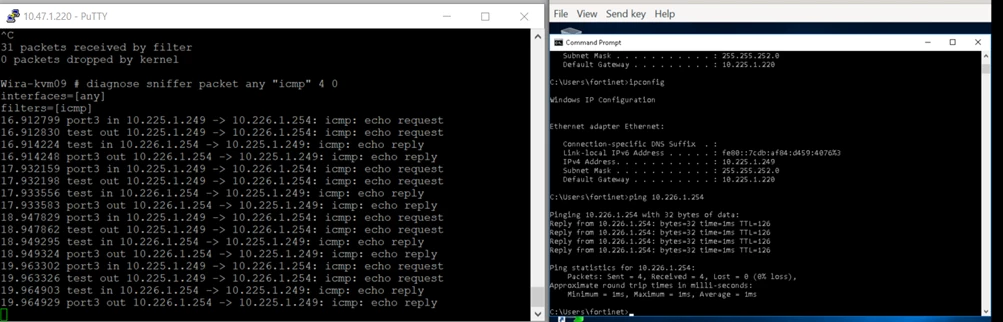
Ping from LAN PC and able to ping because it will use SD-WAN rules.
Found that in FortiGate CLI, to let the interface IP 10.225.1.220 ping the opposite 10.226.1.254, under 'ping-option', 'use-sdwan' needs to be configured as 'yes'.
Then FortiGate is able to ping 10.226.1.254. So it is not related to performance SLA, just the ping option on FortiGate only.
Note: By default, execute ping generates locally originated traffic from the FortiGate itself. Unlike forwarded traffic from client devices, locally originated traffic does not automatically follow SD-WAN rules for ping testing.
Enabling execute ping-options use-sdwan yes instructs the FortiGate to evaluate the existing SD-WAN rules when selecting the egress interface for the ping. This behavior affects the diagnostic ping operation and helps verify how traffic would be forwarded through the configured SD-WAN policy.


