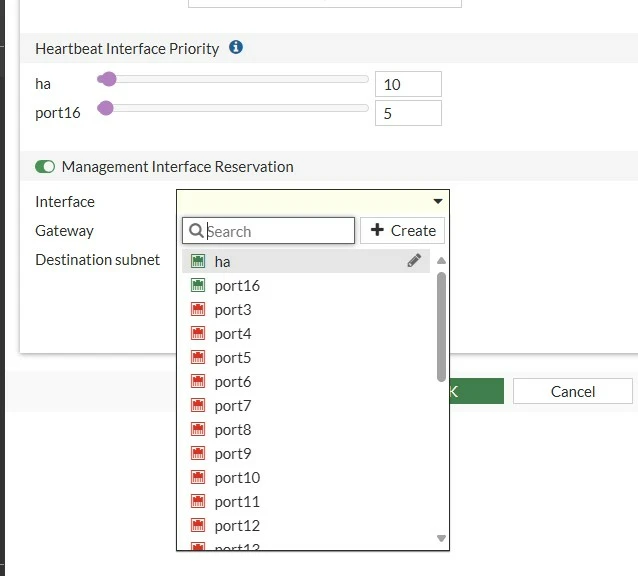
Technical Tip: Fixing missing syntax for HA reserved management interfaces
| Description | This article describes how to set the mgmt interface under 'config ha-mgmt-interface' in case the mgmt interface is not an option available. |
| Scope | FortiGate v7.0.x and above. |
| Solution | to set up the mgmt interface as a reserved management interface under HA configuration when it does not show up as a command option:
FG100F-1 # config system ha
'mgmt' interface is not available
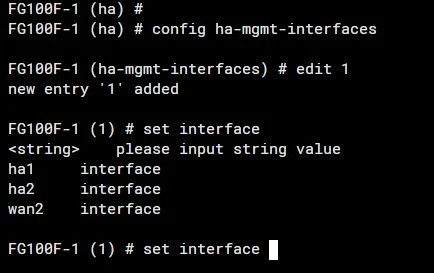
The reason why mgmt is not available is because it has a DHCP server option enabled.
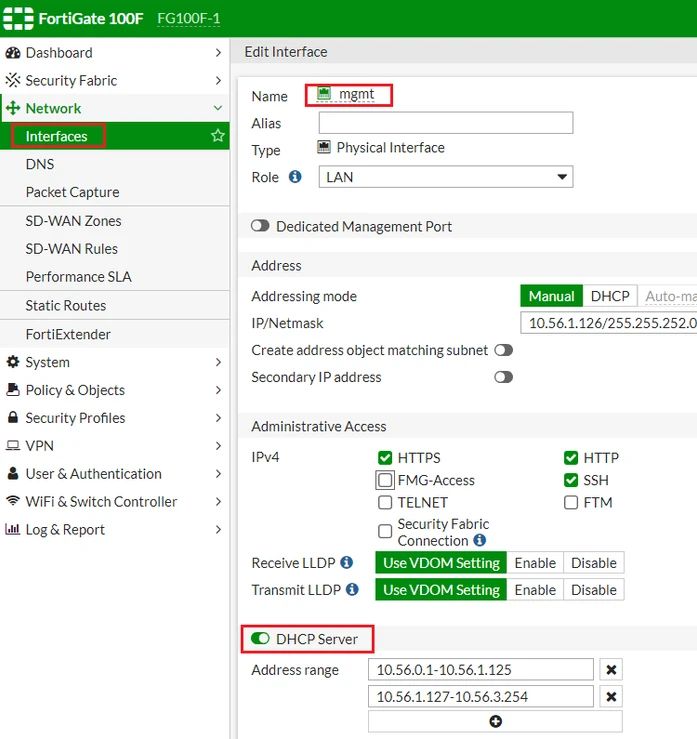
Option 1: Disable the DHCP server option under the mgmt interface. Then select 'OK'. Option 2: Under config sys DHCP server, type show and search for the entry that is using the mgmt interface.
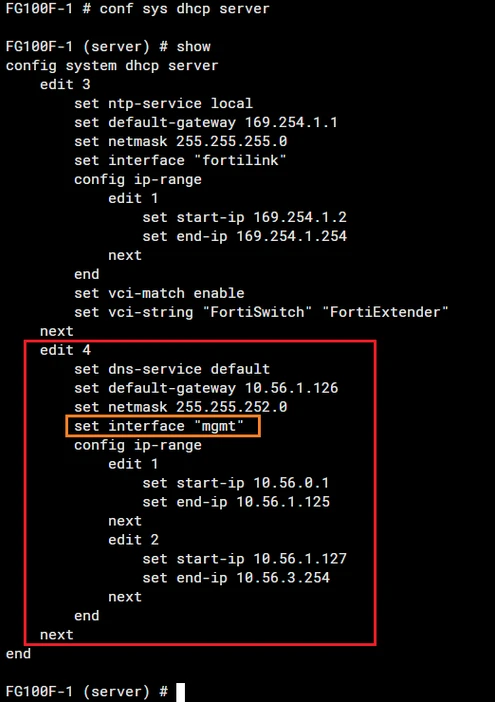
Delete option 4 and type show again. The configuration using the mgmt interface is gone.
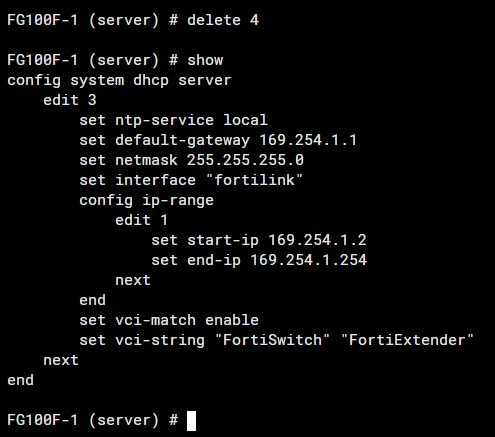
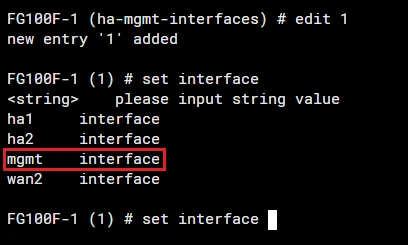
In the CLI, go back to 'config system ha', then 'config ha-mgmt-interfaces' and 'edit 1'. After this, mgmt will be available to be chosen.
 |