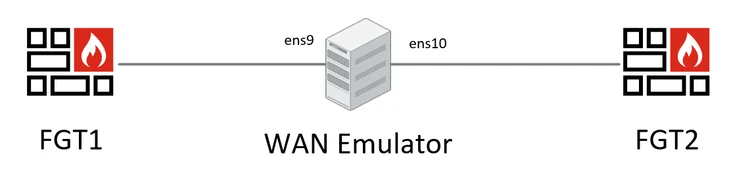
Technical Tip: Emulate a WAN connection using a Linux machine
| Description | This article describes how to emulate a WAN link with a Linux machine. |
| Scope | Everyone that wants to simulate a WAN link in the lab to test their network resiliency. |
| Solution | Lab Setup:
IPv4 WAN Emulator: Ubuntu 20.04 distro was chosen to create the emulator, but a different Linux distro can be selected too.
2. Install iproute2. The iproute2 suite is a collection of utilities for networking and traffic control:
3. List NICs:
ip address
4. Bridge NICs:
sudo ip link add name br0 type bridge
5. Traffic identification:
sudo tc qdisc del dev ens9 root
6. Apply traffic shaping:
sudo tc class add dev ens9 parent 1: classid 1:1 htb rate 100mbit
Note: Netem adds delay to egress packets only. For bidirectionality, apply netem to the other end interface.
7. Adding 250ms of delay:
8. Adding 100ms of delay and 10ms of Volatility (result in any value between 90 and 110 ms):
8. Adding 1% of Packet Loss:
10. Adding 1% of Duplicated Packets:
11. Adding 0.2% of Corrupted Packets:
12. Adding Packet Reordering: Both interfaces will send 25% of data packets (with 50% relevance) and add 10ms of delay to other packets:
13. View the tc configuration:
|