Technical Tip: Customize log test detail
| Description | This article describe the method to generate log test from FortiGate.
The log test is useful to verify the logging status. Customize log test detail could allow the user to generate the description for log identification. |
| Scope | FortiGate log. |
| Solution | CLI command:
# diagnose log test-text <log-id> <level> <text-log> [<repeat>]
Sample:
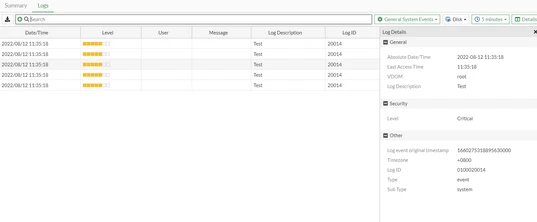
# diagnose log test-text "0100020014" "critical" "" 5
Output:
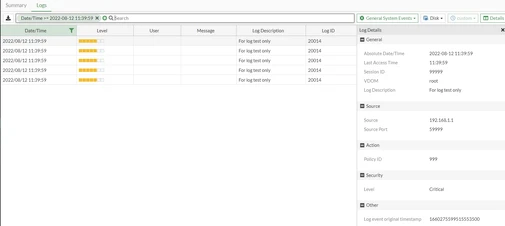
Customize the log description, source IP, policy ID field and etc as below:
# diagnose log test-text "0100020014" "critical" "policyid=999 sessionid=99999 srcip=192.168.1.1 srcport=59999 logdesc=\"For log test only\"" 5 Output:
|