| Solution | - Generate wildcard CSR:
- Create a new CSR, navigate to System -> Certificates, and select 'Generate'.
- To create a new CSR for a wildcard certificate, select the Domain Name option and enter the wildcard domain name,for example, *.mk.com.
- In the Subject Alternative Name enter the wildcard domain name, for example. *.mk.com, and select 'OK'.
Note: Ensure to set a password in the password field as it will be exported to other FortiGates devices once the certificate is successfully done. 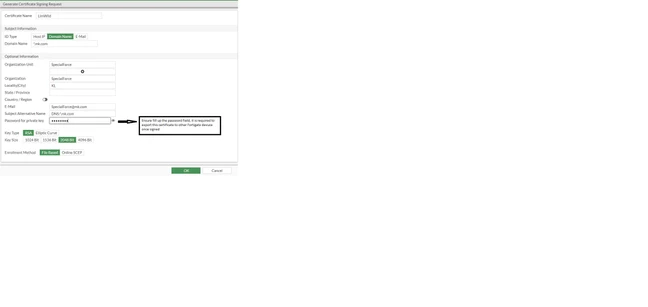
-
Download the CSR (LimWild.csr) and submit it to the Microsoft CA for signing. -
Go to 'The Microsoft Enterprise Certification Authority server on link 'http://X.X.X.X/certsrv/' or 'https://X.X.X.X/certsrv/ and sign in with the administrative account. -
Select 'Request a Certificate' and select 'Advanced certificate request'. 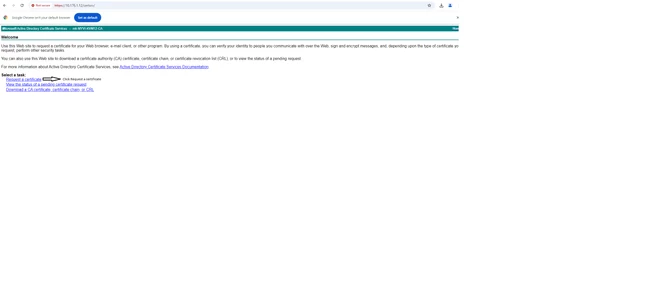
-
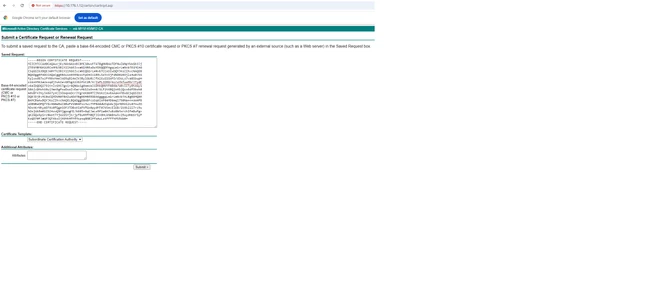
Open CSR request 'LimWild.csr' with Notepad, select all the text and paste it to MS CA in the 'Saved Request:' field. The copied text must include the header and footer line. Select 'Subordinate Certification Authority' in the 'Certificate Template:' field and select 'Submit'.
-
Select 'Base64 encoded' and select the 'Download certificate'. -
Now the certificates are issued, import to FortiGate, and navigate to System -> Certificates. Select 'Import' and select 'Local Certificate'. -
Upload the certificate file signed by MS CA under System -> Certificates -> Import Certificate and under 'Type', select 'Local Certificate' and select 'OK'. -
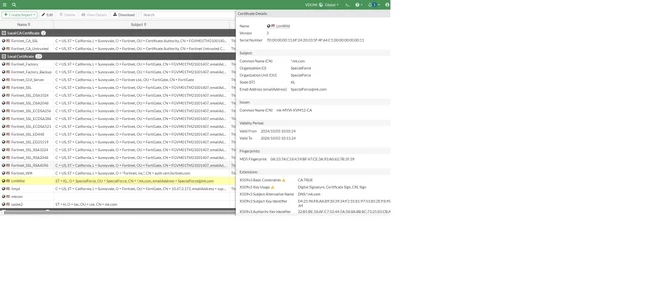
To confirm the wildcard certificate has been imported and installed successfully, it can be viewed as the following:
-
To apply the wildcard certificate to other FortiGate devices in the same domain name: -
The wildcard certificate can be seen in the following CLI commands:
(global) # exec vpn certificate local export tftp
<string> local certificate name
Fortinet_CA_SSL
Fortinet_CA_Untrusted
Fortinet_Factory
Fortinet_Factory_Backup
Fortinet_GUI_Server
Fortinet_SSL
Fortinet_SSL_DSA1024
Fortinet_SSL_DSA2048
Fortinet_SSL_ECDSA256
Fortinet_SSL_ECDSA384
Fortinet_SSL_ECDSA521
Fortinet_SSL_ED448
Fortinet_SSL_ED25519
Fortinet_SSL_RSA1024
Fortinet_SSL_RSA2048
Fortinet_SSL_RSA4096
Fortinet_Wifi
LimWild -
Download and install the TFTP server on the computer to prepare for certificate export. http://tftpd32.jounin.net/tftpd32.html.
(global) # exec vpn certificate local export tftp LimWild p12 LimWild.p12 10.176.1.12 -
The LimWild.p12 is exported to the computer LimWild.p12.

-
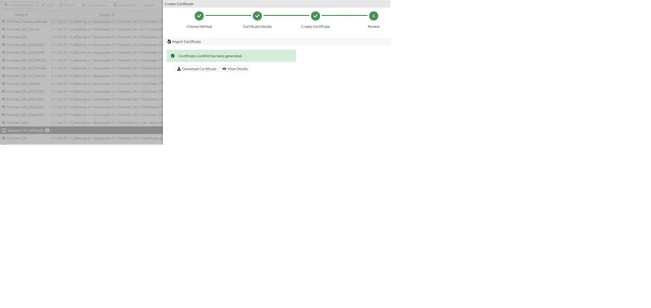
Access to other FortiGate devices WebUI, by going to System -> Certificates -> select Certificate -> Import Certificate -> Import Certificate -> PKCS#12 Certificate -> Upload the LimWild.p12 with password and select 'Create'.
Note: The password refers to point 1.
-
There is no error prompted 'Your connection isn't private' when accessing other FortiGate devices.
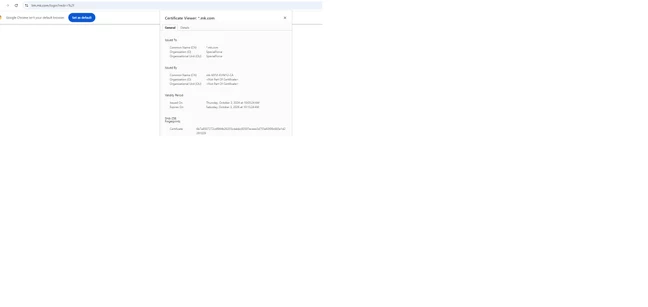
Note: Make sure the FortiGate devices are the same version. |



