



Technical Tip: Check the SSH encryption algorithm used on FortiGate using Nmap
| Description | This article describes how to check the SSH encryption algorithm on FortiGate using Nmap on Windows. |
| Scope | Any version of FortiGate.
|
| Solution | Download the ssh2-enum-algos script. 'Right-click' on the download link and select 'Save Link As'. It will then be necessary to copy/paste this script into the nselibs folder of the NMap application. On Windows, paste the script into the following directory.
Example file path: C:\Program Files (x86)\Nmap\nselib To test this, enable SSH on the FortiGate’s interface:

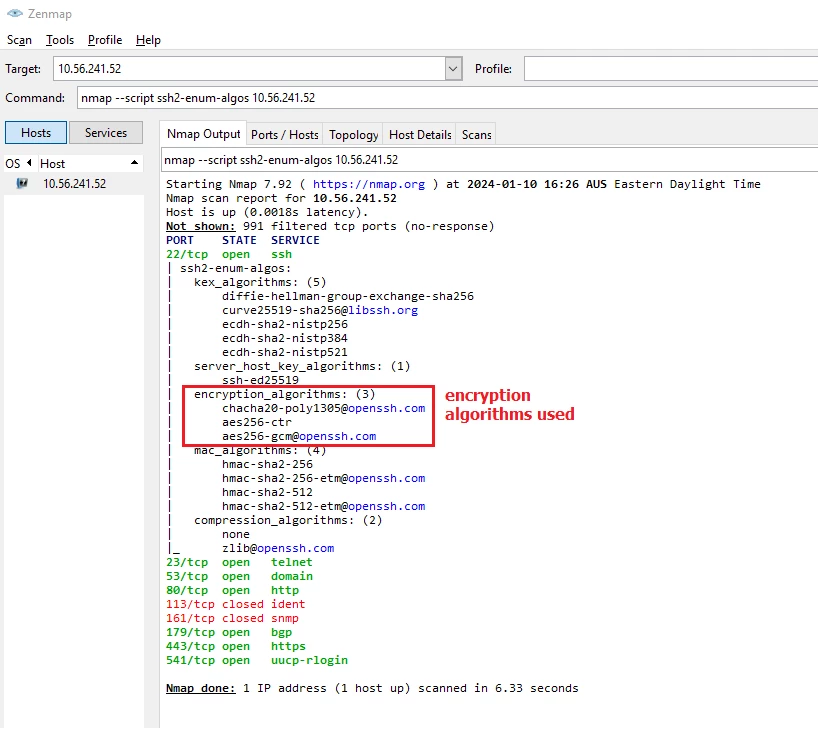
On the Nmap application GUI, run this command to test:
nmap --script ssh2-enum-algos x.x.x.x <----- x.x.x.x is the FortiGate interface IP where the SSH has been enabled and wants to test.
The output should look like this:
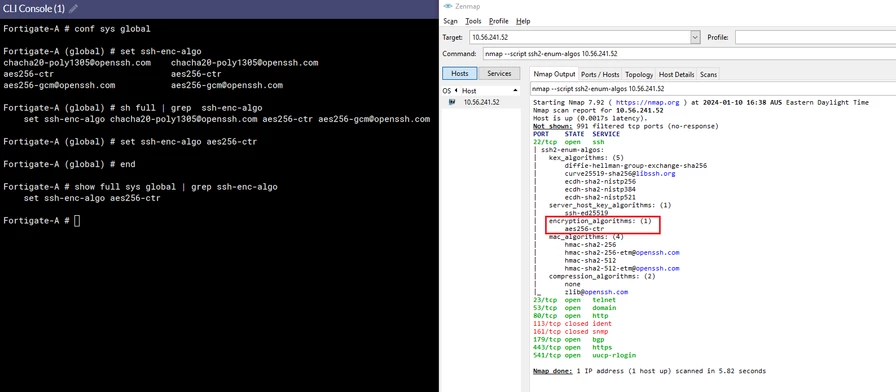
To only use certain encryption algorithms for SSH:
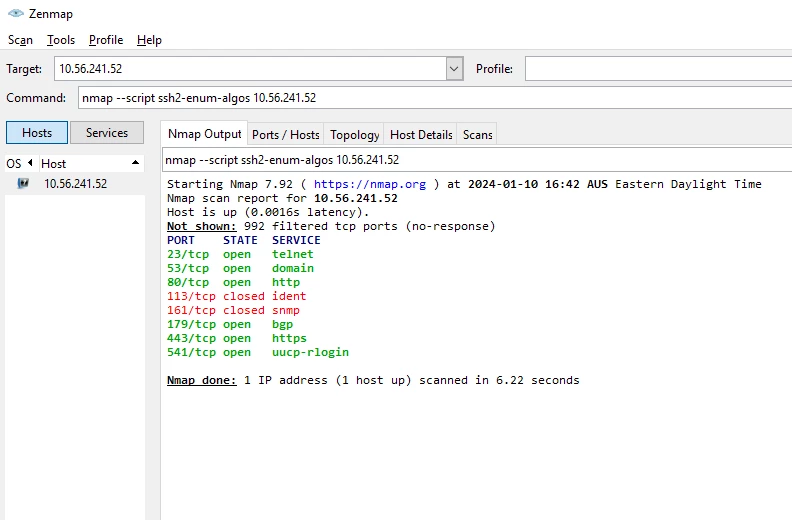
This is how the Nmap results look like if SSH is Disabled on the interface. No results returned:
 |

