Technical Tip: Capture multiple packets at the same time
| Description | This article describes that it is possible to capture and compare multiple packets at the same time in the GUI for network troubleshooting purposes. |
| Scope | FortiOS. |
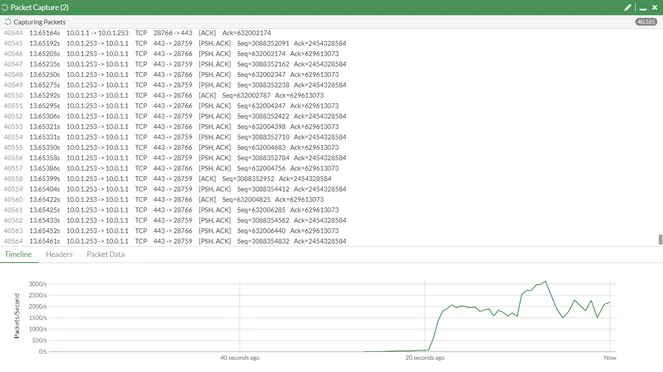
| Solution | In v7.4.x and above, it is possible to take multiple packet captures at the same time in the GUI.
The capture profiles have been created when selecting '+New packet capture'. Each capture profile runs simultaneously in the background and can be monitored:
In versions below 7.4.x, it is required to use the CLI to take multiple packet captures at the same time. The steps for that can be seen here: Technical Tip: How to import 'diagnose sniffer packet' data to WireShark. |