


Technical Tip: Block Facebook while allowing Messenger
Description
This article describes how to block Facebook while allowing Messenger, to use an application control profile in Firewall FortiGate.
Scope
Application control.
Solution
- On PC:
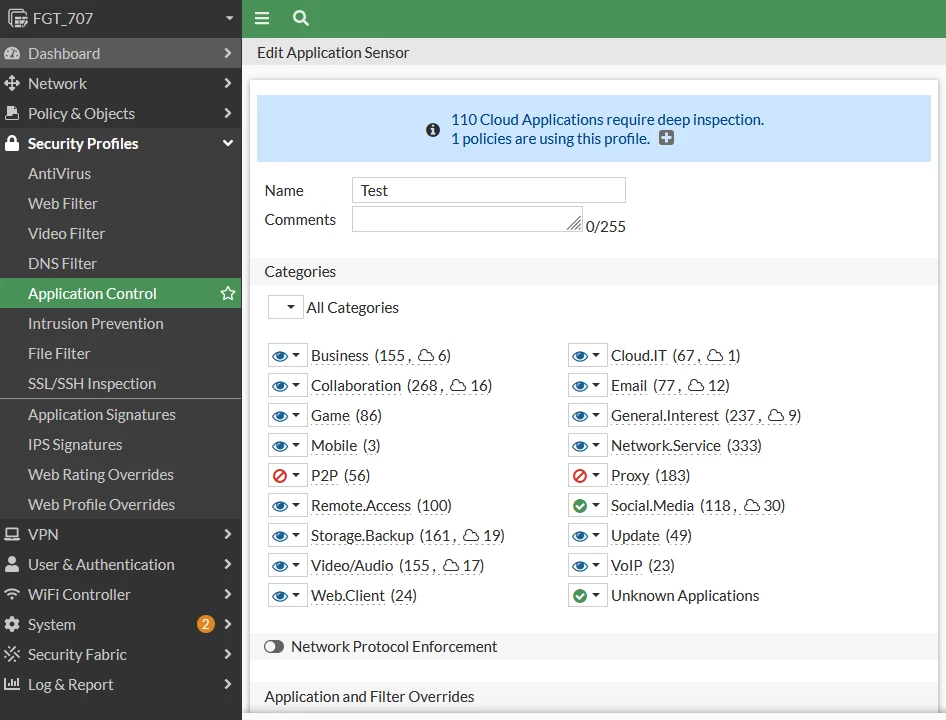
Step 1: create a new application control profile in FortiGate -> Security Profile -> Application Control.
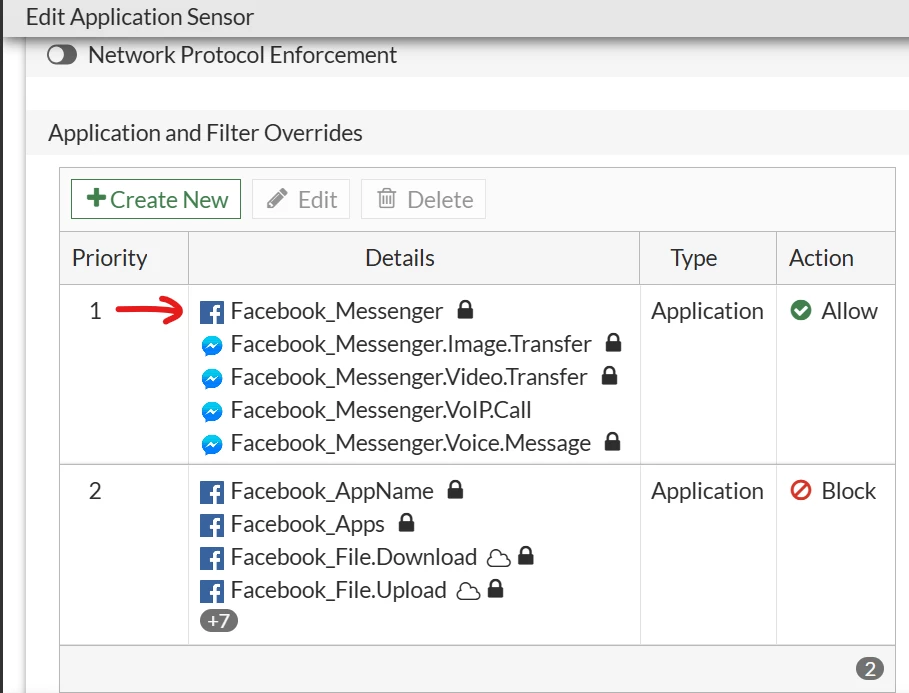
Step 2: Add application and filter overrides to allow Messenger and Facebook_Messenger, and block all other Facebook signatures.
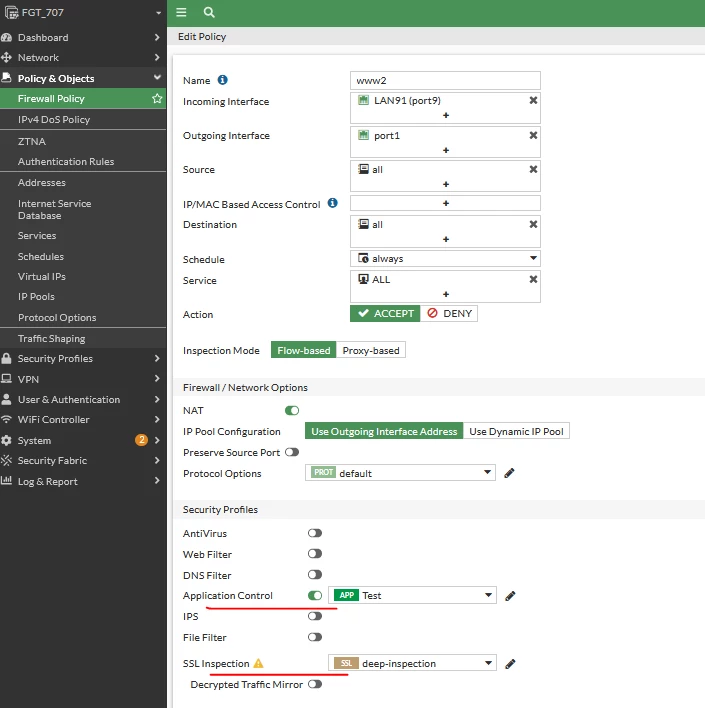
Step 3: Apply the application profile in the Firewall policy, and remember to choose Deep inspection.
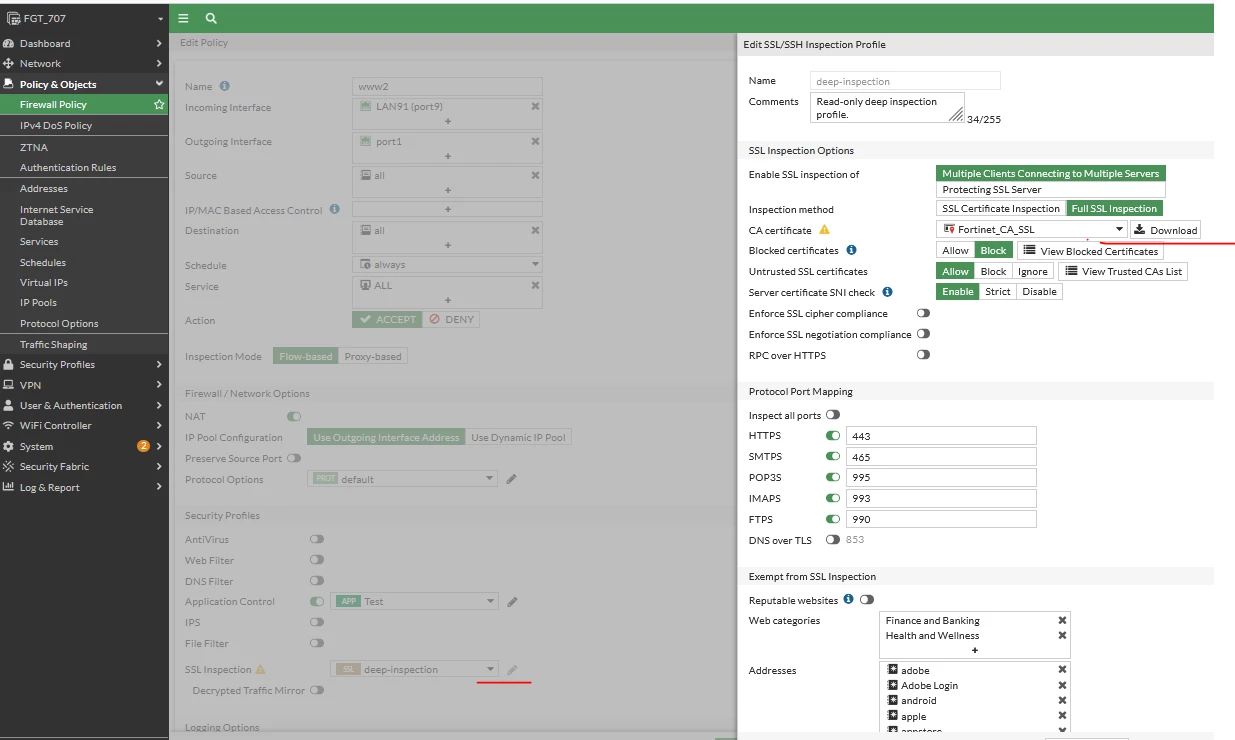
Step 4: download and import FortiGate's certificate into the client's PC by following the steps in Importing the certificate into web browsers - FortiGate cookbook.
On the client PC:
- Disable QUIC in Chrome: chrome://flags -> QUIC -> disable.
- Disable QUIC in Firefox: about:config -> network.http.http3.enabled -> false.
- An alternative option is to block QUIC under application control in the FortiGate. This method will force the connection to be over TCP/UDP.a
- For Apple users QUIC needs to be blocked via policy on top of the existing one with action -> Deny for Service UDP -> 443.
- This is also applicable to web-based messengers when restoring end-to-end encrypted chat history.
- On mobile devices:
FortiGate is unable to inspect the SSL traffic of Facebook and Facebook Messenger applications due to certificate pinning. It is impossible to differentiate the traffic between the two. Without inspecting the SSL traffic, it is impossible to block the Facebook app while allowing the Messenger app on mobile devices.

