acvaldez
Staff
Staff
July 18, 2024

Technical Tip: Analyzing Website Access issue with HAR Log Tools

Description

This article describes how to use the HAR log to further check which destination address to focus on when encountering a website access issue.

Scope FortiGate.
Solution

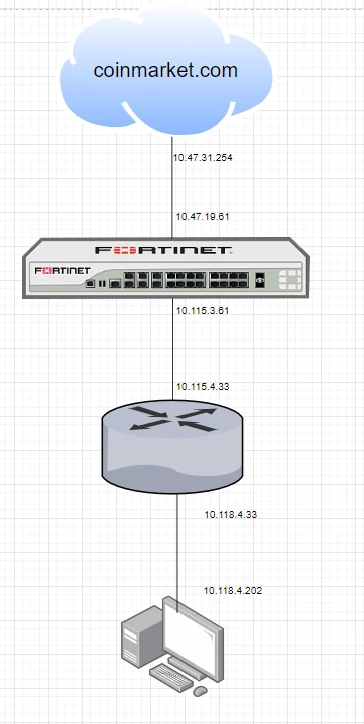
Diagram:


coinmarketdiagram.png


Sample Scenario:

This capture was taken in a lab environment just to show how to maximize the HAR log tool to see which IP to focus on in website access issues.


Test machine (IP: 10.118.4.202) is experiencing slowness when accessing CoinMarketCap, while other websites (e.g., Google, YouTube) are working fine. Here is the approach to diagnose and resolve this issue:


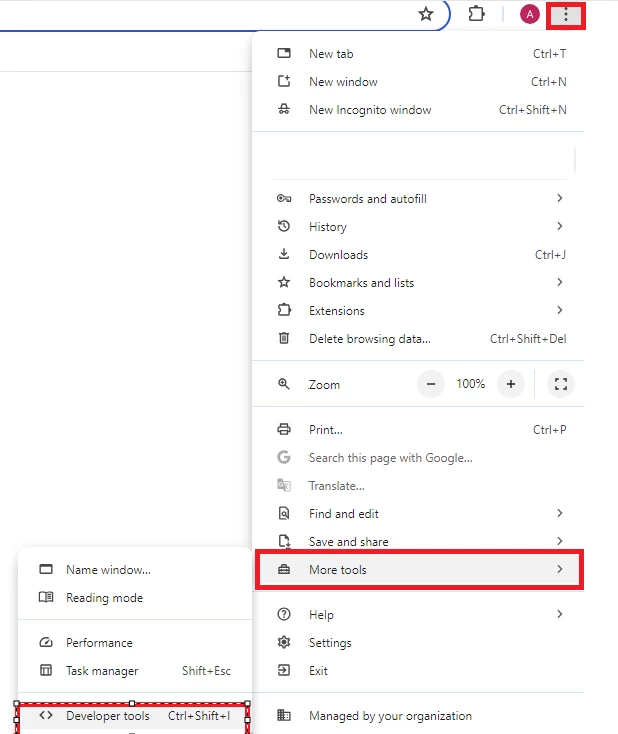
  • Open Chrome Developer Tools:


devtoolspage1.png

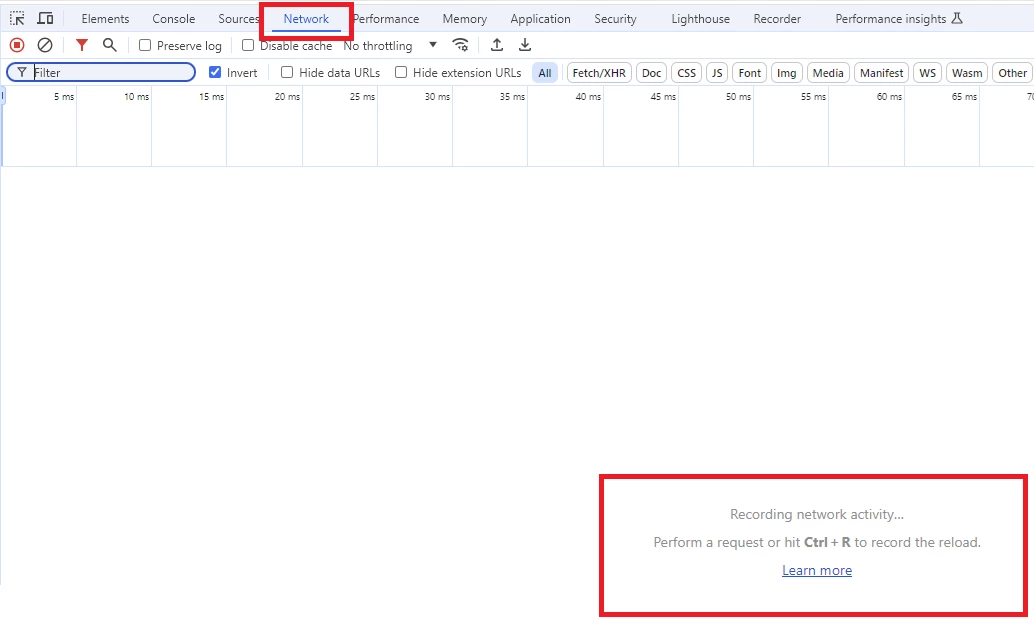
  • Navigate to the Network tab:


devtoolspage2.png

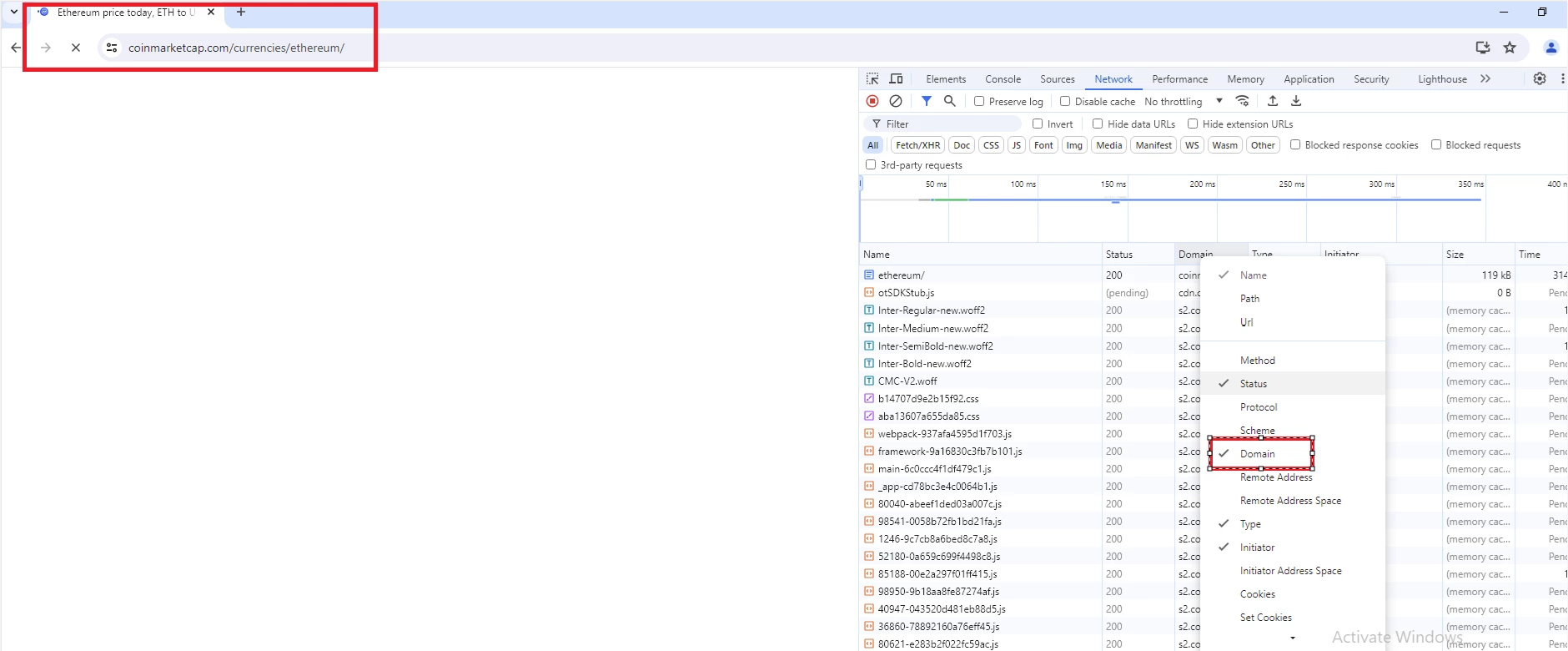
  • Ensure the Domain column is visible:


devtoolspage3.png

  • Check the HAR log for unsuccessful traffic when the issue occurs.


Analysis:

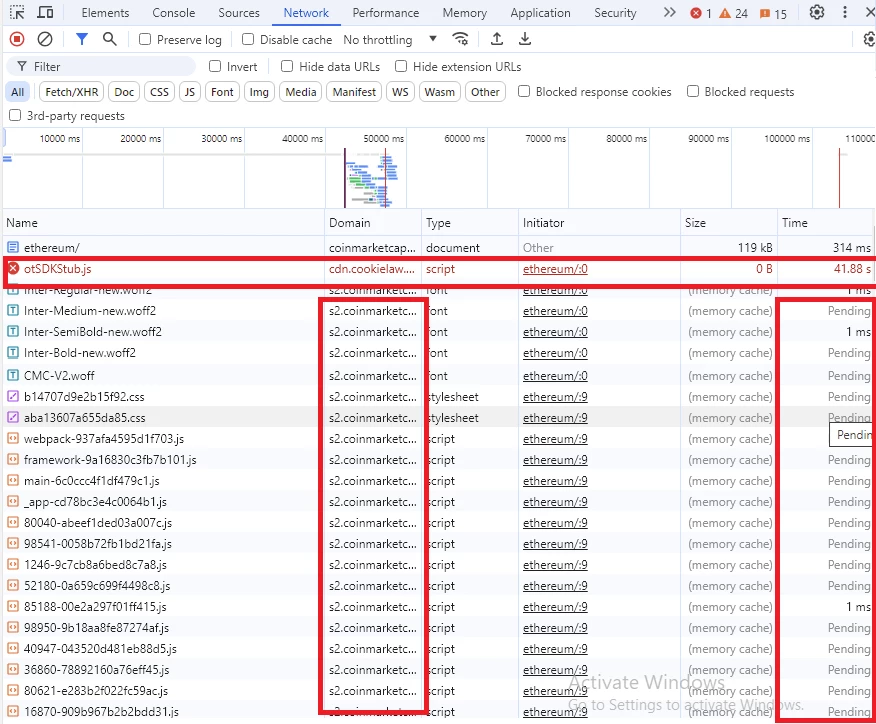
  • From the HAR log, a JavaScript file from the domain cdn.cookielaw.org failed to load:


devtoolspage4.png

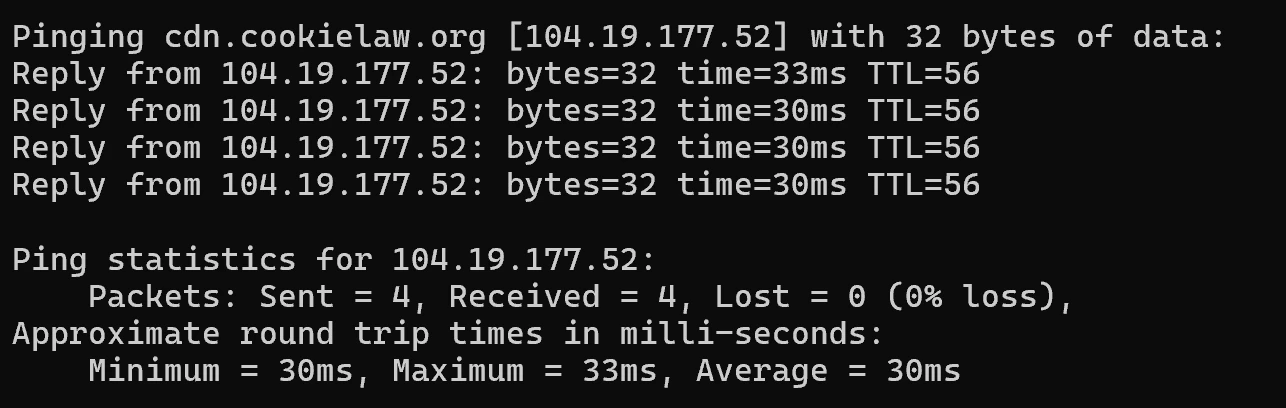
  • Ping the domain cdn.cookielaw.org to obtain its IP address:


ping cdscookiesorg.png


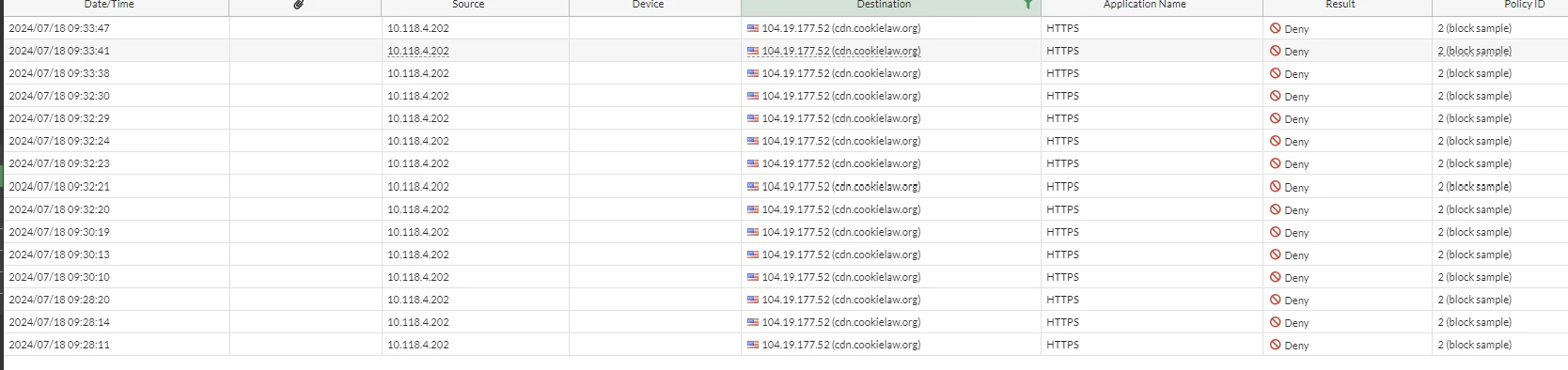
  • Filter this IP address in FortiGate to observe how it is being handled:


fortigate log.png


Resolution:

  • In the lab FortiGate, filtering logs using the IP [104.19.177.52] showed that traffic to this IP was being blocked.
  • Creat a policy in FortiGate to allow traffic to this IP.
  • After implementing the policy, CoinMarketCap started working without any issues.
    Thought Leadership. Security Summit. Thursday, November 12th, PGA National Resort, Palm Beach Gardens, FL.
    Security Operations Summit: Modernize SecOps. Operate AI-Native.AMER: November 4 | 9:00 AM PST. India and SAARC: November 5 | 10:00 AM IST. EMEA: November 5 | 10:30 AM CET. APAC: November 5 | 11:00 AM SGT