Technical Tip: Allow ISDB for Gmail
| Description | This article describes how to allow ISDB for Gmail. |
| Scope | FortiGate. |
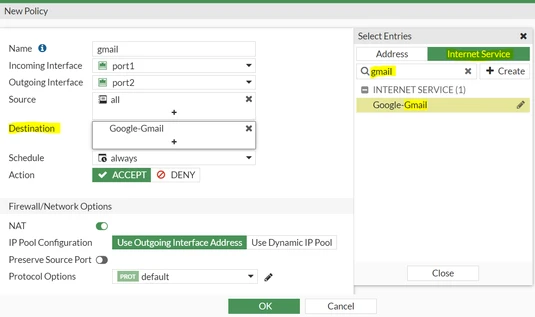
| Solution | Open the firewall policy, then select a destination. Select Internet Services -> Search for 'Gmail' and then select the Gmail ISDB as shown below:
In the same manner, it is possible to enable this for other ISDB services such as WhatsApp or Microsoft services.
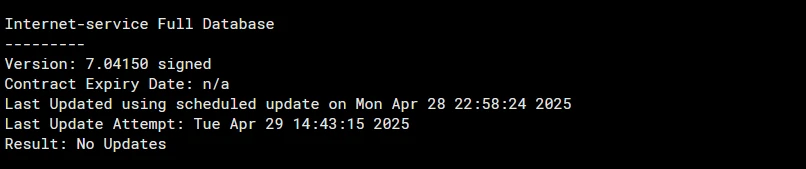
Note: Make sure the FortiGuard connectivity is properly established for the updated ISDB and verify that the ISDB version is up-to-date. Use the following command to check: diagnose autoupdate version
The response above is an example of a Full database.
get system fortiguard-service status |