Technical Tip: Adding multiple MAC address under single MAC based address object
| Description | This article describes the various options for configuring the MAC address under a single MAC-based address object. |
| Scope | FortiGate. |
| Solution | MAC address can be added below:
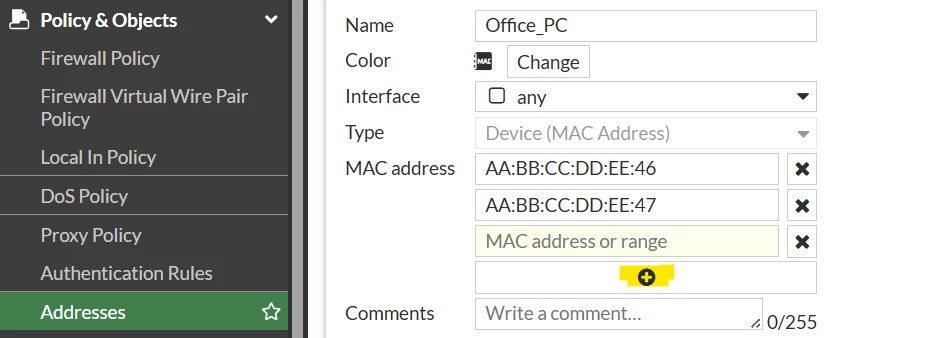
To add MAC addresses from the GUI, select the plus sign under the MAC address.
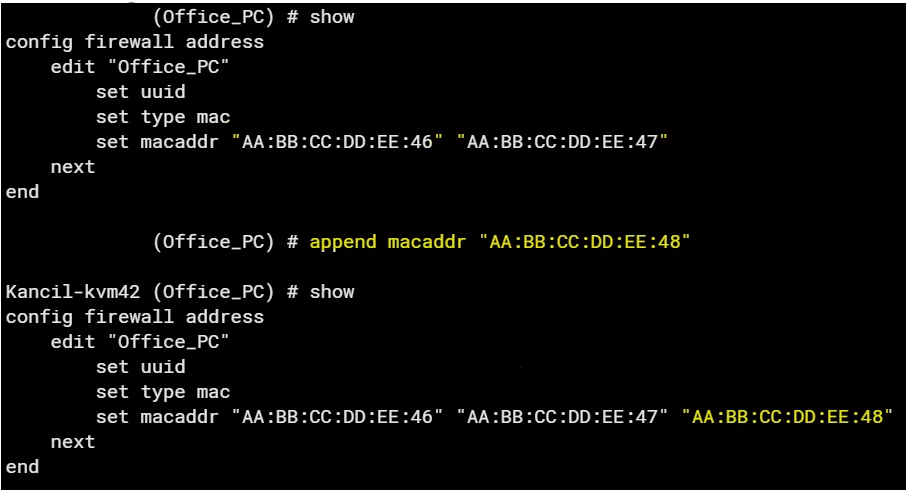
To add MAC addresses from the CLI, separate the addresses with a quotation mark or use the append command to add another MAC address entry.
In cases where the network is managed based on the source MAC address, it can be a tedious process to add a MAC address-based object for each user and possibly call it under a group. The above options can be helpful to manage the group under a single address object.
In the above example, 2 MAC-based address objects have been configured.
 |