


Technical Tip: Adding multifunction tooltip for Fabric connectors
Description
FortiOS 6.4.0 adds tooltips to Fabric connector cards and other areas that reference the Fabric connector.
Tooltips provide information on the connector, associated actions, and policies and objects defined against the connectors, driven primarily from tooltips throughout FortiOS.
This article describes how to add multifunction tooltip for Fabric connectors.
Solution
In Security Fabric -> External Connectors, a Fabric connector is selected, a tooltip appears that shows basic information on its configuration.
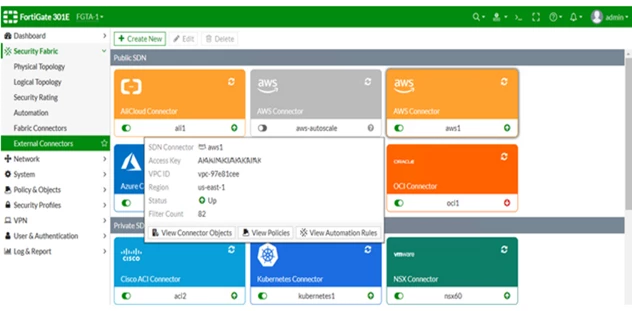
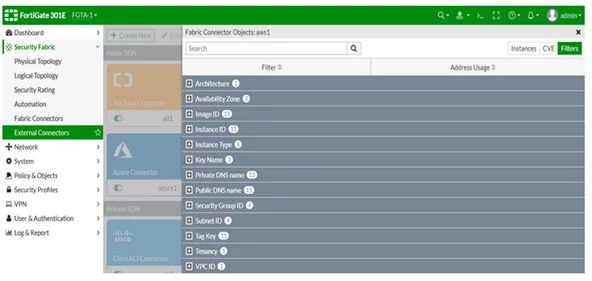
If 'View Connector Objects' from this tooltip is selected, the Fabric Connector Objects pane shows this Fabric connector's dynamic objects, such as filters.
For an AWS Fabric connector, this pane also shows instance and CVE information.
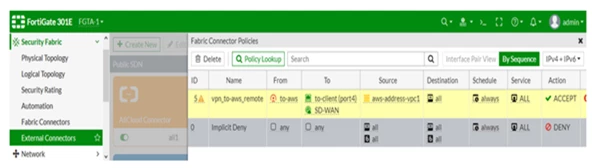
If 'View Policies' from the tooltip is selected, the Fabric Connector Policies pane shows policies that are using dynamic addresses from this Fabric connector.
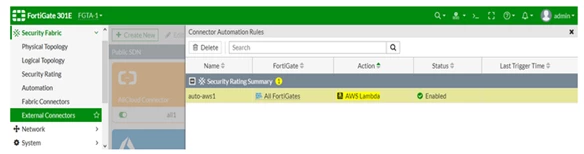
If 'View Automation Rules' from the tooltip is selected, the Connector Automation Rules pane shows automation actions that are using this Fabric connector.
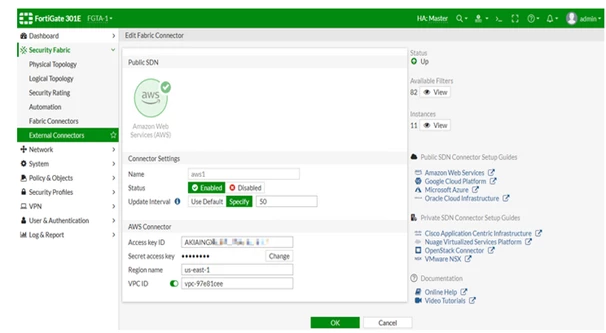
When an existing Fabric connector is edited, the connector status, filter, and instance information displays.
Related document.
