



Technical Note: Explicit web proxy with local authentication
Description
Explicit web proxy with local authentication
Solution
*Prerequisites:
- FortiGate Inspection Mode is set to “Proxy”
- Local user & user group is configured on the FortiGate for local authentication with Explicit Web Proxy
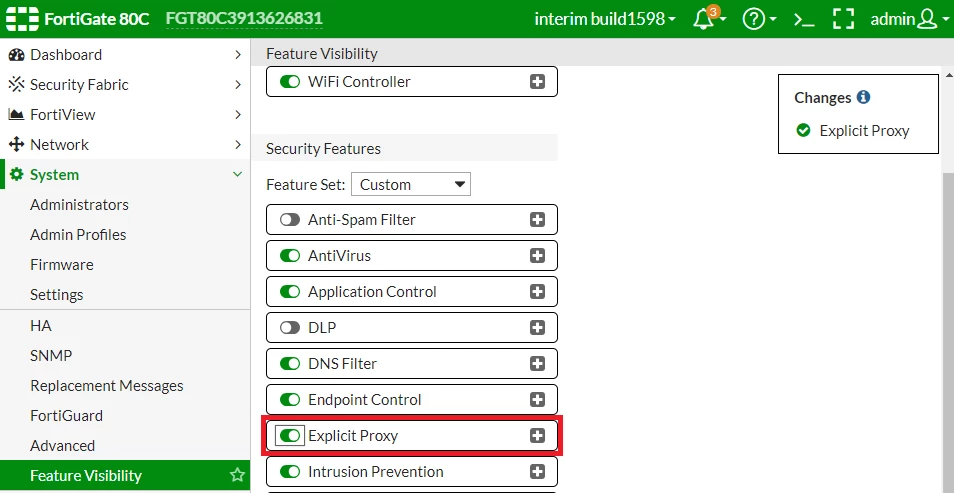
Enable the Explicit Proxy feature to be visible in the Web GUI
- System --> Settings --> Feature Visibility --> enable "Explicit Proxy"

Explicit web proxy with local authentication
Solution
*Prerequisites:
- FortiGate Inspection Mode is set to “Proxy”
- Local user & user group is configured on the FortiGate for local authentication with Explicit Web Proxy
Enable the Explicit Proxy feature to be visible in the Web GUI
- System --> Settings --> Feature Visibility --> enable "Explicit Proxy"
CLI Command:config system settings
set gui-explicit-proxy enable
end
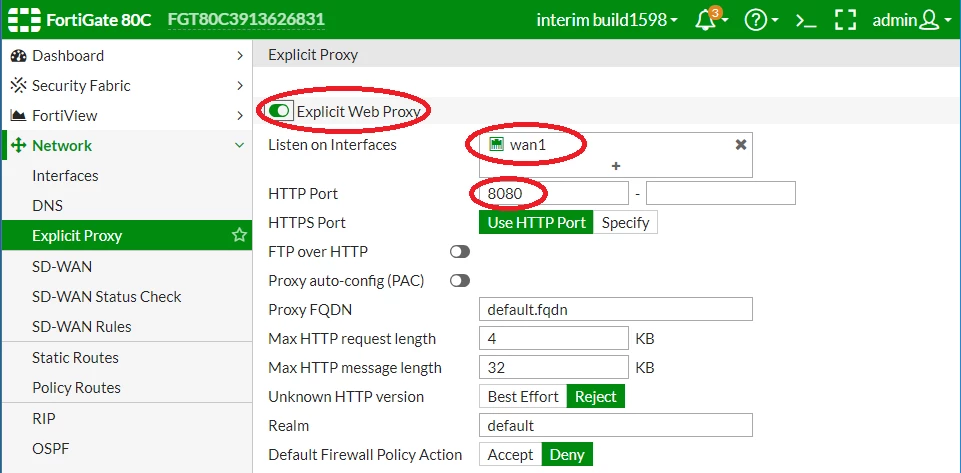
Configure Explicit Web Proxy Settings
- Network --> Explicit Proxy
- Enable "Explicit Web Proxy"
- Listen on Interfaces --> Specify the interface that you want to listen to proxy connections from
- HTTP port --> Specify the port you want to use for proxy connections
- Apply
CLI Command:config web-proxy explicit
set http-incoming-port 8080
end
config system interface
edit "wan1"
set ip 172.17.97.22 255.255.255.0
set explicit-web-proxy enable
next
end
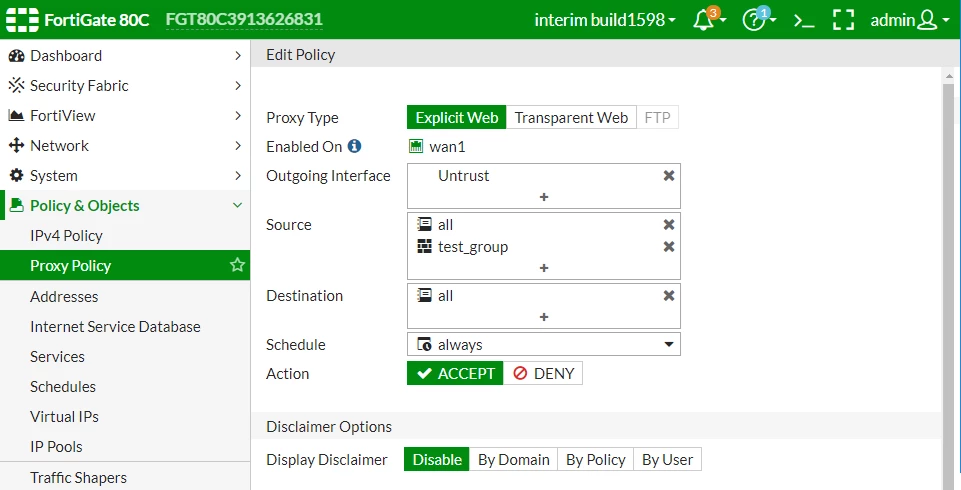
Configure a Proxy Policy
- Policy & Objects --> Proxy Policy --> Create new
- Select "Explicit Web"
- Outgoing Interface (Select your Internet facing interface)
- Source (Specify source address, or just use "all") (Specify the user group that is used for authentication)
- Destination (Specify destination address, or just use "all")
- Action "Accept"
- OK
Configure Authentication scheme to match local user-database (CLI ONLY)config authentication scheme
edit "scheme_01"
set method basic
set user-database "local"
next
end
Configure authentication setting to set the active-auth-scheme to "scheme_01" (CLI ONLY)config authentication setting
set active-auth-scheme "scheme_01"
end
Configure authentication rule to match the source address from where your proxy connection is coming from, or specify "all", and also set the active-auth-method to "scheme_01 (CLI ONLY)config authentication rule
edit "rule_01"
set srcaddr "all"
set active-auth-method "scheme_01"
next
end
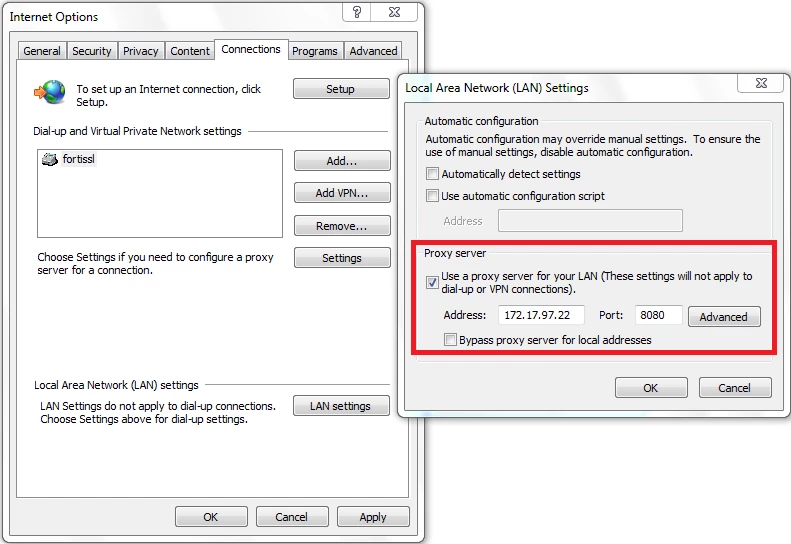
Configure your client/browser to point to the FortiGate Web Proxy IP & port
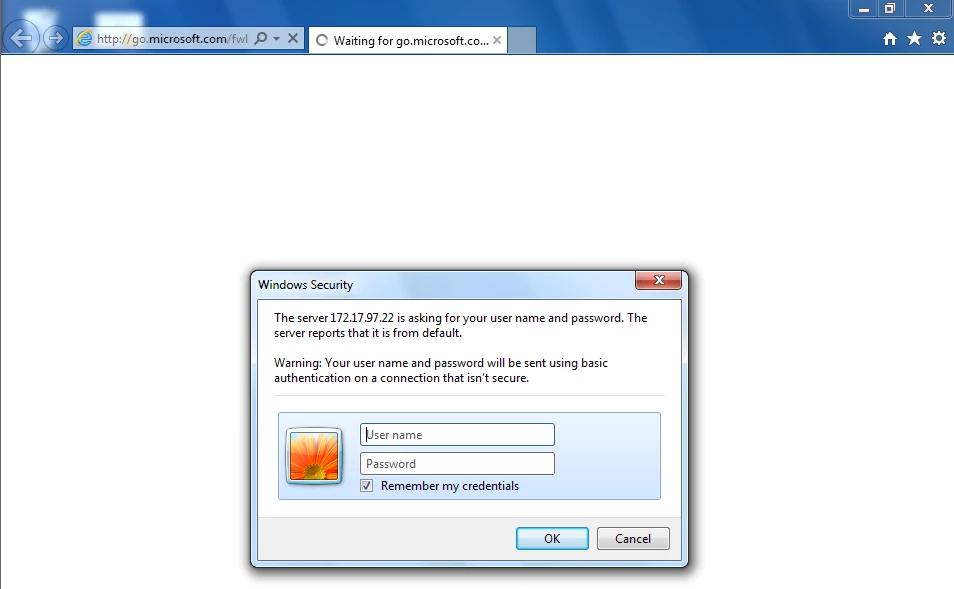
Browser will now prompt for authentication before they are able to browse via the Explicit Web Proxy
You can verify who is authenticated to your explicit proxy by checking:
- Monitor --> Firewall User Monitor
CLI Command:diag wad user list
ID: 10, IP: 172.17.97.23, VDOM: root
user name : tester
duration : 1466
auth_type : 1
auth_method : 0
pol_id : 1
g_id : 2
user_based : 0
expire : 222
LAN:
bytes_in=1867821 bytes_out=14584866
WAN:
bytes_in=14580698 bytes_out=1656522