Configuring server redundancy for remote authentication is a best practice, especially for administrator access. When the primary RADIUS server is unreachable, FortiGate sends the authentication request to the secondary server.
Prerequisites: The administrator account must exist on all RADIUS servers, with the same credentials and attributes (group, Fortinet-Access-Profile VSA, if used). FortiGate must be registered as a RADIUS client on each server, with the correct shared secret. FortiGate must reach each server on UDP port 1812 (or the configured port).
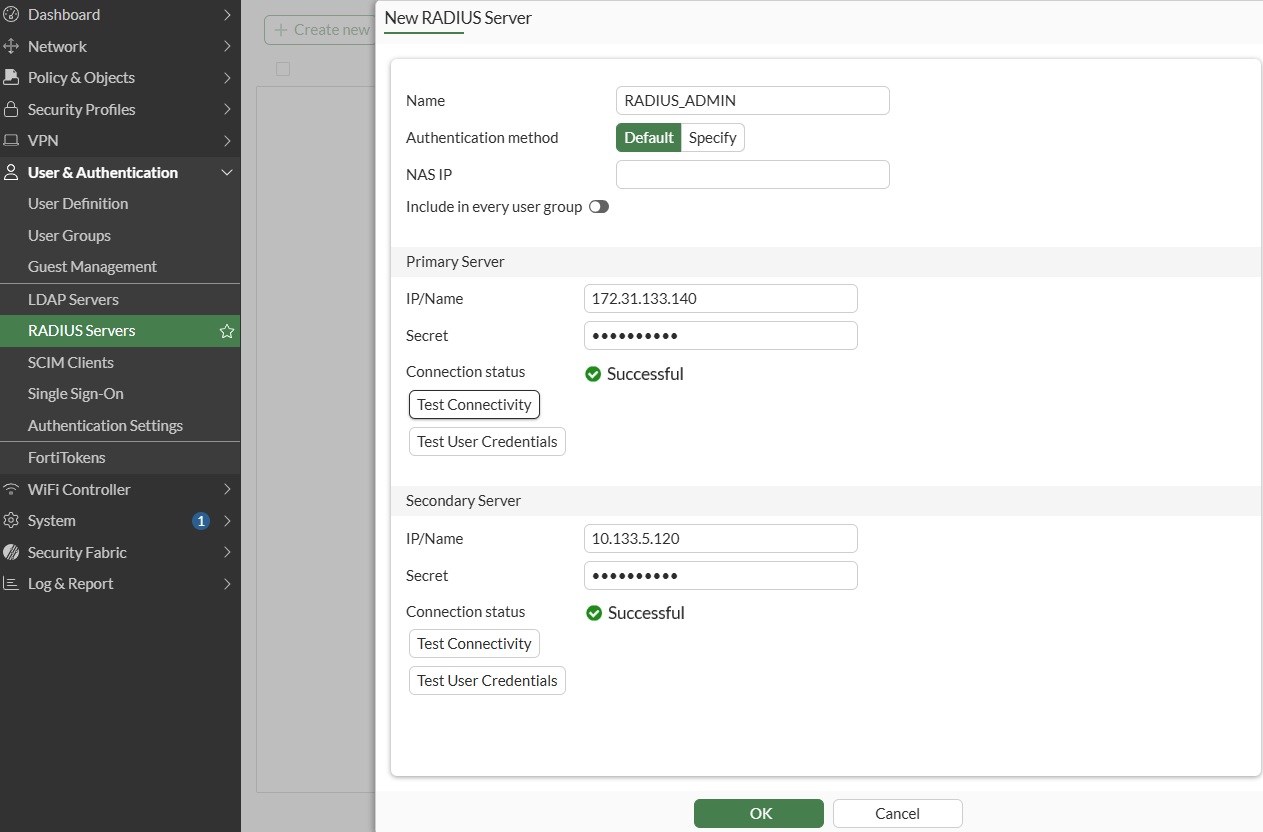
Step 1: Configure the RADIUS server object:
GUI: User & Authentication -> RADIUS Servers -> Create New.
CLI:
config user radius
    edit "RADIUS-ADMIN"
        set server "172.31.133.140"
        set secret <primary-secret>
        set secondary-server "10.133.5.120"
        set secondary-secret <secondary-secret>
    next
end
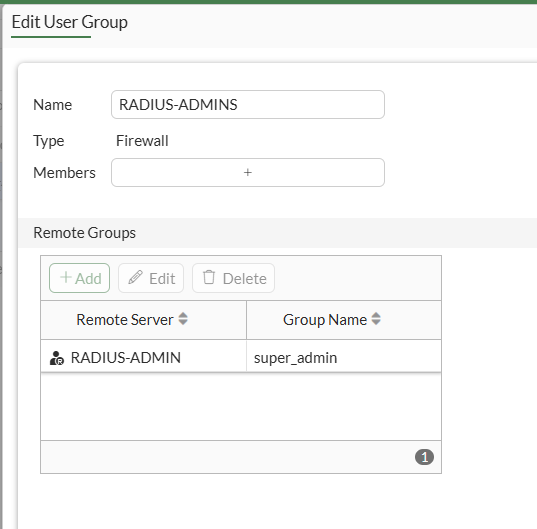
Step 2: Configure the user group.
GUI: User & Authentication -> User Groups -> Create New.
CLI:
config user group
    edit "RADIUS-ADMINS"
        set member "RADIUS-ADMIN"
        config match
            edit 1
                set server-name "RADIUS-ADMIN"
                set group-name "super_admin"
            next
        end
    next
end
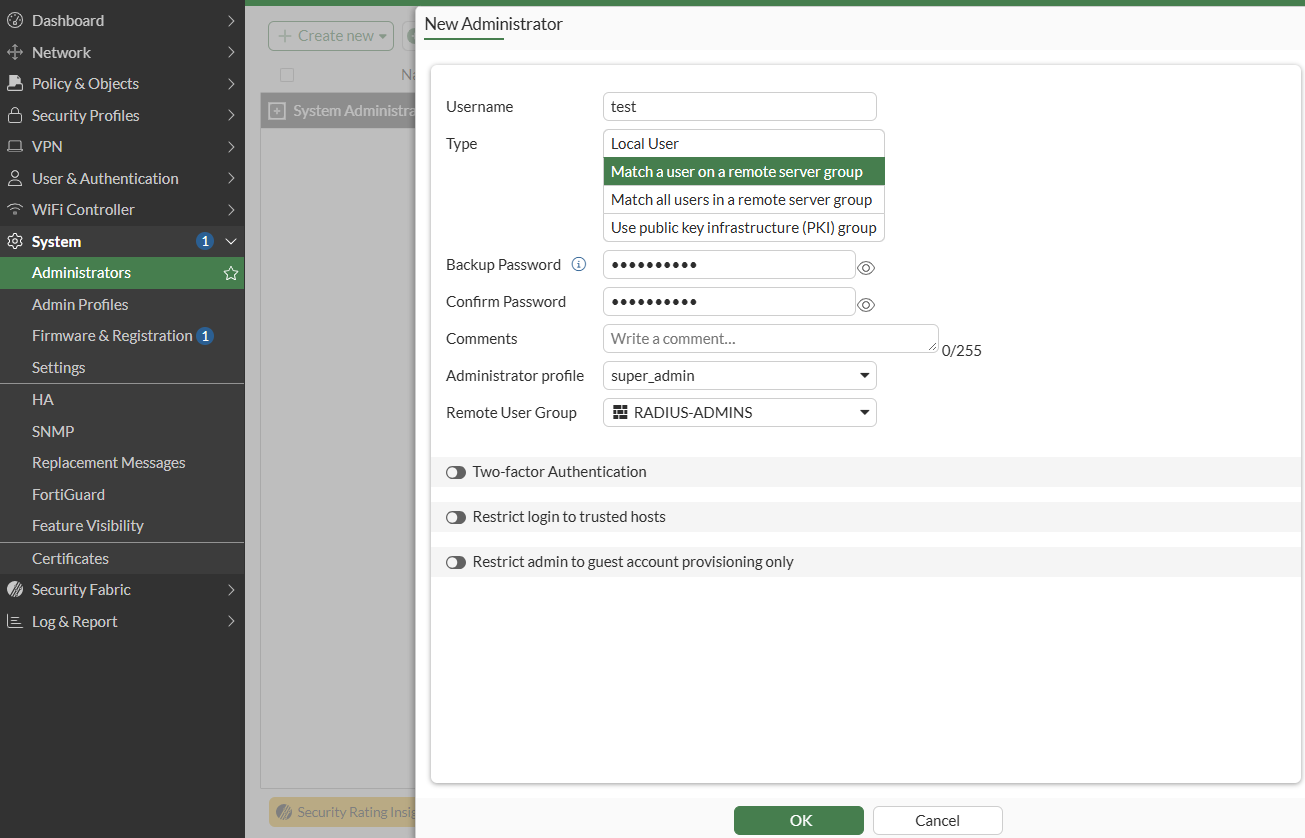
Step 3: Configure the remote administrator.
GUI: System -> Administrators -> Create New -> Administrator -> Type: Match a user on a remote server group.
CLI:
config system admin
    edit "test"
        set remote-auth enable
        set accprofile "super_admin"
        set vdom "root"
        set remote-group "RADIUS-ADMINS"
    next
end
When an administrator logs in, authentication is handled by the primary server. If the primary server is down, the secondary server handles the authentication.
Verification:
Run a packet capture on the RADIUS port:
diagnose sniffer packet any "(host 172.31.133.140 or host 10.133.5.120) and port 1812" 4
Sniffer 1: Successful authentication (through primary server).
diagnose sniffer packet any "(host 172.31.133.140 or host 10.133.5.120) and port 1812" 4

filters=[(host 172.31.133.140 or host 10.133.5.120) and port 1812]
14.321084 port2 out 172.31.133.115.15201 -> 172.31.133.140.1812: udp 111
14.337001 port2 in 172.31.133.140.1812 -> 172.31.133.115.15201: udp 20
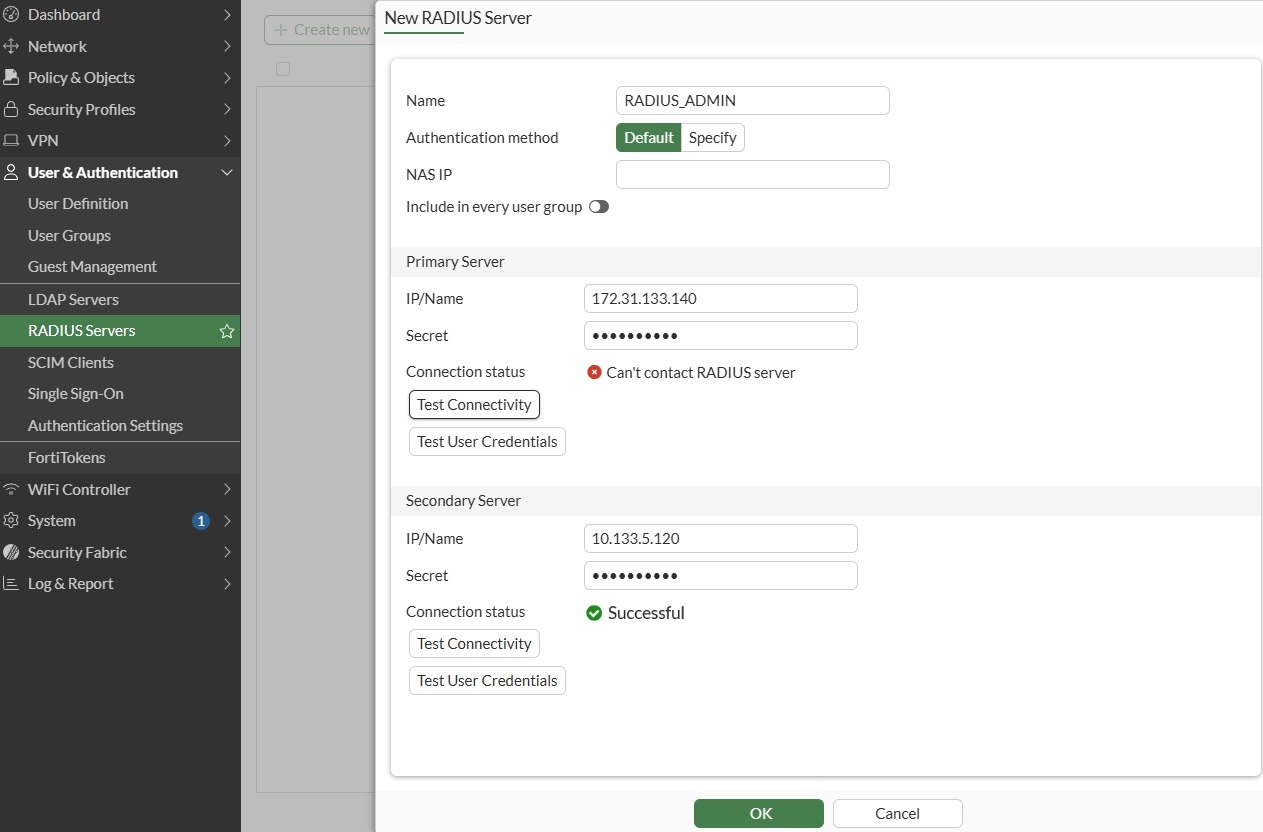
Sniffer 2: Successful authentication (through secondary server) when primary is down.
diagnose sniffer packet any "(host 172.31.133.140 or host 10.133.5.120) and port 1812" 4

filters=[(host 172.31.133.140 or host 10.133.5.120) and port 1812]
16.139606 port5 out 10.133.5.115.1429 -> 10.133.5.120.1812: udp 111
16.149698 port5 in 10.133.5.120.1812 -> 10.133.5.115.1429: udp 20
From the output, traffic is going through the secondary one.
| 
