
High memory and High CPU general script using Tera Term
Description
This article describes how to use scripts to monitor a FortiGate that is suffering from high CPU or high memory usage. If the device goes into conserve mode or high CPU, the logs obtained will help isolate the issue when shared with TAC.
Scope
FortiGate v6.4 and later.
Solution
To run the script, follow the steps below:
Download Tera Term from https://github.com/TeraTermProject/teraterm/releases.
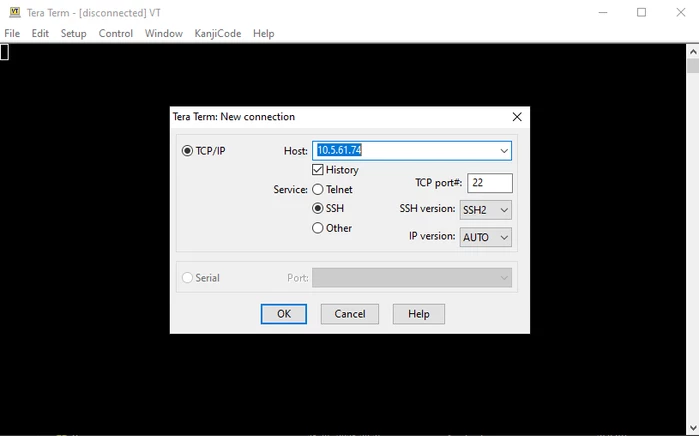
Run Tera Term from a PC connected to the LAN and log in to the firewall (using ttermpro.exe).
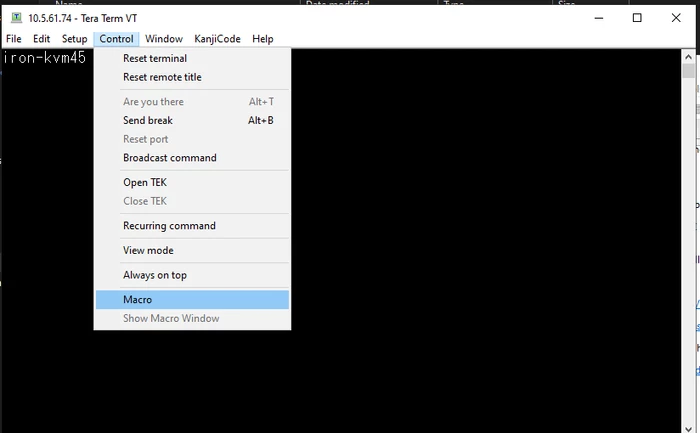
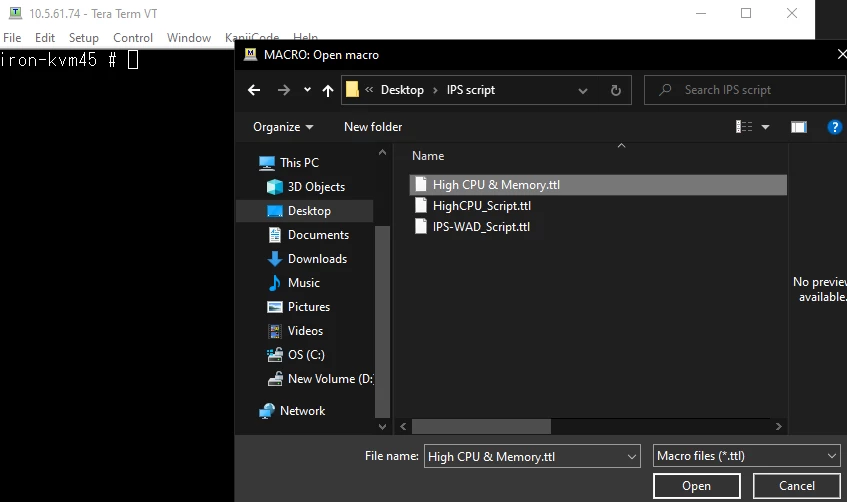
Run the script by navigating to Control -> Macro and selecting the script (the file with a .ttl extension).
Important:
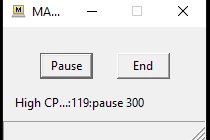
Do not close the logging or script window during execution.
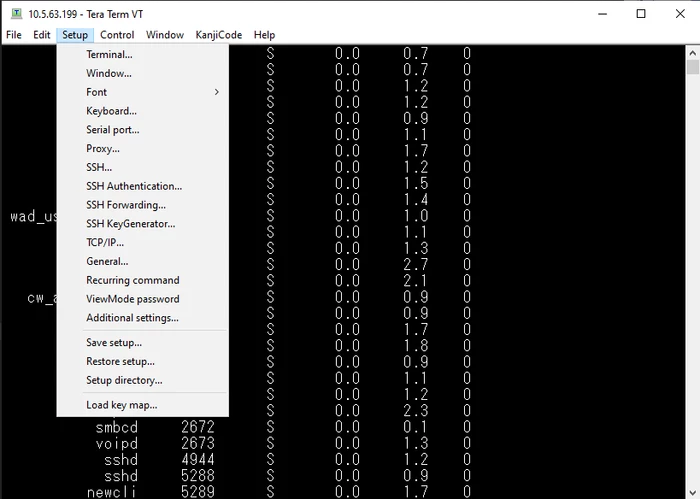
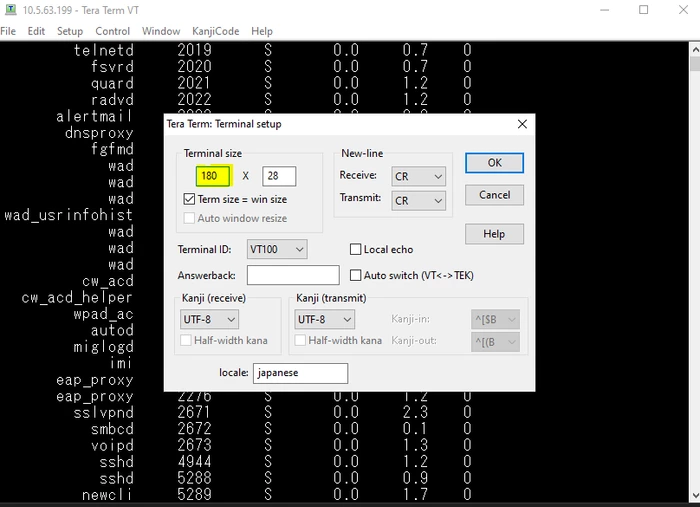
Change the terminal width. Navigate to Setup -> Terminal and let the script run.
Note:
Once the script is in place, monitor the CPU and Memory. If high CPU or memory is seen, let the script run for 10-15 minutes more, then stop it and upload the logs to the corresponding TAC case.
Note:
If the script logs out automatically, adjust the login timeout period following this command:
config system global
    set admin-ssh-grace-time <number_of_seconds>
end
Note:
Customize the script based on requirements. The script attached to the document is for general troubleshooting.
See the TTL command reference (osdn.jp).
To view a video tutorial on how to execute the Tera Term script, see Using Tera Term App to Run Scripts.
Diagnostic commands may vary depending on the FortiGate operating system version (FortiOS, 'FOS').
Scripts must be adjusted based on the specific issue and requirements.
FortiGates using VDOMs need an extra configuration change in the script.
The output of the commands will be automatically saved in the folder 'C:\FTNTTACDebug'.

To change the folder of the output file, modify the configuration of 'dpath' in each of the corresponding files. For example:
dpath = 'D:\FTNTTACDebug'
Related articles:
For any questions, reach out to Fortinet TAC:
