When trying to load the FortiGate Cloud Report page and getting 'Internal Server Error': 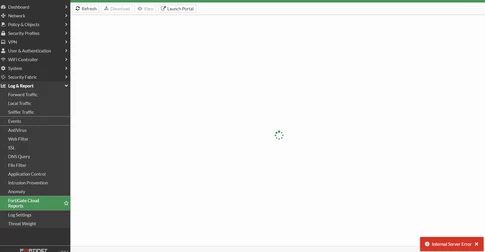 Run debug: diagnose debug application httpsd -1
diagnose debug application forticldd -1
diagnose debug enable
Debug output shows rpt_list_res: invalid value size short name 142 bufsz 128):
[105] fds_print_msg: Firmware=FAZ-4K-FW-2.50-100
[105] fds_print_msg: SerialNumber=FDS1001001000000
[105] fds_print_msg: Persistent=false
[2800] rpt_list_res: invalid value size short name 142 bufsz 128)
[652] fds_https_stop_server: 173.243.132.63:443
[422] fds_free_tsk: cmd=15; req.noreply=0
[466] fds_send_reply: Sending 0 bytes data.
[httpsd 505 - 1662027267 error] build_forticloud_report_list[1029] -- Unable to get forticloud reports
[httpsd 505 - 1662027267 error] api_return_http_result[1272] -- API error 500 raised
[httpsd 505 - 1662027267 info] endpoint_process_req_vdom[1022] -- completed API request (rss_pre=19076, rss_post=19076, rss_delta=0)
[httpsd 505 - 1662027267 info] fweb_debug_final[298] -- Completed GET request for "/api/v2/monitor/log/forticloud-report-list" (HTTP 500)
Access FortiCloud and check the report template list: 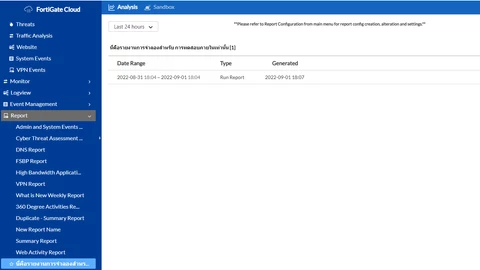 To resolve the issue, try a shorter template name. Note: FortiGate Cloud has been renamed to FortiManagement Cloud starting from September 8, 2026.
For more details, refer to FortiGate Cloud is now FortiManagement Cloud. | 


