


Error 'Validation Failed. Invalid Certificate.' when uploading a CA certificate
Description | This article describes how to remediate the issue of encountering error Validation Failed. Invalid Certificate when uploading a CA certificate. |
Scope | FortiDeceptor v6.3 or below. |
Solution | Navigate to System -> Certificates: 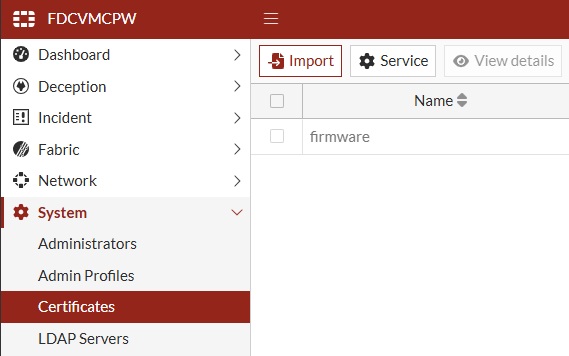
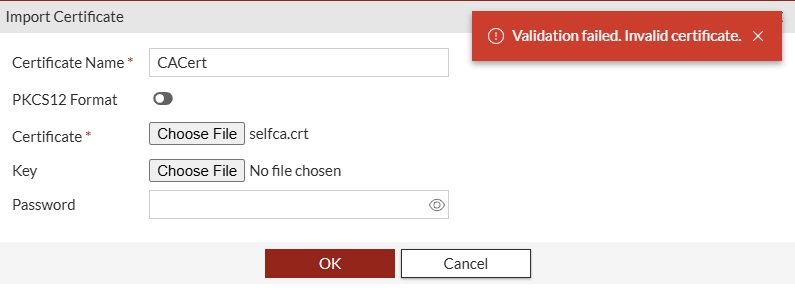
To rectify this, open a ticket with TAC (Customer Service Tip: How to create a ticket for Fortinet TAC) and make a request for a v6.0 interim build0479 or wait for the v6.3.1 GA release.  Note: Ubuntu certificate validation example: The following output is from a separate CA certificate (Team_Server_CA.crt) that was successfully imported in the lab. It is provided as a validation example and does not represent the certificate that triggered the error shown above.
Example output: 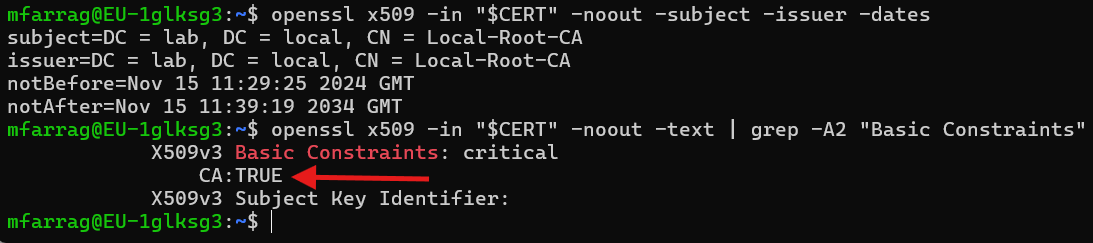 Confirm that the certificate is within its validity period and that Basic Constraints includes CA:TRUE.
|

